Live streaming for ecommerce is no longer a trend brands are watching from the sidelines. It is the fastest-growing sales channel in online retail and in 2026, every major ecommerce category from fashion to food to consumer electronics is running live shopping events directly on their stores.
The reason is simple: live video converts at rates static product pages cannot match. A shopper who watches a host demonstrate a product, ask questions in real time, and see other viewers buying alongside them is a fundamentally different kind of buyer than one scrolling a product grid alone.
This guide covers everything you need to know how live streaming ecommerce works, what formats drive the most sales, how to choose the right platform, and how to go live on your store today.
Quick Answer: Live streaming for ecommerce is the practice of broadcasting real-time video on your online store while selling products in-stream viewers watch, ask questions, and add to cart without leaving the stream. Brands running live commerce events report 30–45% increases in sales, 60% improvements in customer retention, and conversion rates 3–9x higher than standard product pages. To get started, you need a live streaming platform like MyLiveCart that integrates with your store (Shopify or WooCommerce) and handles the video, chat, and checkout layers for you.
What Is Live Streaming for Ecommerce?
Live streaming for ecommerce also called live commerce, live selling, or livestream shopping is the practice of broadcasting real-time video on your online store while selling products directly through that broadcast. Hosts demonstrate products, answer viewer questions live, and trigger buy buttons on-screen that let viewers add to cart and complete checkout without pausing the video or navigating away.
Unlike traditional video commerce (pre-recorded product videos on a product page), live streaming ecommerce is interactive. The host responds to the audience in real time. Viewers see other people buying. Limited-time offers create genuine urgency. The result is a purchasing environment that more closely resembles a physical retail experience than anything else available in online commerce.
Live commerce originated in China, where it now accounts for over 20% of all ecommerce transactions. Western markets have followed rapidly: live shopping platforms saw triple-digit growth between 2022 and 2025, and the global live commerce market is projected to exceed $500 billion by 2027.
How Live Streaming Ecommerce Works
A live streaming ecommerce event has three layers working simultaneously:
1. The video layer Your host streams live video from a camera smartphone, laptop webcam, or professional setup. The stream is encoded and delivered to viewers via a CDN (Content Delivery Network) with under 5 seconds of latency, so the experience feels genuinely live rather than delayed.
2. The commerce layer Products from your store catalog are loaded into the event in advance. During the stream, the host highlights individual products triggering a product card and buy button to appear on screen. Viewers click “Add to Cart” without leaving the video. Checkout uses your store’s existing payment flow.
3. The interaction layer A live chat panel runs alongside the video. Viewers ask questions, the host responds by name, and other viewers see the exchange. Emoji reactions, viewer counts, and time-limited offer banners create social proof and urgency in real time.
On the backend, every viewer action watch time, product clicks, add-to-cart events, purchases is tracked at the event level, giving you conversion data per product highlighted, not just per page view.
Why Live Streaming for Ecommerce Drives Higher Sales
The performance gap between live streaming ecommerce and static product pages is not marginal it is structural. Live video removes the three biggest objections in online shopping: uncertainty about the product, inability to ask questions, and lack of urgency.
Brands using MyLiveCart’s live shopping platform have reported:
- 45% increase in sales within the first month of going live
- 98 products sold in 23 days from a single jewellery brand’s live campaign
- 3x increase in product inquiries and purchase intent
- 60% improvement in customer retention
- 2x improvement in engagement rate compared to static product pages
These results hold across categories fashion, jewellery, skincare, consumer electronics, food and beverage because the underlying mechanism (real-time demonstration + immediate purchase) is category-agnostic.
The conversion advantage comes from four specific dynamics:
Trust built through demonstration: Viewers see the product in motion how fabric falls, how a serum absorbs, how a gadget fits in a hand. This removes the ambiguity that causes hesitation on a product page.
Real-time objection handling: When a viewer asks “does this come in XL?” and gets an immediate answer, that objection is resolved in seconds rather than left to fester until the shopper abandons the cart.
Social proof at scale: Visible viewer counts, live chat activity, and emoji reactions signal that other real people are watching and buying which reduces the perceived risk of purchase.
Scarcity and urgency: “Only 8 left in stock” or “free shipping for the next 10 orders” means something when said live, in real time, rather than displayed as a static label that shoppers have learned to ignore.
Types of Live Streaming Formats for Ecommerce
Not every live stream follows the same format. The right format depends on your product category, audience size, and sales goal.
Product Launch Streams
Reveal a new product live, with an exclusive first-look for viewers. Works especially well for limited editions, seasonal collections, and subscription drops. Creates urgency because the first-mover advantage is real viewers who buy during the launch get it before anyone else.
See How MyLiveCart Powers Live Streaming Ecommerce — Get a Free Demo →
Tutorial and How-To Demos
Show the product being used step by step. Highly effective for skincare, cooking, tools, and anything that requires instruction. The demonstration closes the “but will it work for me?” objection that stops purchases on static pages.
Q&A and Expert Sessions
Host a live interview or panel where a product expert a dermatologist, a chef, a stylist demonstrates and answers audience questions in real time. Builds brand authority while educating viewers about the product.
Flash Sales and Limited-Time Drops
Time-limited offers available exclusively during the live event. Viewer gets a benefit (early access, discount, free shipping) that expires when the stream ends. Creates genuine urgency that static sale banners cannot replicate.
Behind-the-Scenes and Factory Tours
Show how the product is made, where it comes from, or how your brand operates. Particularly effective for brands where provenance and craft matter artisan goods, sustainable fashion, specialty food.
Influencer and Brand Ambassador Collabs
Invite an influencer or ambassador as a co-host. They bring their audience to your stream; you provide the product and purchase infrastructure. Extends your reach without requiring a large existing audience of your own.
How to Choose a Live Streaming Platform for Your Ecommerce Store
The live streaming platform you choose determines what your viewers can do and what data you can act on. Evaluate platforms on these five criteria before committing:
1. Integration with Your Ecommerce Platform
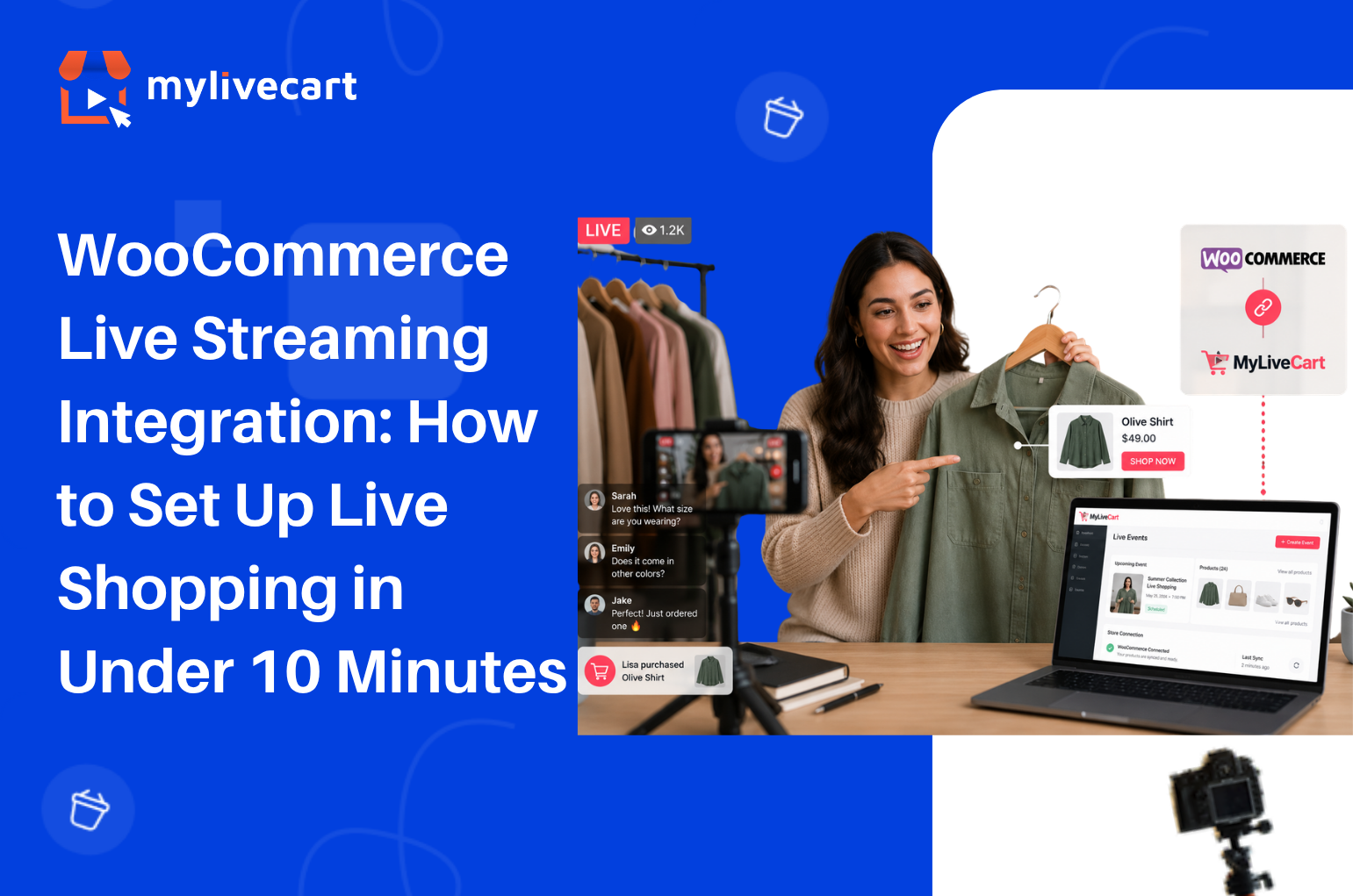
Your live streaming platform must connect directly to your product catalog Shopify, WooCommerce, or a custom backend. Without this, you are manually entering product details before every event, and inventory does not update in real time. MyLiveCart’s full feature set includes native integration for both major platforms.
2. In-Stream Checkout (Checkout Without Leaving the Video)
If a viewer has to navigate to a separate product page to buy, you lose a significant portion of them in transit. The buy button must surface within the stream player and add directly to your store’s cart. This is the most commonly missed requirement in platform evaluation.
3. Event-Level Analytics
You need to know which products converted, not just how many people watched. Platform-level analytics (“1,200 viewers”) are useless for product strategy. Event-level analytics (product A: 47 add-to-carts, product B: 12 add-to-carts, average watch time 14 minutes) tell you how to structure your next event.
4. Replay and VOD
Your live event continues working after it ends if it is available as a replay on your store. Every viewer who missed the live event is a potential buyer of the on-demand version. Platforms that do not record automatically leave that revenue on the table.
5. Pricing That Scales With You
Look for a platform that has a free or low-cost entry point so you can test and learn before committing significant budget. MyLiveCart’s free Starter plan includes unlimited events and 2,000 viewing minutes per month enough to run your first several events and validate the format for your audience before upgrading.
How to Get Started with Live Streaming for Your Ecommerce Store
Getting your first live shopping event live takes less than a day most of it is planning, not setup. Here is the process from zero to live:
Step 1 — Choose Your Platform and Sign Up
Create a free MyLiveCart account at web.mylivecart.com/sign-up. The free Starter plan includes unlimited events, unlimited products per event, and the integration plugin for your store. No credit card required.
Step 2 — Connect Your Store
From your MyLiveCart dashboard, go to Integrations and connect your store. The Shopify integration takes under 60 seconds authorize the app, and your entire product catalog syncs automatically. WooCommerce follows the same process.
Step 3 — Plan Your Event Format and Product Selection
Decide which format fits your goal (launch, demo, flash sale). Select 8–15 products to feature enough to fill a 30–60 minute stream without rushing. Order your products: open with your strongest sellers to build early momentum, then introduce newer or higher-consideration items mid-stream when trust is established.
Step 4 — Promote the Event in Advance
Share your event link 48–72 hours ahead via email, social media, and your store’s homepage. MyLiveCart generates a pre-event page that viewers can bookmark and share. Brands that promote in advance consistently see 2–3x more viewers than unannounced streams.
Step 5 — Go Live
At event time, click Start Event from your dashboard. Your stream embeds on your store automatically. During the event, click products in your event panel to highlight them the buy button appears on screen for all viewers in real time. Respond to chat questions by name. Add urgency with limited-time offers.
Step 6 — Review Your Analytics
After every event, your analytics dashboard shows peak viewers, watch time, products highlighted, add-to-cart rate, conversion rate per product, and total orders. Use this data to decide which products to lead with next time, which offer types drove the most action, and which time slot brought the largest audience.
Ready to run your first event? Your store can be live this week.
Start Live Streaming Free — No Developer Needed →
Live Streaming Ecommerce Best Practices
Keep Events Between 30 and 60 Minutes
Under 30 minutes does not give late arrivals enough time to engage and buy. Over 60 minutes sees significant audience drop-off after the halfway point. The 30–60 minute window consistently produces the highest engagement-to-conversion ratio.
Start Selling Within the First 5 Minutes
Viewers decide within the first 3–5 minutes whether to stay. Lead with a strong product, a compelling offer, or a bold claim then back it up. Audiences who stay past 5 minutes convert at significantly higher rates than those who leave early.
Feature 8–12 Products Per Hour
Fewer than 8 products leaves too much time on each item and loses momentum. More than 15 per hour rushes viewers and reduces their confidence in each purchase decision. Spending 4–6 minutes per product is the optimal pacing for most categories.
Use Your Chat as a Sales Tool
Every question in chat is a sales signal. When a viewer asks “does this ship internationally?” or “what size should I get?” they are close to buying. Prioritise those questions over generic comments. Resolve objections publicly so every viewer watching benefits.
Go Live Consistently, Not Just Once
The brands that see compounding results from live streaming ecommerce go live on a regular schedule weekly or bi-weekly. Audiences learn when to expect you. Returning viewers convert at higher rates than first-time viewers because trust is already established.
Live Streaming on Your Own Store vs. Social Platforms
The most common question from brands starting live commerce is whether to stream on Instagram, TikTok, or YouTube — or on their own store. The answer depends on where you are in your brand journey.
| Factor | Instagram / TikTok / YouTube Live | Live Streaming on Your Store |
|---|---|---|
| Audience reach | Large, built-in audience | Your existing audience + promotion |
| Checkout location | Third-party platform | Your own store |
| Customer data | Platform owns it | You own it |
| Product catalog sync | Limited or manual | Full, automatic |
| Analytics | Views and likes | Product-level conversion data |
| Replay on your store | No | Yes |
| Brand control | Platform-branded UI | Fully your brand |
The strategic answer: social platforms are useful for discovery and audience building. Your own store is where sales and data ownership live. The highest-performing brands use both they promote on social, then send viewers to their store for the actual purchase event.
Frequently Asked Questions About Live Streaming for Ecommerce
What is live streaming for ecommerce?
Live streaming for ecommerce is the practice of broadcasting real-time video on an online store while selling products through the stream. Viewers watch a host demonstrate products, ask questions in a live chat, and add items to cart without leaving the video all on the retailer’s own website.
How does live streaming increase ecommerce sales?
Live streaming increases ecommerce sales by removing the three main objections that stop online shoppers: uncertainty about the product (resolved by live demonstration), inability to ask questions (resolved by real-time chat), and lack of urgency (created by limited-time in-stream offers and visible social proof).
What equipment do I need to start live streaming for ecommerce?
You need a device with a camera (smartphone or laptop works), a stable internet connection, and a live streaming platform connected to your store. No professional studio equipment is required to start brands run successful live events from phones and basic ring lights.
Which ecommerce platforms support live streaming?
Shopify and WooCommerce both support live streaming through MyLiveCart’s native plugins. The live stream embeds directly on your store across all platforms.
How long should a live shopping event be?
Most successful live shopping events run between 30 and 60 minutes. This is long enough for late joiners to engage and buy, but short enough to maintain audience attention and host energy throughout. Events under 20 minutes tend to underperform because they do not allow time for the audience to warm up and trust the host.
How many products should I feature in a live event?
Most successful live shopping events feature 8–12 products in a 30–60 minute stream roughly one product every 4–6 minutes. This pacing gives viewers enough time to consider and buy each item without feeling rushed, while maintaining momentum across the event.
Is live streaming ecommerce only for large brands?
No. Live streaming ecommerce works across brand sizes. The advantages real-time demonstration, live Q&A, urgency apply equally to a small jewellery maker with 500 email subscribers and a large fashion retailer with millions of followers. MyLiveCart’s free plan is specifically designed for brands starting their first live commerce events.
Start Live Streaming for Your Ecommerce Store Today
Live streaming ecommerce is not a future consideration it is the channel your competitors are already testing. The brands that establish a consistent live shopping presence now will have a significant advantage in audience trust, conversion data, and repeat buyer rates by the end of 2026.
Getting started takes three minutes:
- Create your free MyLiveCart account
- Connect your Shopify or WooCommerce store
- Run your first live event this week
If you would like a specialist to walk through your first event setup, book a free live demo and we will plan your first stream together format, product selection, promotion, and analytics review included.