
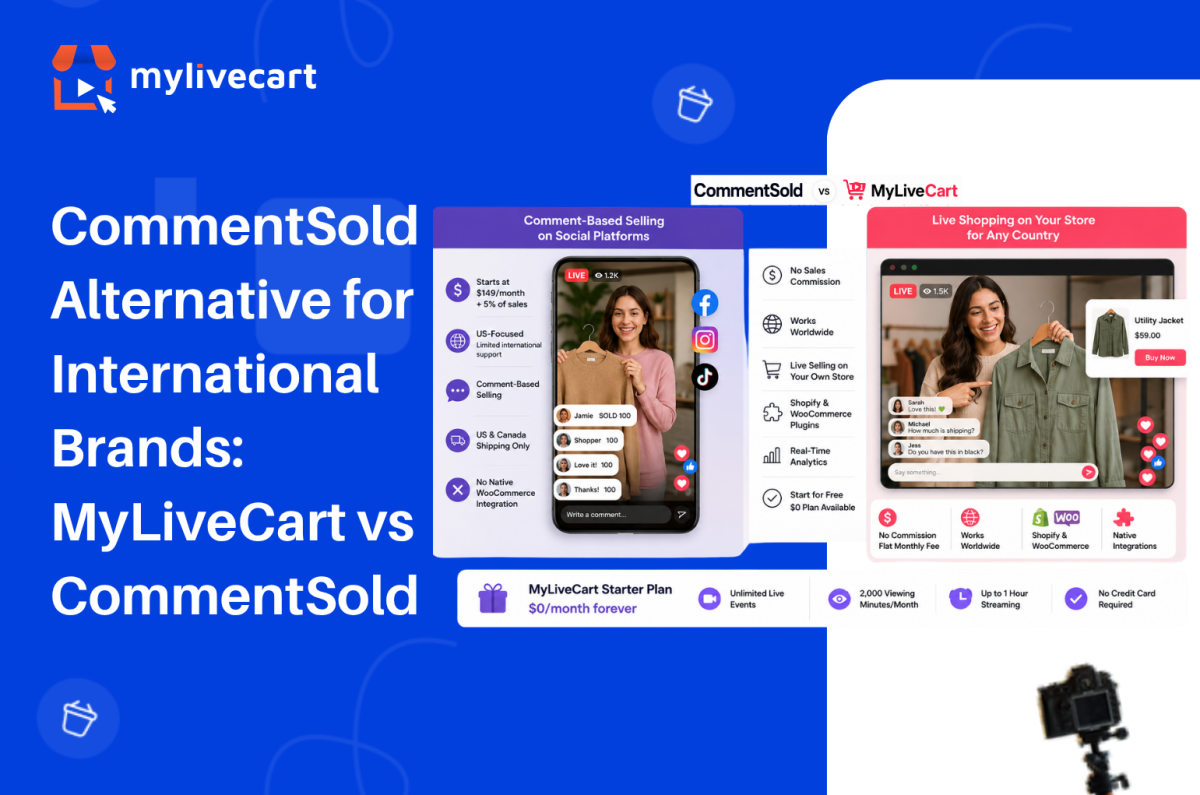
The most popular CommentSold alternative for international brands is a platform that does not tie your revenue to a sales commission, works on your own Shopify or WooCommerce store regardless of country, and starts at $0 rather than $149 per month.
CommentSold is well-established in the US over 12,000 boutiques use it to sell through Facebook, Instagram, and TikTok Live. But its pricing model, geographic focus, and comment-based selling mechanic make it a poor fit for brands operating outside North America, running on WooCommerce, or looking to own their live shopping channel rather than depend on social platforms.
In this guide, we compare CommentSold and MyLiveCart on pricing, platform support, integrations, and geographic availability so you can choose the right platform for where your brand is today.
Quick Answer: The strongest CommentSold alternative for international brands is MyLiveCart. CommentSold starts at $149/month plus a 5% sales commission meaning the platform takes a cut of every order. MyLiveCart charges a flat monthly fee with no commission, starts at $0, and works on any Shopify or WooCommerce store globally. CommentSold is built for US social commerce (Facebook, Instagram, TikTok); MyLiveCart runs on your own store with no geographic restrictions.
What Is CommentSold?
CommentSold is a US-based social commerce platform built around comment-driven live selling. The core mechanic: a viewer comments a keyword or product number during a Facebook Live, Instagram Live, or TikTok Live broadcast, and the platform automatically sends them an invoice via direct message, comment reply, or email.
It is described as “America’s #1 live selling platform” and it has earned that positioning in the US boutique retail market. CommentSold also provides a branded mobile app for your customers, a website builder, shoppable video clips, and AI-assisted content tools.
CommentSold’s current pricing plans:
- Starter — $149/month + 5% of sales (15-day free trial, no free plan)
- Small Business — $499/month + 4% of sales
- Large Business — $999/month + 3% of sales
- Enterprise — Custom pricing
Two things stand out. First, every plan charges a percentage of sales on top of the monthly fee the platform earns more as your revenue grows. Second, there is no free plan: the 15-day trial ends and you move to at least $149/month plus commission from day one.
Why International Brands Look for a CommentSold Alternative
In practice, CommentSold’s model works well for a specific customer: a US boutique retail brand with an established Facebook and Instagram following, selling primarily to US customers via social comment interaction.
However, outside that profile, several friction points emerge:
Geographic limitations. CommentSold’s shipping integration does not support international shipping labels (Canada excepted). Additionally, the comment-selling mechanic is deeply tied to US social platform behaviour Facebook Live shopping, in particular, has very different adoption rates outside the US. If your customers are in the UK, Europe, Australia, or Southeast Asia, the core selling mechanic is less effective by default.
Sales commission model. For example, a 5% commission on every order means your platform costs scale with your revenue not your usage. Consider a brand doing $20,000/month in live revenue it pays $149 + $1,000 in commission = $1,149/month to CommentSold on the Starter plan. At $100,000/month, that is $5,149/month. By contrast, MyLiveCart’s fee is flat regardless of order volume.
Platform dependency. CommentSold’s value proposition is built around Facebook, Instagram, and TikTok reach. As a result, brands that want live shopping on their own website embedded in their WooCommerce or Shopify store are not CommentSold’s primary use case.
WooCommerce. CommentSold does not offer a native WooCommerce plugin. MyLiveCart has a native WooCommerce integration on all plans including free connect your product catalog and embed the live stream widget without developer work.
Start Free Today →
MyLiveCart vs CommentSold: Feature Comparison
| Feature | CommentSold | MyLiveCart |
|---|---|---|
| Free plan | No — 15-day trial only | Yes — $0/month, no credit card required |
| Entry paid plan | $149/month + 5% of sales | $79/month Pro (month-to-month) |
| Sales commission | Yes — 5% (Starter), 4%, 3% of all revenue | None — flat monthly fee only |
| Geographic availability | US-focused; limited international support | Global — works on any store in any country |
| Core selling mechanic | Comment-based (Facebook/Instagram/TikTok) | Live stream on your own store + in-stream buy buttons |
| Shopify integration | Via “Videeo for Shopify” separate app | Yes — native plugin, all plans incl. free |
| WooCommerce integration | Not a native integration | Yes — native plugin, all plans incl. free |
| Live stream on your own website | Limited | Yes — embedded on your store page |
| In-stream checkout | Yes | Yes — through your existing checkout |
| Product tagging during live | Yes | Yes |
| Live chat | Yes | Yes |
| Event analytics | Yes | Yes — event + product-level |
| Mobile app for live selling | Yes | Via browser — no dedicated seller app |
| Branded customer app | Yes | Not available |
| Simulcasting to social platforms | Yes | Yes (Pro and above) |
| International shipping support | US and Canada only | No restriction — your store’s shipping rules apply |
| Cancel anytime | No minimum disclosed | Yes — month-to-month plans available |
What Each Platform Actually Costs
Free Plan vs Trial
| CommentSold | MyLiveCart Starter | |
|---|---|---|
| Price | $0 for 15 days, then $149/month + 5% | $0/month permanently |
| Credit card required | Yes (for trial) | No |
| Live events | Included during trial | Unlimited |
| In-stream checkout | Included during trial | Yes |
| Viewing minutes | Not published | 2,000/month |
| Streaming duration | Not published | Up to 1 hour |
| WooCommerce integration | Not available | Yes — native plugin |
| Trial expiry | 15 days, then billed | No expiry — permanent free plan |
Entry Paid Comparison
| CommentSold Starter | MyLiveCart Pro | |
|---|---|---|
| Monthly fee | $149/month | $79/month (or $61/month annually) |
| Sales commission | +5% of all order revenue | None |
| Annual fee (monthly billing) | $1,788/year (before commission) | $948/year (before any overage) |
| Annual savings vs. CommentSold | — | $840/year in base fee alone |
| Viewing minutes | Not published | 15,000/month (180,000/year) |
| Recording access | Included | Yes |
| Simulcasting | Yes | Yes |
| WooCommerce integration | Not native | Yes — native plugin |
| International availability | US-focused | Global |
At $79/month with no commission, MyLiveCart Pro costs $840/year less than CommentSold Starter in base fees before accounting for the 5% commission on every order. For a brand generating $10,000/month in live revenue, the commission difference alone is $500/month ($6,000/year).
See the complete MyLiveCart pricing page for current plan details.
No commission. No annual commitment. Free plan never expires.
Try MyLiveCart Free →
Where MyLiveCart Works Better for International Brands
1. No Sales Commission — Ever
CommentSold’s pricing model is commission-first: the platform’s revenue scales with your revenue. Consequently, at 5% on the Starter plan, a brand doing £5,000 in monthly live sales pays £250 in commission on top of the $149 monthly fee.
MyLiveCart, by contrast, charges a flat monthly fee at every tier no percentage of sales, no commission at any price point. The same £5,000 in monthly live revenue costs the same $79/month as £500, and your platform cost stays predictable regardless of order volume.
2. Global by Default
MyLiveCart embeds directly on your Shopify or WooCommerce store. Therefore, your store’s existing shipping rules, tax settings, and payment gateways apply which means any country your store already serves is automatically supported for live shopping.
CommentSold’s fulfillment infrastructure is built around US logistics. Specifically, international shipping labels are not supported outside the US and Canada. For brands in Europe, the UK, Australia, or Asia, this is a foundational constraint.
3. Own Your Store — Not a Social Platform
CommentSold’s value is its reach through Facebook and Instagram the comment mechanic works because those audiences are already there. But social platform algorithms, policy changes, and reach limitations are outside your control.
MyLiveCart runs on your own store. Customers watch your live stream on your website, buy through your existing checkout, and the order lands in your WooCommerce or Shopify dashboard. No algorithm decides how many of your followers see the stream. See the full feature set for how the channel ownership model works.
4. Native WooCommerce Integration
MyLiveCart has a native WordPress plugin that connects your WooCommerce product catalog, embeds the live stream on any store page, and routes in-stream purchases through your existing checkout in under 10 minutes. See the WooCommerce integration guide for the full setup steps no developer required.
In contrast, CommentSold does not offer an equivalent WooCommerce integration. If WooCommerce is your platform, MyLiveCart is the natural choice.
5. Start Free — Validate Before Spending
MyLiveCart’s free Starter plan gives you 2,000 viewing minutes per month, unlimited live events, product tagging, in-stream checkout, live chat, and full Shopify and WooCommerce integration with no credit card and no expiry.
By comparison, CommentSold offers a 15-day trial that then converts to $149/month plus a 5% commission. The MyLiveCart free plan, therefore, lets you run real events, see real data, and validate the channel before committing to any spend.
At a Glance: Which Platform Is Right for You?
Choose CommentSold if your audience is primarily on Facebook and Instagram in the US, comment-based purchasing suits your customer behaviour, you want a branded customer mobile app, or you need the dropship catalog and social selling tools built specifically for US boutique retail.
Choose MyLiveCart if you sell internationally or outside the US, you run a WooCommerce store, you want live shopping on your own website without platform dependency, you need a free starting point before committing to monthly spend, or you want flat-fee pricing with no sales commission.
When CommentSold Might Still Be the Right Choice
CommentSold is the better fit in specific circumstances:
- You are a US boutique with an established Facebook/Instagram audience — the comment-selling mechanic delivers real conversion results when the audience behaviour matches, and CommentSold has the track record in this segment
- A branded customer mobile app is important — CommentSold includes a custom-branded iOS/Android app for your customers; MyLiveCart does not currently offer this
- You need the dropship catalog — CommentSold’s Small Business plan includes access to a dropship catalog, which has no equivalent in MyLiveCart
- TikTok simultaneous live selling in the US is a core channel — CommentSold is positioned as the only platform supporting simultaneous live selling on TikTok and Instagram in the US
- Your sales process is comment-based — if your customers are trained on the comment-to-buy mechanic, switching requires re-educating your audience
Frequently Asked Questions About CommentSold Alternatives
What is the best CommentSold alternative for international brands?
MyLiveCart is a strong CommentSold alternative for brands outside the US or brands that want live shopping on their own Shopify or WooCommerce store. Additionally, it has no geographic restrictions, no sales commission, and starts at $0 with a permanent free plan not a time-limited trial.
Is MyLiveCart cheaper than CommentSold?
Yes, significantly. CommentSold’s Starter plan charges $149/month plus a 5% sales commission on every order. MyLiveCart Pro is $79/month with no sales commission. Furthermore, on an annual basis, MyLiveCart Pro saves at least $840/year in base fees before accounting for commission savings which grow with your order volume.
Is CommentSold available outside the US?
CommentSold is primarily built for the US market. Its shipping integration does not support international labels outside the US and Canada, its social selling features are designed around US platform behaviour, and it is marketed specifically as “America’s #1 live selling platform.” As a result, brands outside the US regularly cite geographic limitations as the reason for switching.
Does MyLiveCart support WooCommerce?
Yes with a native WordPress plugin on all plans including free. Install the plugin from the WordPress Plugin Directory, connect your store with your API key, and your WooCommerce product catalog syncs automatically. In-stream purchases go through your existing WooCommerce checkout. No developer required.
Does CommentSold integrate with WooCommerce?
Currently, CommentSold does not offer a native WooCommerce integration. Its primary ecommerce integration is Shopify, via the separate “Videeo for Shopify” app. Brands running WooCommerce stores will need to look at alternatives MyLiveCart’s native WooCommerce plugin is a direct solution.
Can I switch from CommentSold to MyLiveCart?
Yes. If your CommentSold plan is coming up for renewal, MyLiveCart covers the core live shopping feature set live streaming, product tagging, in-stream buy buttons, live chat, and event analytics on Shopify and WooCommerce. Because MyLiveCart offers a permanent free plan, you can run a parallel event on MyLiveCart before fully switching, with no financial risk.
Does MyLiveCart charge a commission on sales?
No. MyLiveCart charges a flat monthly fee only $0 on the free plan, $79/month on Pro ($61/month annually), or $259/month on Business ($219/month annually). There is no percentage of sales, no transaction fee, and no commission at any tier. You keep 100% of revenue from in-stream purchases.
Switch to a Live Commerce Platform Built for Global Brands
Overall, CommentSold has earned its position in US boutique retail. For brands in that specific segment US-based, social-first, comment-driven it delivers real results.
However, for brands outside the US, or those that want to own their live shopping channel rather than rent social media reach, MyLiveCart is the stronger alternative. If sharing a percentage of revenue with your platform is not acceptable, the case for switching is clear.
Flat monthly fee. No commission. Native Shopify and WooCommerce integration. Works in any country your store already serves.
- Create your free MyLiveCart account
- Connect your Shopify or WooCommerce store in minutes
- Run your first live shopping event at no cost, no commission, no annual commitment
Want to see the platform before signing up? Book a free live demo and we will walk through the features, the integrations, and the right plan for your business.