Join us at GITEX 2025! Discover our solutions at Hall 4, Booth H-30 Book your live demo today.
Categories
Live Shopping

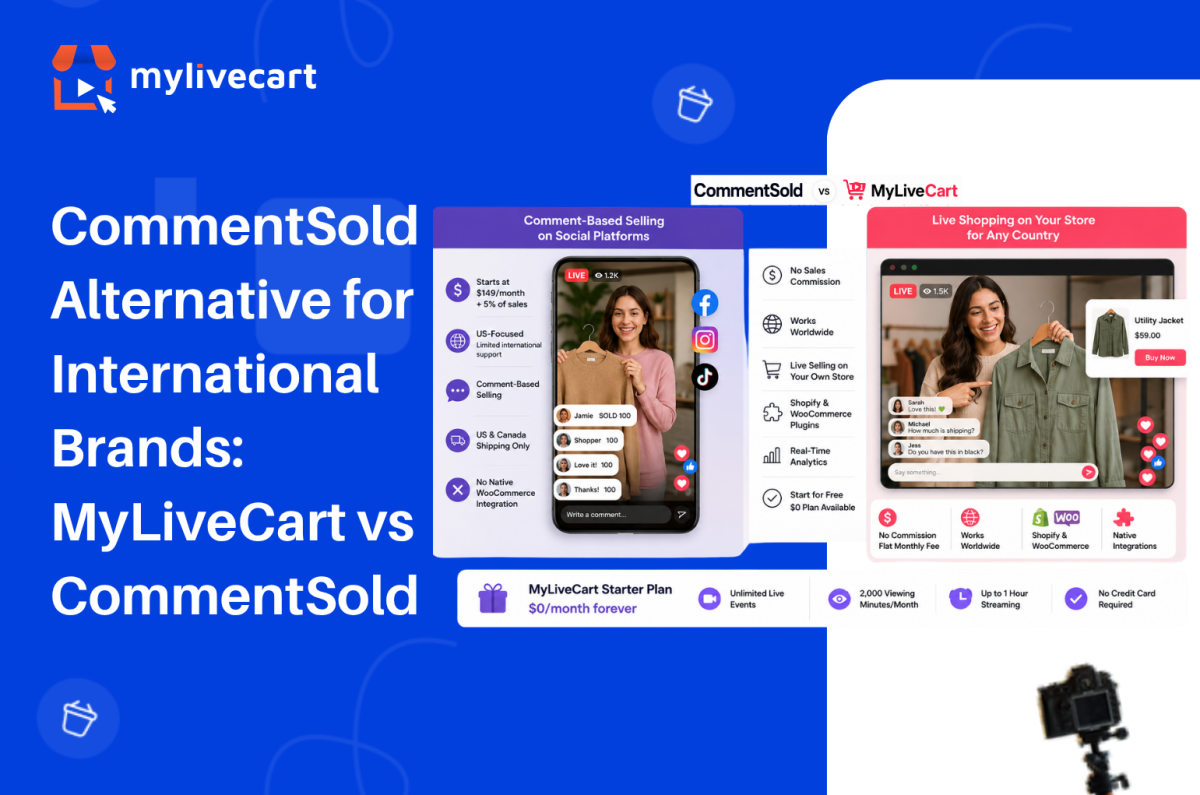
CommentSold Alternative for International Brands: MyLiveCart vs CommentSold

The most popular CommentSold alternative for international brands is a platform that does not tie your revenue to a sales commission, works on your own Shopify or WooCommerce store regardless of country, and starts at $0 rather than $149 per month.

CommentSold is well-established in the US over 12,000 boutiques use it to sell through Facebook, Instagram, and TikTok Live. But its pricing model, geographic focus, and comment-based selling mechanic make it a poor fit for brands operating outside North America, running on WooCommerce, or looking to own their live shopping channel rather than depend on social platforms.

In this guide, we compare CommentSold and MyLiveCart on pricing, platform support, integrations, and geographic availability so you can choose the right platform for where your brand is today.

Quick Answer: The strongest CommentSold alternative for international brands is MyLiveCart. CommentSold starts at $149/month plus a 5% sales commission meaning the platform takes a cut of every order. MyLiveCart charges a flat monthly fee with no commission, starts at $0, and works on any Shopify or WooCommerce store globally. CommentSold is built for US social commerce (Facebook, Instagram, TikTok); MyLiveCart runs on your own store with no geographic restrictions.

What Is CommentSold?

CommentSold is a US-based social commerce platform built around comment-driven live selling. The core mechanic: a viewer comments a keyword or product number during a Facebook Live, Instagram Live, or TikTok Live broadcast, and the platform automatically sends them an invoice via direct message, comment reply, or email.

It is described as “America’s #1 live selling platform” and it has earned that positioning in the US boutique retail market. CommentSold also provides a branded mobile app for your customers, a website builder, shoppable video clips, and AI-assisted content tools.

CommentSold’s current pricing plans:

  • Starter — $149/month + 5% of sales (15-day free trial, no free plan)
  • Small Business — $499/month + 4% of sales
  • Large Business — $999/month + 3% of sales
  • Enterprise — Custom pricing

Two things stand out. First, every plan charges a percentage of sales on top of the monthly fee the platform earns more as your revenue grows. Second, there is no free plan: the 15-day trial ends and you move to at least $149/month plus commission from day one.

Why International Brands Look for a CommentSold Alternative

In practice, CommentSold’s model works well for a specific customer: a US boutique retail brand with an established Facebook and Instagram following, selling primarily to US customers via social comment interaction.

However, outside that profile, several friction points emerge:

Geographic limitations. CommentSold’s shipping integration does not support international shipping labels (Canada excepted). Additionally, the comment-selling mechanic is deeply tied to US social platform behaviour Facebook Live shopping, in particular, has very different adoption rates outside the US. If your customers are in the UK, Europe, Australia, or Southeast Asia, the core selling mechanic is less effective by default.

Sales commission model. For example, a 5% commission on every order means your platform costs scale with your revenue not your usage. Consider a brand doing $20,000/month in live revenue it pays $149 + $1,000 in commission = $1,149/month to CommentSold on the Starter plan. At $100,000/month, that is $5,149/month. By contrast, MyLiveCart’s fee is flat regardless of order volume.

Platform dependency. CommentSold’s value proposition is built around Facebook, Instagram, and TikTok reach. As a result, brands that want live shopping on their own website embedded in their WooCommerce or Shopify store are not CommentSold’s primary use case.

WooCommerce. CommentSold does not offer a native WooCommerce plugin. MyLiveCart has a native WooCommerce integration on all plans including free connect your product catalog and embed the live stream widget without developer work.

Start Free Today →

MyLiveCart vs CommentSold: Feature Comparison

Feature CommentSold MyLiveCart
Free plan No — 15-day trial only Yes — $0/month, no credit card required
Entry paid plan $149/month + 5% of sales $79/month Pro (month-to-month)
Sales commission Yes — 5% (Starter), 4%, 3% of all revenue None — flat monthly fee only
Geographic availability US-focused; limited international support Global — works on any store in any country
Core selling mechanic Comment-based (Facebook/Instagram/TikTok) Live stream on your own store + in-stream buy buttons
Shopify integration Via “Videeo for Shopify” separate app Yes — native plugin, all plans incl. free
WooCommerce integration Not a native integration Yes — native plugin, all plans incl. free
Live stream on your own website Limited Yes — embedded on your store page
In-stream checkout Yes Yes — through your existing checkout
Product tagging during live Yes Yes
Live chat Yes Yes
Event analytics Yes Yes — event + product-level
Mobile app for live selling Yes Via browser — no dedicated seller app
Branded customer app Yes Not available
Simulcasting to social platforms Yes Yes (Pro and above)
International shipping support US and Canada only No restriction — your store’s shipping rules apply
Cancel anytime No minimum disclosed Yes — month-to-month plans available

What Each Platform Actually Costs

Free Plan vs Trial

CommentSold MyLiveCart Starter
Price $0 for 15 days, then $149/month + 5% $0/month permanently
Credit card required Yes (for trial) No
Live events Included during trial Unlimited
In-stream checkout Included during trial Yes
Viewing minutes Not published 2,000/month
Streaming duration Not published Up to 1 hour
WooCommerce integration Not available Yes — native plugin
Trial expiry 15 days, then billed No expiry — permanent free plan

Entry Paid Comparison

CommentSold Starter MyLiveCart Pro
Monthly fee $149/month $79/month (or $61/month annually)
Sales commission +5% of all order revenue None
Annual fee (monthly billing) $1,788/year (before commission) $948/year (before any overage)
Annual savings vs. CommentSold $840/year in base fee alone
Viewing minutes Not published 15,000/month (180,000/year)
Recording access Included Yes
Simulcasting Yes Yes
WooCommerce integration Not native Yes — native plugin
International availability US-focused Global

At $79/month with no commission, MyLiveCart Pro costs $840/year less than CommentSold Starter in base fees before accounting for the 5% commission on every order. For a brand generating $10,000/month in live revenue, the commission difference alone is $500/month ($6,000/year).

See the complete MyLiveCart pricing page for current plan details.

No commission. No annual commitment. Free plan never expires.

Try MyLiveCart Free →

Where MyLiveCart Works Better for International Brands

1. No Sales Commission — Ever

CommentSold’s pricing model is commission-first: the platform’s revenue scales with your revenue. Consequently, at 5% on the Starter plan, a brand doing £5,000 in monthly live sales pays £250 in commission on top of the $149 monthly fee.

MyLiveCart, by contrast, charges a flat monthly fee at every tier no percentage of sales, no commission at any price point. The same £5,000 in monthly live revenue costs the same $79/month as £500, and your platform cost stays predictable regardless of order volume.

2. Global by Default

MyLiveCart embeds directly on your Shopify or WooCommerce store. Therefore, your store’s existing shipping rules, tax settings, and payment gateways apply which means any country your store already serves is automatically supported for live shopping.

CommentSold’s fulfillment infrastructure is built around US logistics. Specifically, international shipping labels are not supported outside the US and Canada. For brands in Europe, the UK, Australia, or Asia, this is a foundational constraint.

3. Own Your Store — Not a Social Platform

CommentSold’s value is its reach through Facebook and Instagram the comment mechanic works because those audiences are already there. But social platform algorithms, policy changes, and reach limitations are outside your control.

MyLiveCart runs on your own store. Customers watch your live stream on your website, buy through your existing checkout, and the order lands in your WooCommerce or Shopify dashboard. No algorithm decides how many of your followers see the stream. See the full feature set for how the channel ownership model works.

4. Native WooCommerce Integration

MyLiveCart has a native WordPress plugin that connects your WooCommerce product catalog, embeds the live stream on any store page, and routes in-stream purchases through your existing checkout in under 10 minutes. See the WooCommerce integration guide for the full setup steps no developer required.

In contrast, CommentSold does not offer an equivalent WooCommerce integration. If WooCommerce is your platform, MyLiveCart is the natural choice.

5. Start Free — Validate Before Spending

MyLiveCart’s free Starter plan gives you 2,000 viewing minutes per month, unlimited live events, product tagging, in-stream checkout, live chat, and full Shopify and WooCommerce integration with no credit card and no expiry.

By comparison, CommentSold offers a 15-day trial that then converts to $149/month plus a 5% commission. The MyLiveCart free plan, therefore, lets you run real events, see real data, and validate the channel before committing to any spend.

At a Glance: Which Platform Is Right for You?

Choose CommentSold if your audience is primarily on Facebook and Instagram in the US, comment-based purchasing suits your customer behaviour, you want a branded customer mobile app, or you need the dropship catalog and social selling tools built specifically for US boutique retail.

Choose MyLiveCart if you sell internationally or outside the US, you run a WooCommerce store, you want live shopping on your own website without platform dependency, you need a free starting point before committing to monthly spend, or you want flat-fee pricing with no sales commission.

When CommentSold Might Still Be the Right Choice

CommentSold is the better fit in specific circumstances:

  • You are a US boutique with an established Facebook/Instagram audience — the comment-selling mechanic delivers real conversion results when the audience behaviour matches, and CommentSold has the track record in this segment
  • A branded customer mobile app is important — CommentSold includes a custom-branded iOS/Android app for your customers; MyLiveCart does not currently offer this
  • You need the dropship catalog — CommentSold’s Small Business plan includes access to a dropship catalog, which has no equivalent in MyLiveCart
  • TikTok simultaneous live selling in the US is a core channel — CommentSold is positioned as the only platform supporting simultaneous live selling on TikTok and Instagram in the US
  • Your sales process is comment-based — if your customers are trained on the comment-to-buy mechanic, switching requires re-educating your audience


Frequently Asked Questions About CommentSold Alternatives

What is the best CommentSold alternative for international brands?

MyLiveCart is a strong CommentSold alternative for brands outside the US or brands that want live shopping on their own Shopify or WooCommerce store. Additionally, it has no geographic restrictions, no sales commission, and starts at $0 with a permanent free plan not a time-limited trial.

Is MyLiveCart cheaper than CommentSold?

Yes, significantly. CommentSold’s Starter plan charges $149/month plus a 5% sales commission on every order. MyLiveCart Pro is $79/month with no sales commission. Furthermore, on an annual basis, MyLiveCart Pro saves at least $840/year in base fees before accounting for commission savings which grow with your order volume.

Is CommentSold available outside the US?

CommentSold is primarily built for the US market. Its shipping integration does not support international labels outside the US and Canada, its social selling features are designed around US platform behaviour, and it is marketed specifically as “America’s #1 live selling platform.” As a result, brands outside the US regularly cite geographic limitations as the reason for switching.

Does MyLiveCart support WooCommerce?

Yes with a native WordPress plugin on all plans including free. Install the plugin from the WordPress Plugin Directory, connect your store with your API key, and your WooCommerce product catalog syncs automatically. In-stream purchases go through your existing WooCommerce checkout. No developer required.

Does CommentSold integrate with WooCommerce?

Currently, CommentSold does not offer a native WooCommerce integration. Its primary ecommerce integration is Shopify, via the separate “Videeo for Shopify” app. Brands running WooCommerce stores will need to look at alternatives MyLiveCart’s native WooCommerce plugin is a direct solution.

Can I switch from CommentSold to MyLiveCart?

Yes. If your CommentSold plan is coming up for renewal, MyLiveCart covers the core live shopping feature set live streaming, product tagging, in-stream buy buttons, live chat, and event analytics on Shopify and WooCommerce. Because MyLiveCart offers a permanent free plan, you can run a parallel event on MyLiveCart before fully switching, with no financial risk.

Does MyLiveCart charge a commission on sales?

No. MyLiveCart charges a flat monthly fee only $0 on the free plan, $79/month on Pro ($61/month annually), or $259/month on Business ($219/month annually). There is no percentage of sales, no transaction fee, and no commission at any tier. You keep 100% of revenue from in-stream purchases.

Switch to a Live Commerce Platform Built for Global Brands

Overall, CommentSold has earned its position in US boutique retail. For brands in that specific segment US-based, social-first, comment-driven it delivers real results.

However, for brands outside the US, or those that want to own their live shopping channel rather than rent social media reach, MyLiveCart is the stronger alternative. If sharing a percentage of revenue with your platform is not acceptable, the case for switching is clear.

Flat monthly fee. No commission. Native Shopify and WooCommerce integration. Works in any country your store already serves.

  1. Create your free MyLiveCart account
  2. Connect your Shopify or WooCommerce store in minutes
  3. Run your first live shopping event at no cost, no commission, no annual commitment

Want to see the platform before signing up? Book a free live demo and we will walk through the features, the integrations, and the right plan for your business.
Categories
Live Shopping

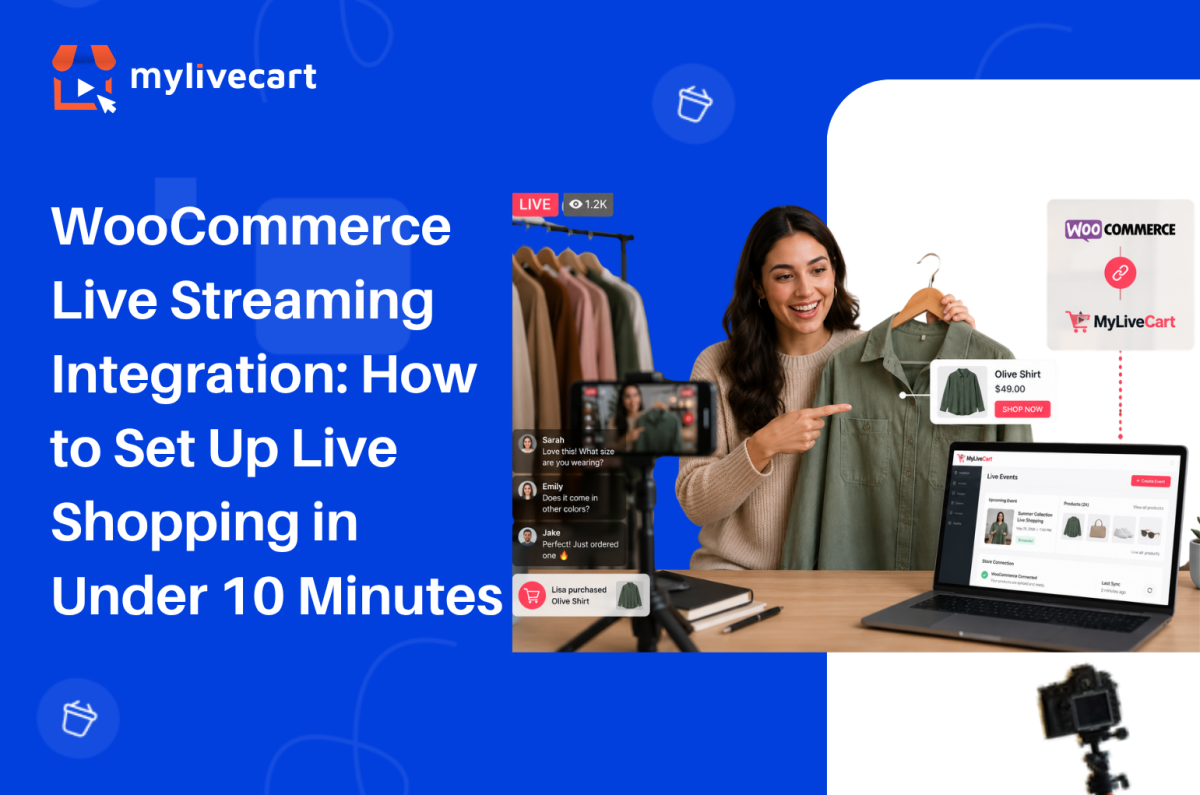
WooCommerce Live Streaming Integration: How to Set Up and Go Live in Minutes

WooCommerce live streaming integration with MyLiveCart takes under 10 minutes install the plugin, connect your store with an API key, and your products are ready to tag and sell in your first live event.

This guide covers the exact setup steps, what the live shopping experience looks like for you and your customers, and how to run your first event successfully.

Quick Answer: To integrate live streaming into your WooCommerce store, install the MyLiveCart plugin from the WordPress Plugin Directory, activate it, and enter your MyLiveCart API key. Your WooCommerce product catalog syncs automatically. You can then create live events, tag products in real time, and let customers purchase directly through your existing WooCommerce checkout no developer required, free plan available.

Why Add Live Shopping to Your WooCommerce Store?

Live shopping turns a passive browsing experience into a real-time conversation. Instead of relying solely on product pages, you can demonstrate products live, answer questions instantly, and let customers buy while they watch.

Brands running live shopping events consistently report stronger results than standard product page traffic. According to McKinsey, live commerce conversion rates can reach 30% up to 10x higher than traditional ecommerce.

Increase Customer Confidence

Customers can see products demonstrated live understanding features, sizing, texture, and usage before purchasing. This clarity reduces hesitation and increases buying confidence.

Start Free Today →

Improve Conversion Rates

Live demonstrations combined with real-time interaction remove the uncertainty that causes cart abandonment. Customers who ask a question and receive an immediate answer are significantly more likely to complete a purchase.

Build Stronger Customer Relationships

Live chat creates a direct connection between your brand and your customers one that product pages, email campaigns, and social media posts cannot fully replicate. Viewers who feel heard become repeat buyers.

Encourage Repeat Engagement

Customers who buy during a live event return for the next one. Live shopping builds a loyal viewer base that looks forward to your broadcasts rather than passively scrolling past your ads.

Reduce Purchase Uncertainty

When customers see products in action and receive answers in real time, they buy the right product the first time reducing returns and post-purchase regret.

What You Need Before You Start

Before installing the plugin, make sure you have:

  • A live WordPress site with WooCommerce installed and active
  • A MyLiveCart account — free to create, no credit card required
  • Published products in WooCommerce (they sync automatically after connection)
  • A device to stream from — a smartphone or laptop webcam works for your first event
  • A stable internet connection for broadcasting

No server configuration, no API development, and no third-party streaming software required.

How to Connect MyLiveCart to Your WooCommerce Store

Step 1 — Create Your MyLiveCart Account

Go to MyLiveCart and create a free account. The Starter plan is $0 with no credit card required it includes 2,000 viewing minutes per month, unlimited live events, and the full WooCommerce plugin.

Once your account is active, go to your MyLiveCart dashboard.

Step 2 — Copy Your API Key

Inside the MyLiveCart dashboard:

  1. Navigate to Settings or Integrations
  2. Open the API Key section
  3. Copy your unique API key

Keep this tab open you will paste the key into WordPress in Step 4.

Step 3 — Install the MyLiveCart Plugin

In your WordPress admin panel:

  1. Go to Plugins → Add New
  2. Search for MyLiveCart
  3. Click Install Now
  4. Click Activate

Once activated, a MyLiveCart menu item appears in your WordPress admin sidebar.

Step 4 — Connect Your Store With Your API Key

  1. Click MyLiveCart in the WordPress admin sidebar
  2. You will see the plugin settings page with an API key field
  3. Paste the API key you copied from your MyLiveCart dashboard
  4. Click Save & Connect

Your WooCommerce store is now connected to MyLiveCart.

Step 5 — Sync Your Product Catalog

After connecting, MyLiveCart automatically imports your published WooCommerce products. The sync runs in the background and typically completes within 30 seconds to a few minutes depending on catalog size.

Once complete, all your products including names, images, prices, and variants are available to tag during live events.

Step 6 — Embed the Live Stream on Your Store

MyLiveCart provides a shortcode or widget block that embeds the live stream player on any page of your WooCommerce store. Common placements include:

  1. Go to the page where you want the stream to appear your homepage, a dedicated live shopping page, or a product category page
  2. Add the MyLiveCart shortcode or widget block from the plugin settings
  3. Save or update the page

Your customers will see the live player on your store when an event is active, and they can purchase products in-stream using your existing WooCommerce checkout. No redirect, no separate cart, no friction.

Setup complete. Your first live event is ready to create.

Try MyLiveCart Free →

What Happens After Integration

Once your WooCommerce store is connected, the live shopping workflow runs end to end through MyLiveCart and your existing WooCommerce infrastructure.

Before the Event

  • Create a live event in the MyLiveCart dashboard — add a title, date, time, and thumbnail
  • Select featured products from your synced WooCommerce catalog
  • Share the event link via email, social media, or embed it directly on your store

During the Event (You)

  • Go live directly from your browser or mobile device — no external streaming software needed
  • Tag products in real time as you discuss them — they appear as clickable buy buttons in the stream
  • Respond to live chat — answer questions, handle objections, create urgency

During the Event (Your Customers)

  • Watch the stream directly on your WooCommerce store — no app download, no redirect
  • Click buy buttons as products are tagged on screen
  • Complete the purchase through your existing WooCommerce checkout — same payment gateway, same order flow

After the Event

  • Review analytics in your MyLiveCart dashboard — total viewers, peak concurrent, products clicked, products purchased
  • Access the recording for replay on Pro and Business plans
  • Find all live event orders in your WooCommerce dashboard alongside regular orders — nothing changes in your fulfilment workflow

Why Use MyLiveCart Instead of Going Live on Social Media?

Many WooCommerce brands already use Instagram Live, Facebook Live, or TikTok Live. These platforms help with visibility — but they do not deliver a seamless shopping experience on your own store.

Feature MyLiveCart (on your store) Social Media Live
WooCommerce integration ✅ Yes — native plugin ❌ No
Product tagging during live ✅ Yes ⚠️ Limited
Existing checkout ✅ Your WooCommerce checkout ❌ No
Website ownership ✅ You own the channel ❌ Platform-dependent
Customer data access ✅ Full order and analytics data ⚠️ Limited
Live chat ✅ Yes ✅ Yes
Event analytics ✅ Product-level data ⚠️ Basic view counts
Algorithm dependency ✅ None — your audience ❌ Platform algorithm controls reach

With MyLiveCart, customers remain on your WooCommerce store throughout from watching the stream to completing checkout. You own the data, the channel, and the customer relationship. See the full live shopping features to understand what is possible on your own store.

What MyLiveCart Adds to Your WooCommerce Store

The WooCommerce live streaming integration gives you a complete live shopping channel on top of your existing store. Here is what is included at each plan:

Feature Starter (Free) Pro ($79/mo · $61/mo annually)
Live events Unlimited Unlimited
Products per event Unlimited Unlimited
Live viewers Unlimited Unlimited
Streaming duration Up to 1 hour Unlimited
Product tagging during live Yes Yes
In-stream buy buttons Yes Yes
Live chat Yes Yes
Real-time analytics Yes Yes
WooCommerce checkout Yes Yes
Viewing minutes/month 2,000 15,000
Recording / replay access No Yes
Simulcasting to social platforms No Yes
Shoppable Videos No Unlimited
MyLiveCart watermark Yes No
Overage rate $15/1,000 min $12/1,000 min

See the full pricing breakdown to choose the right plan for your store.

Tips for Your First Live Shopping Event

Keep it short and focused

30–45 minutes is the ideal length for a first event. Feature 3–5 products and demonstrate each one in depth rather than rushing through a large catalog. Depth converts better than breadth.

Promote before you go live

Share the event link via email and social media at least 24–48 hours before the broadcast. An audience of 20 engaged viewers converts better than 200 passive ones.

Use live chat actively

Answer every question in real time. Address sizing, compatibility, ingredients whatever the common objections are for your products. Resolving hesitations in the chat drives in-stream purchases directly.

Tag products at the moment of demonstration

Tag a product the moment you start discussing it not at the end of the event. Contextual tagging (product appears while you are showing it) drives significantly higher click rates than listing products at the close of the stream.

Review your analytics after every event

Your MyLiveCart dashboard shows which products were clicked, when viewers dropped off, and at what point in the stream purchases happened. Use this data to improve your next event which products to lead with, what length works for your audience, and which questions to answer proactively.

A WooCommerce jewellery brand using MyLiveCart reported selling 98 items in 23 days after launching weekly live events starting on the free plan, with no production team.

Common Mistakes to Avoid

Trying to sell too many products

Showcasing your entire catalog in one event overwhelms viewers and reduces the quality of each demonstration. Start with 3–5 products and give each one proper attention.

Ignoring the live chat

Live shopping is interactive by design. Brands that ignore viewer questions during the broadcast lose trust and conversion opportunities. Treat the chat as your most important sales tool during the event.

Going live without promotion

Even the most polished event needs an audience. Promote your event at least 48 hours in advance through email, social, and your store homepage. Do not assume viewers will find it on their own.

Making events too long

Viewer attention drops significantly after 45–60 minutes for most product categories. Start with shorter events, learn where your audience drops off from analytics, and adjust from there.

Not testing equipment before going live

Audio issues, poor lighting, and unstable internet are the most common causes of early viewer drop-off. Test your setup microphone, camera, and connection at least 30 minutes before going live.

Frequently Asked Questions About WooCommerce Live Streaming Integration

Does MyLiveCart work with all WooCommerce themes?

Yes. The MyLiveCart plugin embeds via a shortcode or widget block that is theme-independent. It works with any WooCommerce-compatible WordPress theme including Storefront, Astra, Flatsome, Divi, and custom themes without requiring theme modifications.

Do customers need to download an app to watch?

No. The live stream plays directly in the browser on your WooCommerce store page. Customers watch on desktop or mobile without downloading anything. The player is mobile-responsive and works across all major browsers.

Does live shopping use my existing WooCommerce checkout?

Yes. In-stream purchases go through your existing WooCommerce checkout your payment gateway, tax settings, shipping rules, and order management remain exactly as they are. MyLiveCart does not replace or redirect your checkout; it adds a buy button layer on top of your existing store.

What happens to orders placed during a live event?

Orders placed during a live event appear in your WooCommerce order dashboard exactly like any other order. There is no separate fulfilment workflow your existing shipping, inventory management, and notification settings apply automatically.

Can I tag products during the live stream or do I have to set them up beforehand?

Both. You can pre-select products to feature when creating the event, and you can also tag additional products in real time during the broadcast. Anything published in your WooCommerce catalog is available to tag at any point during the stream.

How many viewing minutes does the free plan include?

The free Starter plan includes 2,000 viewing minutes per month with unlimited live events. For a 30-minute event, that supports approximately 65–70 concurrent viewers. The Pro plan at $79/month (or $61/month billed annually) gives you 15,000 viewing minutes per month. See the full pricing page for a complete breakdown.

Is a developer required to set up the WooCommerce integration?

No. The entire setup plugin install, API connection, product sync, and widget embed — is done through the WordPress admin panel and the MyLiveCart dashboard. No code changes, no server configuration, and no developer involvement required.

Start Live Shopping on Your WooCommerce Store Today

WooCommerce live streaming integration with MyLiveCart is one of the fastest ways to add a high-converting sales channel to your existing store without rebuilding anything, hiring a developer, or committing to an annual contract.

Install the plugin, connect your store, and run your first event on the free plan. You will have real performance data before spending a single dollar.

  1. Create your free MyLiveCart account
  2. Install the MyLiveCart plugin from the WordPress Plugin Directory
  3. Connect your WooCommerce store with your API key
  4. Go live — your products, your checkout, your audience
Book a Free Demo →
Categories
Live Shopping

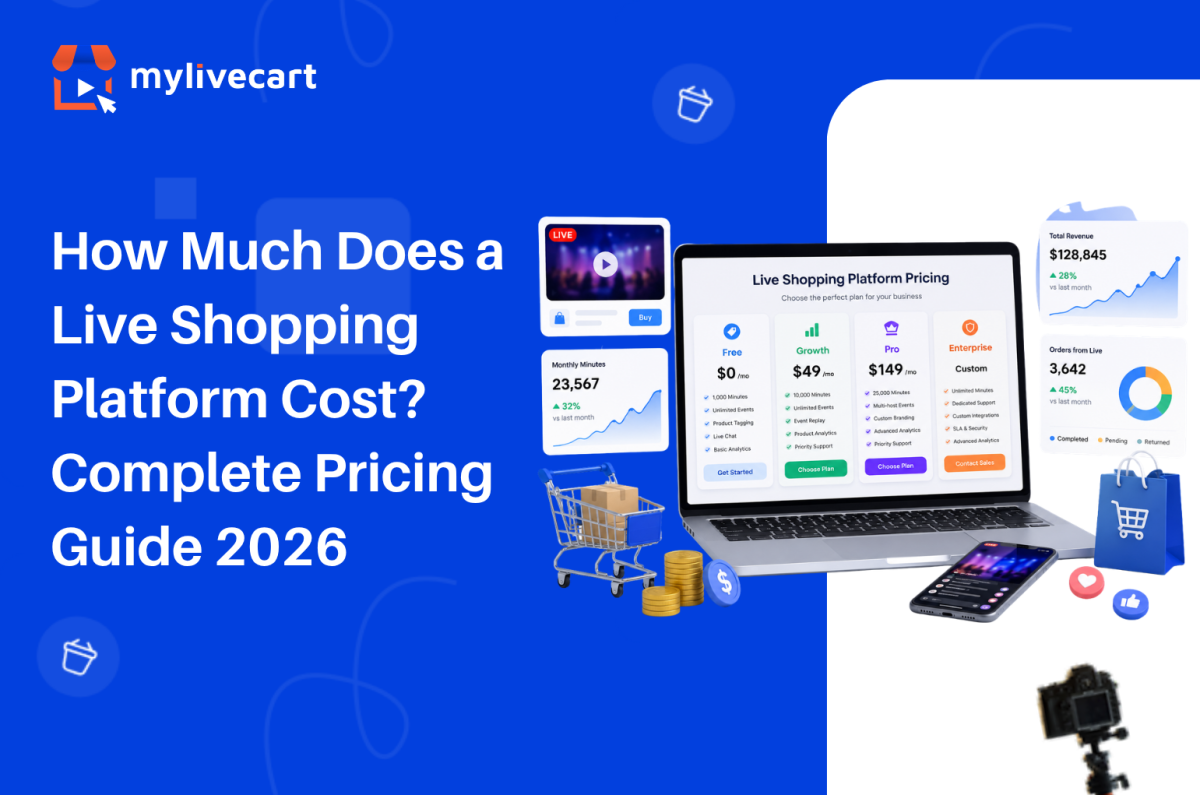
How Much Does a Live Shopping Platform Cost? Complete Pricing Guide 2026

Live shopping platform pricing ranges from $0/month on a free plan to $50,000+ per year for enterprise contracts and knowing where your brand fits in that range is the single most important decision before you commit to a platform.

This guide breaks down exactly what live shopping platforms cost in 2026, what drives price differences, and how to choose the right tier for where your business is today.

Quick Answer: Live shopping platform pricing in 2026 falls into four tiers: free plans ($0/month, limited minutes), growth plans ($29–$99/month), professional plans ($100–$299/month), and enterprise contracts ($1,000–$50,000+/month). For most growing brands on Shopify or WooCommerce, a free or growth-tier plan delivers everything needed to start live commerce product tagging, in-stream checkout, live chat, and basic analytics without a contract or sales process.

What Determines the Cost of a Live Shopping Platform?

Before comparing numbers, it helps to understand the five factors that drive platform pricing. Every plan structure across every live shopping tool comes back to the same variables:

1. Viewing Minutes

The most common billing unit in live shopping. Viewing minutes = the number of people watching × the duration of the stream. A 30-minute event with 200 viewers consumes 6,000 viewing minutes. Free plans typically cap at 1,000–2,000 minutes per month. Growth plans extend to 10,000–30,000. Enterprise plans offer unlimited or custom allocations.

2. Number of Events

Some platforms limit how many live events you can host per month. Others offer unlimited events on all plans. Unlimited events matter: if you want to test formats, run flash sales, or broadcast across time zones, event caps become a real constraint.

Start Free with MyLiveCart — No Sales Call, No Contract →

3. Platform Integrations

Shopify and WooCommerce integration availability varies by tier. Some platforms lock their native ecommerce plugin to paid plans only. Others including MyLiveCart include it on the free tier, so you can sell from your existing store without spending anything first.

4. Analytics Depth

Basic analytics (viewer count, concurrent viewers, peak moment) are standard across most paid tiers. Event-level product analytics which products were viewed, clicked, and purchased in-stream appear on mid-tier and above. Advanced audience analytics, multi-event comparison, and export functionality are typically professional or enterprise features.

5. Enterprise Services

White-label customisation, dedicated customer success management, SLA-backed uptime guarantees, and API access for custom integrations are the primary drivers of enterprise pricing. These services add significant cost and are largely unnecessary for brands below $20M in revenue running their own live commerce channel.

The Four Pricing Tiers in 2026

Tier 1 — Free Plans ($0/month)

Who they’re for: Brands running their first live events, validating whether live commerce works for their audience and product category.

What you typically get:

  • 1,000–2,000 viewing minutes per month
  • Unlimited or limited events
  • Basic platform features (live chat, product tagging, in-stream purchase)
  • Shopify or WooCommerce plugin (on some platforms not all)
  • Standard analytics

The trade-off: Minute limits mean free plans suit smaller or less frequent events. Once you’re running multiple events per week with growing audiences, you’ll outgrow the free tier.

MyLiveCart free plan: 2,000 viewing minutes/month, unlimited live events, unlimited products per event, full Shopify and WooCommerce plugin access, live chat, product tagging, and event analytics — no credit card required.

Tier 2 — Growth Plans ($29–$99/month)

Who they’re for: Brands running regular live events with an established audience typically 2–4 events per month with 100–500 concurrent viewers.

What you typically get:

  • 5,000–15,000 viewing minutes per month
  • Unlimited events
  • Event replay / VOD storage
  • Advanced product analytics
  • Simulcasting to social platforms
  • Priority customer support

The trade-off: The jump from free to growth tier is usually the right move once your events consistently fill the free tier’s minute allocation. ROI at this tier is straightforward: one additional sale per event at average order value typically covers the monthly cost.

MyLiveCart Pro plan: $79/month (or $61/month billed annually) 15,000 viewing minutes/month, unlimited events, recording access, simulcasting to social platforms, unlimited shoppable views and videos, and real-time analytics. No watermark.

Tier 3 — Professional Plans ($100–$299/month)

Who they’re for: Brands with active live commerce programmes running multiple events per week, high concurrent viewer counts (500+), and need for custom branding and dedicated support.

What you typically get:

  • 25,000–50,000 viewing minutes per month
  • Custom brand colours and domain
  • Multi-host events
  • Audience segmentation and retargeting tools
  • Priority or dedicated support
  • API access for custom integrations

The trade-off: At this tier, live commerce is no longer a test it is a channel. The investment is justified by consistent revenue attribution from events.

MyLiveCart Business plan: $259/month (or $219/month billed annually) 50,000 viewing minutes/month, all Pro features included, with a lower overage rate at $6 per 1,000 growth minutes. See the full feature breakdown for exact plan details.

Tier 4 — Enterprise Contracts ($1,000–$50,000+/month)

Who they’re for: Global retail brands with seven-figure live commerce budgets, dedicated production teams, and requirements for white-label deployment, enterprise SLAs, and custom API integrations.

What you typically get:

  • Unlimited viewing minutes
  • Full white-label customisation
  • Enterprise SLA (99.9%+ uptime guarantee)
  • Dedicated customer success manager
  • Custom analytics dashboards and data exports
  • Professional services for implementation and ongoing support
  • One-to-one video shopping capabilities

The trade-off: Enterprise contracts typically require an annual commitment and a sales process before you see a single number. Implementation timelines run weeks to months. If your brand is not yet operating at enterprise scale, this tier adds cost and complexity that an SMB growth plan resolves for less than 1% of the price.

Live Shopping Platform Pricing Comparison 2026

Platform Free Plan Entry Paid Mid Tier Enterprise
MyLiveCart Yes — 2,000 min/mo $79/month Pro (month-to-month) · $61/month annually $259/month Business · $219/month annually Custom
Bambuser Yes — 250 views/mo $79/month Essential (annual billing only, $948/year) $249/month Pro (annual billing only, $2,988/year) Custom
CommentSold No free plan ~$49/month ~$149/month Custom
Sprii No Custom quote Custom quote Custom
Channelize.io Limited trial $99/month $199/month Custom

Notes: All pricing is sourced from official platform pricing pages as of June 2026 and is subject to change. Bambuser’s Essential and Pro tiers are available on annual billing only no monthly option is published. MyLiveCart offers both monthly and annual billing. CommentSold, Sprii, and Channelize.io pricing is based on published rates at time of writing.

The key comparison for growing brands is not just the monthly number it is the billing commitment. MyLiveCart is the only platform in this comparison offering month-to-month billing on a paid plan from $79, allowing brands to upgrade and cancel based on results rather than contract terms.

How Much Should You Actually Spend on a Live Shopping Platform?

A useful framework: your live shopping platform cost should be no more than 10–15% of your projected monthly revenue from live events and ideally under 5% once you have data.

Monthly Live Revenue Recommended Tier Platform Budget
£0 (testing) Free $0
£500–£2,000 Free or Growth $0–$79
£2,000–£8,000 Growth $79
£8,000–£25,000 Professional $259
£25,000+ Professional or Enterprise $259+

At $79/month (MyLiveCart Pro), a single event generating 5 additional sales at an average order value of £50 covers the monthly platform cost. Most brands on the Pro tier achieve this in their first event.

Why Pay Thousands Before You Know It Works?
Start with MyLiveCart’s free plan, test live commerce risk-free, and upgrade only when your audience grows.

Start Selling Live for Free

What MyLiveCart Costs — Full Breakdown

Because transparency matters: here is exactly what MyLiveCart costs at each tier and what you get for it.

Feature Starter (Free) Pro ($79/mo · $61/mo annually) Business ($259/mo · $219/mo annually)
Viewing minutes 2,000/month 15,000/month (180,000/year) 50,000/month (600,000/year)
Live events Unlimited Unlimited Unlimited
Products per event Unlimited Unlimited Unlimited
Live viewers Unlimited Unlimited Unlimited
Streaming duration Up to 1 hour Unlimited Unlimited
Shopify integration Yes Yes Yes
WooCommerce integration Yes Yes Yes
Real-time analytics Yes Yes Yes
In-stream checkout Yes Yes Yes
Product tagging during live Yes Yes Yes
Live chat Yes Yes Yes
Simulcasting No Yes Yes
Shoppable Views No Unlimited Unlimited
Shoppable Videos No Unlimited Unlimited
Recording access No Yes Yes
MyLiveCart watermark Yes No No
Overage rate $15/1,000 min $12/1,000 min $6/1,000 min
Contract required No No No
Cancel anytime Yes Yes Yes

See the complete pricing page for the most up-to-date plan details and any active offers.

When to Start Free and When to Upgrade

Start on the free plan if:

  • You have not run a live shopping event before
  • You are testing whether live commerce works for your specific product category and audience
  • Your first events will likely have under 60–70 concurrent viewers for under 30 minutes
  • You want to validate your format, script, and product selection before spending anything

Upgrade to Pro ($79/month · $61/month annually) when:

  • Your events are regularly hitting the 2,000 minute/month cap on the free plan
  • You want to remove the MyLiveCart watermark from your stream
  • You need recording access so customers can replay events after the broadcast ends
  • You want simulcasting to social platforms to reach wider audiences
  • You want to publish unlimited shoppable views and shoppable videos on your store

Upgrade to Business ($259/month · $219/month annually) when:

  • You have a consistent live commerce programme and are regularly exceeding 15,000 viewing minutes per month on Pro
  • Your events scale to larger audiences and you need more minute capacity without high overage costs
  • The lower overage rate ($6 vs $12 per 1,000 minutes) makes Business more cost-effective than staying on Pro with overages

There is no pressure to upgrade before you are ready. The Starter plan has no time limit, and the month-to-month structure on paid plans means you can start, pause, or stop based on results not contract obligations.

The MyLiveCart Shopify integration and WooCommerce integration work identically on free and paid plans. There is no feature penalty for starting free.

The Hidden Cost of Annual-Only Pricing

For growing brands, the most expensive live shopping platform is not always the one with the highest monthly fee it is the platform that locks you into a full year of spend before you have performance data.

The real cost of an annual-only commitment at the validation stage:

  • Sunk cost risk: You pay for 12 months before knowing whether the channel converts for your audience
  • No exit ramp: If your strategy changes or the platform does not suit your workflow, you are committed for the year
  • Opportunity cost: Budget tied to one platform is budget not available for testing alternatives
  • Overage exposure: Annual plans with low view/minute caps can generate unexpected overage charges as your audience grows

A month-to-month platform at $0–$79/month lets you commit to one billing cycle at a time. If your first three events generate positive ROI, you continue. If they do not, you stop without writing off a year of spend.

Frequently Asked Questions About Live Shopping Platform Pricing

How much does a live shopping platform cost for small businesses?

For small businesses and growing brands, live shopping platforms cost between $0 and $259/month. MyLiveCart’s free Starter plan which includes Shopify and WooCommerce integration, unlimited events, and full in-stream checkout costs nothing. The Pro plan at $79/month suits brands running regular events with audiences up to a few hundred concurrent viewers.

Is there a free live streaming platform for ecommerce?

Yes. MyLiveCart offers a permanent free plan not a trial that includes 2,000 viewing minutes per month, unlimited live events, Shopify and WooCommerce integration, live chat, product tagging, and event analytics. No credit card required to start. Several other platforms offer limited-feature trials, but MyLiveCart’s free plan includes full ecommerce functionality.

What is the cheapest live shopping platform?

The cheapest live shopping platform with full ecommerce integration is MyLiveCart, which offers a free Starter plan with no time limit and no credit card requirement. Among paid plans, MyLiveCart Pro at $79/month is one of the lowest entry points for a professional live shopping platform with event replay, simulcasting, and advanced analytics.

Why do enterprise live shopping platforms cost so much?

Enterprise live shopping platforms charge $20,000–$50,000+ per year because they include services beyond software: white-label customisation, dedicated implementation teams, customer success management, enterprise SLA uptime guarantees, and custom API integrations. These services have real delivery costs but they are irrelevant and unnecessary for brands that are not yet operating at enterprise scale.

Do live shopping platforms charge per sale or per viewer?

Most live shopping platforms charge a flat monthly fee based on viewing minutes, not a commission per sale or per viewer. Some older platforms charged transaction fees (typically 1–3% of GMV generated in-stream), but this model has largely been replaced by subscription pricing. MyLiveCart does not charge transaction fees on any plan you keep 100% of the revenue from in-stream purchases.

Can I try a live shopping platform before buying?

Yes. MyLiveCart offers a permanent free plan not a time-limited trial so you can run real live events on your Shopify or WooCommerce store before spending anything. You can also book a free live demo to see the full platform before signing up.

What happens if I exceed my viewing minute limit?

On MyLiveCart, if you exceed your plan’s monthly viewing minute allocation, your live stream will continue but viewers beyond the limit may experience reduced quality or buffering. The platform will notify you as you approach your limit. You can upgrade your plan at any time including mid-month to increase your allocation.

Choose the Right Plan for Where You Are Today

Live shopping platform pricing does not need to be complicated. The right approach: start free, prove the channel works for your brand and audience, then upgrade when your events outgrow the free tier.

You do not need a five-figure annual contract to access professional live commerce features. You need a platform that removes the barriers price, process, and complexity so you can go live this week and build from real results.

  1. Create your free MyLiveCart account
  2. Connect your Shopify or WooCommerce store in minutes
  3. Run your first live shopping event at no cost

Ready to Start Live Shopping Without the Enterprise Price Tag?

Create Your Free Account or Book a Live Demo Today
Categories
E-commerce Live Shopping

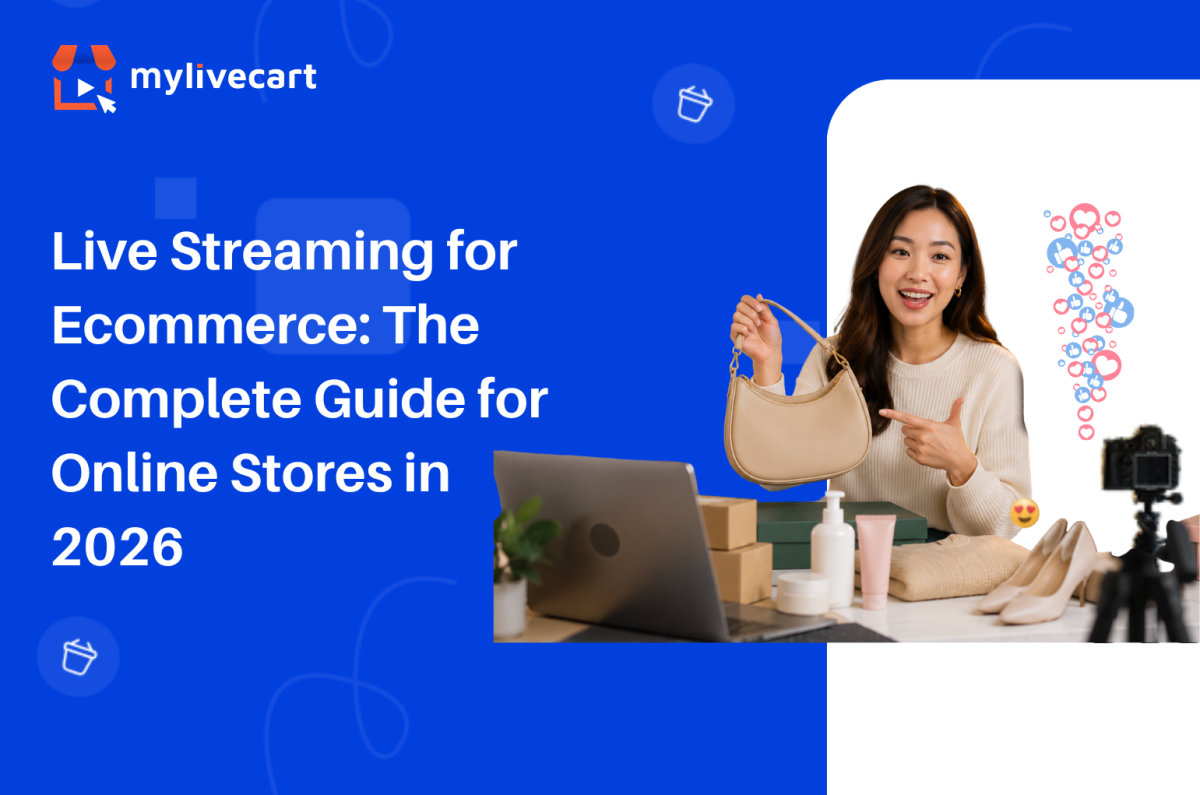
Live Streaming for Ecommerce: The Complete Guide for Online Stores in 2026

Live streaming for ecommerce is no longer a trend brands are watching from the sidelines. It is the fastest-growing sales channel in online retail and in 2026, every major ecommerce category from fashion to food to consumer electronics is running live shopping events directly on their stores.

The reason is simple: live video converts at rates static product pages cannot match. A shopper who watches a host demonstrate a product, ask questions in real time, and see other viewers buying alongside them is a fundamentally different kind of buyer than one scrolling a product grid alone.

This guide covers everything you need to know how live streaming ecommerce works, what formats drive the most sales, how to choose the right platform, and how to go live on your store today.

Quick Answer: Live streaming for ecommerce is the practice of broadcasting real-time video on your online store while selling products in-stream viewers watch, ask questions, and add to cart without leaving the stream. Brands running live commerce events report 30–45% increases in sales, 60% improvements in customer retention, and conversion rates 3–9x higher than standard product pages. To get started, you need a live streaming platform like MyLiveCart that integrates with your store (Shopify or WooCommerce) and handles the video, chat, and checkout layers for you.

What Is Live Streaming for Ecommerce?

Live streaming for ecommerce also called live commerce, live selling, or livestream shopping is the practice of broadcasting real-time video on your online store while selling products directly through that broadcast. Hosts demonstrate products, answer viewer questions live, and trigger buy buttons on-screen that let viewers add to cart and complete checkout without pausing the video or navigating away.

Unlike traditional video commerce (pre-recorded product videos on a product page), live streaming ecommerce is interactive. The host responds to the audience in real time. Viewers see other people buying. Limited-time offers create genuine urgency. The result is a purchasing environment that more closely resembles a physical retail experience than anything else available in online commerce.

Live commerce originated in China, where it now accounts for over 20% of all ecommerce transactions. Western markets have followed rapidly: live shopping platforms saw triple-digit growth between 2022 and 2025, and the global live commerce market is projected to exceed $500 billion by 2027.

How Live Streaming Ecommerce Works

A live streaming ecommerce event has three layers working simultaneously:

1. The video layer Your host streams live video from a camera smartphone, laptop webcam, or professional setup. The stream is encoded and delivered to viewers via a CDN (Content Delivery Network) with under 5 seconds of latency, so the experience feels genuinely live rather than delayed.

2. The commerce layer Products from your store catalog are loaded into the event in advance. During the stream, the host highlights individual products triggering a product card and buy button to appear on screen. Viewers click “Add to Cart” without leaving the video. Checkout uses your store’s existing payment flow.

3. The interaction layer A live chat panel runs alongside the video. Viewers ask questions, the host responds by name, and other viewers see the exchange. Emoji reactions, viewer counts, and time-limited offer banners create social proof and urgency in real time.

On the backend, every viewer action watch time, product clicks, add-to-cart events, purchases is tracked at the event level, giving you conversion data per product highlighted, not just per page view.

Why Live Streaming for Ecommerce Drives Higher Sales

The performance gap between live streaming ecommerce and static product pages is not marginal it is structural. Live video removes the three biggest objections in online shopping: uncertainty about the product, inability to ask questions, and lack of urgency.

Brands using MyLiveCart’s live shopping platform have reported:

  • 45% increase in sales within the first month of going live
  • 98 products sold in 23 days from a single jewellery brand’s live campaign
  • 3x increase in product inquiries and purchase intent
  • 60% improvement in customer retention
  • 2x improvement in engagement rate compared to static product pages

These results hold across categories fashion, jewellery, skincare, consumer electronics, food and beverage because the underlying mechanism (real-time demonstration + immediate purchase) is category-agnostic.

The conversion advantage comes from four specific dynamics:

Trust built through demonstration: Viewers see the product in motion how fabric falls, how a serum absorbs, how a gadget fits in a hand. This removes the ambiguity that causes hesitation on a product page.

Real-time objection handling: When a viewer asks “does this come in XL?” and gets an immediate answer, that objection is resolved in seconds rather than left to fester until the shopper abandons the cart.

Social proof at scale: Visible viewer counts, live chat activity, and emoji reactions signal that other real people are watching and buying which reduces the perceived risk of purchase.

Scarcity and urgency: “Only 8 left in stock” or “free shipping for the next 10 orders” means something when said live, in real time, rather than displayed as a static label that shoppers have learned to ignore.

Types of Live Streaming Formats for Ecommerce

Not every live stream follows the same format. The right format depends on your product category, audience size, and sales goal.

Product Launch Streams

Reveal a new product live, with an exclusive first-look for viewers. Works especially well for limited editions, seasonal collections, and subscription drops. Creates urgency because the first-mover advantage is real viewers who buy during the launch get it before anyone else.

See How MyLiveCart Powers Live Streaming Ecommerce — Get a Free Demo →

Tutorial and How-To Demos

Show the product being used step by step. Highly effective for skincare, cooking, tools, and anything that requires instruction. The demonstration closes the “but will it work for me?” objection that stops purchases on static pages.

Q&A and Expert Sessions

Host a live interview or panel where a product expert a dermatologist, a chef, a stylist demonstrates and answers audience questions in real time. Builds brand authority while educating viewers about the product.

Flash Sales and Limited-Time Drops

Time-limited offers available exclusively during the live event. Viewer gets a benefit (early access, discount, free shipping) that expires when the stream ends. Creates genuine urgency that static sale banners cannot replicate.

Behind-the-Scenes and Factory Tours

Show how the product is made, where it comes from, or how your brand operates. Particularly effective for brands where provenance and craft matter artisan goods, sustainable fashion, specialty food.

Influencer and Brand Ambassador Collabs

Invite an influencer or ambassador as a co-host. They bring their audience to your stream; you provide the product and purchase infrastructure. Extends your reach without requiring a large existing audience of your own.

How to Choose a Live Streaming Platform for Your Ecommerce Store

The live streaming platform you choose determines what your viewers can do and what data you can act on. Evaluate platforms on these five criteria before committing:

1. Integration with Your Ecommerce Platform

Your live streaming platform must connect directly to your product catalog Shopify, WooCommerce, or a custom backend. Without this, you are manually entering product details before every event, and inventory does not update in real time. MyLiveCart’s full feature set includes native integration for both major platforms.

2. In-Stream Checkout (Checkout Without Leaving the Video)

If a viewer has to navigate to a separate product page to buy, you lose a significant portion of them in transit. The buy button must surface within the stream player and add directly to your store’s cart. This is the most commonly missed requirement in platform evaluation.

3. Event-Level Analytics

You need to know which products converted, not just how many people watched. Platform-level analytics (“1,200 viewers”) are useless for product strategy. Event-level analytics (product A: 47 add-to-carts, product B: 12 add-to-carts, average watch time 14 minutes) tell you how to structure your next event.

4. Replay and VOD

Your live event continues working after it ends if it is available as a replay on your store. Every viewer who missed the live event is a potential buyer of the on-demand version. Platforms that do not record automatically leave that revenue on the table.

5. Pricing That Scales With You

Look for a platform that has a free or low-cost entry point so you can test and learn before committing significant budget. MyLiveCart’s free Starter plan includes unlimited events and 2,000 viewing minutes per month enough to run your first several events and validate the format for your audience before upgrading.

How to Get Started with Live Streaming for Your Ecommerce Store

Getting your first live shopping event live takes less than a day most of it is planning, not setup. Here is the process from zero to live:

Step 1 — Choose Your Platform and Sign Up

Create a free MyLiveCart account at web.mylivecart.com/sign-up. The free Starter plan includes unlimited events, unlimited products per event, and the integration plugin for your store. No credit card required.

Step 2 — Connect Your Store

From your MyLiveCart dashboard, go to Integrations and connect your store. The Shopify integration takes under 60 seconds authorize the app, and your entire product catalog syncs automatically. WooCommerce follows the same process.

Step 3 — Plan Your Event Format and Product Selection

Decide which format fits your goal (launch, demo, flash sale). Select 8–15 products to feature enough to fill a 30–60 minute stream without rushing. Order your products: open with your strongest sellers to build early momentum, then introduce newer or higher-consideration items mid-stream when trust is established.

Step 4 — Promote the Event in Advance

Share your event link 48–72 hours ahead via email, social media, and your store’s homepage. MyLiveCart generates a pre-event page that viewers can bookmark and share. Brands that promote in advance consistently see 2–3x more viewers than unannounced streams.

Step 5 — Go Live

At event time, click Start Event from your dashboard. Your stream embeds on your store automatically. During the event, click products in your event panel to highlight them the buy button appears on screen for all viewers in real time. Respond to chat questions by name. Add urgency with limited-time offers.

Step 6 — Review Your Analytics

After every event, your analytics dashboard shows peak viewers, watch time, products highlighted, add-to-cart rate, conversion rate per product, and total orders. Use this data to decide which products to lead with next time, which offer types drove the most action, and which time slot brought the largest audience.

Ready to run your first event? Your store can be live this week.

Start Live Streaming Free — No Developer Needed →

Live Streaming Ecommerce Best Practices

Keep Events Between 30 and 60 Minutes

Under 30 minutes does not give late arrivals enough time to engage and buy. Over 60 minutes sees significant audience drop-off after the halfway point. The 30–60 minute window consistently produces the highest engagement-to-conversion ratio.

Start Selling Within the First 5 Minutes

Viewers decide within the first 3–5 minutes whether to stay. Lead with a strong product, a compelling offer, or a bold claim then back it up. Audiences who stay past 5 minutes convert at significantly higher rates than those who leave early.

Feature 8–12 Products Per Hour

Fewer than 8 products leaves too much time on each item and loses momentum. More than 15 per hour rushes viewers and reduces their confidence in each purchase decision. Spending 4–6 minutes per product is the optimal pacing for most categories.

Use Your Chat as a Sales Tool

Every question in chat is a sales signal. When a viewer asks “does this ship internationally?” or “what size should I get?” they are close to buying. Prioritise those questions over generic comments. Resolve objections publicly so every viewer watching benefits.

Go Live Consistently, Not Just Once

The brands that see compounding results from live streaming ecommerce go live on a regular schedule weekly or bi-weekly. Audiences learn when to expect you. Returning viewers convert at higher rates than first-time viewers because trust is already established.

Live Streaming on Your Own Store vs. Social Platforms

The most common question from brands starting live commerce is whether to stream on Instagram, TikTok, or YouTube — or on their own store. The answer depends on where you are in your brand journey.

Factor Instagram / TikTok / YouTube Live Live Streaming on Your Store
Audience reach Large, built-in audience Your existing audience + promotion
Checkout location Third-party platform Your own store
Customer data Platform owns it You own it
Product catalog sync Limited or manual Full, automatic
Analytics Views and likes Product-level conversion data
Replay on your store No Yes
Brand control Platform-branded UI Fully your brand

The strategic answer: social platforms are useful for discovery and audience building. Your own store is where sales and data ownership live. The highest-performing brands use both they promote on social, then send viewers to their store for the actual purchase event.

Frequently Asked Questions About Live Streaming for Ecommerce

What is live streaming for ecommerce?

Live streaming for ecommerce is the practice of broadcasting real-time video on an online store while selling products through the stream. Viewers watch a host demonstrate products, ask questions in a live chat, and add items to cart without leaving the video all on the retailer’s own website.

How does live streaming increase ecommerce sales?

Live streaming increases ecommerce sales by removing the three main objections that stop online shoppers: uncertainty about the product (resolved by live demonstration), inability to ask questions (resolved by real-time chat), and lack of urgency (created by limited-time in-stream offers and visible social proof).

What equipment do I need to start live streaming for ecommerce?

You need a device with a camera (smartphone or laptop works), a stable internet connection, and a live streaming platform connected to your store. No professional studio equipment is required to start brands run successful live events from phones and basic ring lights.

Which ecommerce platforms support live streaming?

Shopify and WooCommerce both support live streaming through MyLiveCart’s native plugins. The live stream embeds directly on your store across all platforms.

How long should a live shopping event be?

Most successful live shopping events run between 30 and 60 minutes. This is long enough for late joiners to engage and buy, but short enough to maintain audience attention and host energy throughout. Events under 20 minutes tend to underperform because they do not allow time for the audience to warm up and trust the host.

How many products should I feature in a live event?

Most successful live shopping events feature 8–12 products in a 30–60 minute stream roughly one product every 4–6 minutes. This pacing gives viewers enough time to consider and buy each item without feeling rushed, while maintaining momentum across the event.

Is live streaming ecommerce only for large brands?

No. Live streaming ecommerce works across brand sizes. The advantages real-time demonstration, live Q&A, urgency apply equally to a small jewellery maker with 500 email subscribers and a large fashion retailer with millions of followers. MyLiveCart’s free plan is specifically designed for brands starting their first live commerce events.

Start Live Streaming for Your Ecommerce Store Today

Live streaming ecommerce is not a future consideration it is the channel your competitors are already testing. The brands that establish a consistent live shopping presence now will have a significant advantage in audience trust, conversion data, and repeat buyer rates by the end of 2026.

Getting started takes three minutes:

  1. Create your free MyLiveCart account
  2. Connect your Shopify or WooCommerce store
  3. Run your first live event this week

If you would like a specialist to walk through your first event setup, book a free live demo and we will plan your first stream together format, product selection, promotion, and analytics review included.

Start Your First Live Shopping Event Today

Categories
Live Shopping

How to Add Live Shopping to Your Shopify Store — 3-Minute Setup Guide

Shopify gives you a store. But static product pages can only do so much.

Shoppers today want to see the product in action how a dress fits, how a skincare serum applies, how a gadget works. Shopify live streaming gives them exactly that: a real person demonstrating a real product in real time, with a buy button right on screen.

The good news: adding live shopping to your Shopify store does not require a developer, a new website, or an expensive contract. With MyLiveCart, you can go live in under three minutes on your existing Shopify store for free.

This guide walks you through the complete setup from account creation to your first live shopping event.

Quick Answer: To add live shopping to your Shopify store, install MyLiveCart and connect it to your store in under 3 minutes no developer needed. Create a free account → connect Shopify via the Integrations panel → create a live event with products from your catalog → click Start Event. The stream embeds directly on your store with a live chat panel and in-stream buy buttons. Viewers add to cart and check out without leaving your site.

What Is Live Shopping on Shopify?

Live shopping also called live commerce or live selling combines real-time video with in-stream product purchasing. Viewers watch a host demonstrate products and add items to their cart without ever leaving the stream.

Brands using live shopping on Shopify have reported:

  • 98 items sold in a single 23-day live shopping campaign (jewellery brand)
  • 45% increase in sales within the first month of going live
  • 3x increase in product inquiries and purchase intent
  • 60% improvement in customer retention

These results come from a simple truth: live video builds the kind of trust a product photo cannot. Viewers see the product in context, get questions answered in real time, and feel urgency when a host says “only 12 left in stock.”

Get a Free Live Demo — See It Before You Build It →

What You Need Before You Start

Before you integrate live streaming into your Shopify store, make sure you have:

  • An active Shopify store (any plan)
  • Your Shopify store URL and admin credentials
  • A device to stream from laptop, desktop, or smartphone
  • Products already listed in your Shopify catalog

No special equipment, no streaming software, no technical background required.

How to Add Live Shopping to Shopify: Step-by-Step

Step 1 — Create Your Free MyLiveCart Account

Go to web.mylivecart.com/sign-up and create a free account. The free Starter plan includes everything you need to run your first events:

  • 2,000 viewing minutes per month
  • Unlimited live events
  • Unlimited products per event
  • Unlimited viewers
  • Up to 1 hour of streaming per event
  • Built-in event analytics
  • Shopify plugin included

No credit card required.

Step 2 — Connect Your Shopify Store

Once inside your dashboard, the Shopify integration takes under 60 seconds:

  1. Click Integrations in the left navigation
  2. Select Shopify
  3. Enter your Shopify store URL (e.g., yourstore.myshopify.com)
  4. Click Connect you’ll be redirected to Shopify’s authorization screen
  5. Click Install App to grant MyLiveCart access to your product catalog and orders

Your entire Shopify product catalog syncs automatically. Every product is immediately available to feature in any live event no manual importing.

Step 3 — Create Your First Live Shopping Event

Back in your MyLiveCart dashboard:

  1. Click Create Event
  2. Add an event name (this appears to viewers before the stream starts)
  3. Set a date and time schedule ahead or go live immediately
  4. Select the products you want to feature from your synced catalog
  5. Add an event thumbnail and description
  6. Choose your streaming device built-in browser camera or external device

You can also invite a co-host at this stage: a brand ambassador, influencer, or team member to appear on screen alongside you.

Step 4 — Go Live on Shopify

When your event time arrives:

  1. Open your MyLiveCart dashboard and click Start Event
  2. Your live stream embeds on your Shopify store instantly no code changes needed
  3. During the stream, click any product in your event panel to highlight it on screen
  4. Viewers see a “Add to Cart” button appear in real time
  5. Viewers add to cart and complete checkout without leaving the stream

That’s it. You’re live selling on Shopify.

Your store is ready. Run your first live event today it takes less than three minutes to set up.

What Your Shoppers See During a Live Event

When a customer visits your store during a live event, they see a seamless experience powered by MyLiveCart’s built-in live shopping features:

  • The live video stream embedded directly on your site
  • A live chat panel to ask questions in real time
  • Products highlighted by the host with a one-click “Add to Cart” button
  • Emoji reactions from other viewers
  • A live viewer count for social proof

Everything happens inside your Shopify store. Customers never leave your domain to watch the stream or complete a purchase which is fundamentally different from going live on Instagram or TikTok, where the sale happens on someone else’s platform.

How to Get More From Your Shopify Live Shopping Events

Promote Your Events 48–72 Hours in Advance

Announce across email, social media, and your store before going live. MyLiveCart lets you create a pre-event landing page that viewers can bookmark and share.

Brands that promote in advance consistently see 2–3x more viewers compared to unannounced streams.

Lead With Your Best-Selling Products

Open with your hero products the items that need the least explanation and sell fastest. This builds early momentum and keeps late-joining viewers engaged.

Use the Live Chat to Drive Urgency

Respond to questions by name. When you say “great question, Sarah yes, this dress also comes in XL,” that viewer is far more likely to buy than if they’d read a static description.

Time-limited in-stream offers work well: “The first 10 people to add this to cart get free shipping” creates immediate action.

Review Your Analytics After Every Event

Your event dashboard shows:

  • Total viewers and peak concurrent viewers
  • Products highlighted and items added to cart
  • Conversion rate per product
  • Average watch time

Use this data to improve your next event: shorten the intro, lead with your top converter, test different time slots.

MyLiveCart vs. Going Live on Instagram or TikTok

Many Shopify brands already go live on Instagram or TikTok. Here is how that compares to live shopping on your own store:

Factor Instagram / TikTok Live MyLiveCart on Shopify
Where checkout happens Third-party platform Your Shopify store
Customer data ownership Platform owns it You own it
Algorithm dependency Yes — reach controlled by platform No
Shopify catalog integration Limited Full, automatic sync
Analytics Basic views and likes Detailed event + product analytics
Replay on your store No Yes (Pro and above)
Branded experience Platform-branded Fully your brand

When you go live on Instagram, you are building Instagram’s audience. When you go live on your Shopify store with MyLiveCart, you are building your own.

Start Live Shopping Free →

Real Results from Shopify Brands Using MyLiveCart

“We sold 98 jewellery items in 23 days using MyLiveCart’s live shopping events. The real-time interaction made customers feel confident about their purchase.”

“Our first live event drove a 45% increase in sales compared to the same week last month. Customers loved being able to ask questions and see products up close.”

“We saw a 2x improvement in engagement rate and a 30% increase in website traffic after our first month of live shopping.”

These results come from brands in jewellery, fashion, skincare, and consumer electronics all using the same Shopify setup described in this guide. If you sell in fashion or jewellery, live shopping is particularly effective because buyers need to see the product move and fit before they commit.

Frequently Asked Questions About Shopify Live Shopping

Does live shopping work on mobile Shopify stores?

Yes. MyLiveCart is fully responsive. Viewers can watch, chat, and purchase from any device desktop, tablet, or mobile without installing any app.

Will adding live shopping slow down my Shopify store?

No. MyLiveCart’s video infrastructure is hosted separately and loaded asynchronously. Your store’s page speed scores are not affected by the integration.

Can I schedule a live event in advance?

Yes. You can schedule events days or weeks ahead and share the event link before going live. Viewers can register their interest and receive a reminder when the event starts.

How many products can I feature in one live event?

Unlimited. You can add your entire Shopify catalog to an event and highlight individual products one at a time during the stream.

Can I record and replay the live event?

Yes, on Pro and Business plans. Your live event is recorded automatically and can be shared as a replay on your store, via email, or on social channels.

Does MyLiveCart work with Shopify’s native checkout?

Yes. When a viewer clicks “Add to Cart” during a live event, the item goes directly into your Shopify cart. Checkout uses the same payment flow your customers already know.

What plan do I need to get started?

The free Starter plan is enough to run your first live events it includes 2,000 viewing minutes per month, unlimited events, and the Shopify plugin. Upgrade to Pro ($79/month) when you need more streaming minutes or advanced features like simulcasting and session recordings.

Get Started with Live Shopping on Shopify Today

Setting up live shopping on your Shopify store takes three minutes. You can run your first event today for free.

  1. Create your free MyLiveCart account
  2. Connect your Shopify store in one click
  3. Create an event and go live

Want a guided walkthrough before your first event? Book a free live demo and a MyLiveCart specialist will walk you through the entire setup.

Categories
Live Shopping

Live Commerce vs. Traditional E-commerce: What You’re Losing Without It

E-commerce is evolving at lightning speed—but today’s customers are evolving even faster. Shoppers no longer feel satisfied with static product images or long descriptions. They want real-time interaction, authentic product demonstrations, and instant clarity before they make a purchase.

This shift is so powerful that live commerce is projected to grow at a staggering CAGR of 39.9% from 2025 to 2033, reaching an estimated USD 2,469 billion globally (Grand View Research). That’s not just growth—that’s a market explosion.

So the real question isn’t “Should I use live commerce?”

It’s “How much am I losing by not using it yet?

In this blog, we’ll explore the key differences between traditional e-commerce and live commerce, the opportunities businesses miss by ignoring it, and how platforms like Mylivecart make it easy to turn live shopping into your next big sales channel.

What Is Live Commerce?

Live commerce blends real-time video streaming with instant online shopping, enabling customers to watch product demonstrations, ask questions, interact with hosts, and purchase—all within the live session.

Think of it as the digital version of walking into a store, talking to a salesperson, and buying the product immediately—except it happens online, in real time, and can reach thousands of viewers at once.

Key elements of live commerce include:

  • Live product demos for genuine clarity
  • Real-time chat & Q&A
  • Seamless in-stream “Add to Cart” for faster, distraction-free purchases.
  • Urgency-driven offers and discounts
  • Customer engagement tools like polls, comments, likes, and reactions

This makes online shopping feel more interactive, transparent, and trustworthy—three things modern shoppers want.

Traditional E-commerce: Strengths & Limitations

Traditional e-commerce has served brands well for 20+ years. It offers:

  • Convenience
  • 24/7 accessibility
  • Easy product browsing
  • Automated transactions

But customers now expect more than static pages and stock photos.

The limitations of traditional e-commerce include:

  • Low Engagement: shoppers skim product pages and leave
  • Limited Product Understanding: difficult to imagine real use
  • Higher Doubts: lower conversions
  • Little to no real-time interaction
  • Minimal emotional connection to brands

This is why conversion rates have remained stagnant in traditional online stores despite massive traffic growth.

Live Commerce vs. Traditional E-commerce: Key Differences

Here’s a quick comparison to show why live commerce is transforming the future of digital retail:

Factor Traditional E-commerce  Live Commerce 
Customer Engagement Low High, interactive, real-time
Product Understanding Based on static content Clear, visual live demonstrations
Trust Building Slow & limited Instant through transparency
Conversion Rate 1.5%–3% Up to 10X higher
Interaction None Two-way communication
Impulse Buying Low Very high due to urgency + FOMO
Shopping Experience Passive Immersive & emotional

Live commerce essentially solves the biggest gaps in traditional e-commerce:
It makes online shopping feel human, trustworthy, and exciting.

What You’re Losing Without Live Commerce

If you’re still relying only on traditional e-commerce, here’s what you’re missing out on:

Real-Time Engagement: Customers today expect personalized interaction. Without live commerce, you lose the chance to talk directly with your audience, answer queries instantly, and create a shopping experience that feels authentic.

Higher Conversion Rates: Live commerce consistently delivers 2x to 5x higher conversion rates than traditional product pages. Missing this means missing revenue.

Instant Trust & Product Clarity: Seeing a product live—its size, quality, texture, usage—removes doubts that cause cart abandonment.

Competitive Advantage: Early adopters of live commerce are experiencing rapid growth. Without it, you risk being overshadowed by competitors who offer more interactive shopping experiences.

Customer Loyalty & Repeat Sales: Live sessions build community and trust—two major drivers of long-term customer loyalty.

Why Live Commerce Drives Higher Sales

Live commerce isn’t just a different way to sell—it’s a smarter way to sell. It taps into core psychological triggers that influence buying behavior and accelerate purchase decisions. Here’s why it consistently outperforms traditional e-commerce:

1. The Psychology of “See It Live”

Seeing a product in action builds instant trust.
Customers can watch how it:

  • Fits
  • Performs
  • Feels
  • Looks in real lighting
  • Operates in real hands

This level of transparency eliminates doubts that typically cause hesitation or cart abandonment.

When customers experience products live, they feel more confident in their choices—which directly boosts conversions and reduces return rates.

2. FOMO + Real-Time, Limited Offers

Live video shopping creates urgency naturally.
When hosts announce:

  • “Only 20 pieces left!”
  • “This discount is only for the next 15 minutes!”
  • “Exclusive offer for live viewers!”

Viewers feel a strong Fear of Missing Out (FOMO).

This emotional trigger is one of the most powerful motivators in human decision-making, leading to immediate purchases instead of “I’ll think about it later.”

3. Social Proof During Live Sessions

During live events, buyers don’t feel alone.
They see:

  • Comments
  • Reactions
  • Questions
  • Purchases happening in real time

This creates a sense of community validation, reassuring viewers that others are interested and buying too.

When people see others engaging and purchasing, their confidence skyrockets.
This collective excitement amplifies trust and drives higher sales.

4. Faster Buying Decisions

In traditional e-commerce, customers leave to search for reviews or answers—and often never return.

In live commerce, doubts are removed instantly:

  • “Is this true to size?”
  • “Does this work on oily skin?”
  • “Can it be used daily?”

The host answers these in real time, eliminating friction and shortening the buying cycle from days to minutes.

Real-time clarity = immediate action.

How Live Commerce Enhances Customer Experience

A great shopping experience today is not about convenience alone—it’s about connection. Live commerce gives customers a true “store-like” experience from the comfort of their home.

Personalized Human Interaction: Customers can speak directly with the host or seller, ask questions, and get tailored advice—something no product page can provide.

Interactive Shopping, Not Passive Browsing: Live commerce transforms shopping into an event, not a task. With engaging features like:

  • Reactions
  • Comments
  • Polls
  • Live Q&A
  • Product highlights

customers feel part of the experience, not just viewers.

Instant Customer Support: Instead of sending emails or searching FAQs, viewers get immediate answers.
This reduces frustration and increases satisfaction.

Builds a Community Around Your Brand: Regular live shows create a loyal audience who return for:

  • New product drops
  • Exclusive offers
  • Insider tips
  • Entertainment

This sense of community drastically increases customer lifetime value (CLTV).

Enhances Trust Through Transparency: Shoppers can see the product in real environments, with real people, under real lighting—making the experience more transparent and credible.

How Mylivecart Enables High-Converting Live Commerce

If you’re ready to adopt live commerce, Mylivecart offers one of the fastest, easiest, and most powerful ways to get started.

Mylivecart isn’t just a live streaming tool—it’s a complete conversion engine built specifically to turn viewers into buyers. It removes the complexity of video commerce and gives brands a powerful, plug-and-play solution to launch high-impact live shopping events in minutes.

1. No-Code Setup & Fast Onboarding

You don’t need developers, fancy equipment, or technical expertise.
Mylivecart lets you:

  • Set up your account instantly
  • Connect your store in a few clicks
  • Import products automatically
  • Start your first live session the same day

This makes it perfect for teams of all sizes, from small brands to enterprise retailers.

2. Seamless Integration With Major E-Commerce Platforms

Mylivecart connects effortlessly with your existing tech stack—whether you’re using:

  • Shopify
  • WooCommerce

Products, inventory, pricing, and orders sync in real time, ensuring a smooth and unified experience for both sellers and customers.

3. Real-Time Engagement Tools (Chat, Q&A, Reactions)

Engagement is the heart of live commerce—and Mylivecart delivers it seamlessly.

Hosts can interact with viewers through:

  • Live chat to answer questions instantly
  • Q&A sessions to clear doubts in seconds
  • Reactions & emojis to boost energy and excitement

This real-time communication dramatically increases trust and purchase intent, turning casual viewers into confident buyers.

4. Product Spotlighting, Instant Add-to-Cart & In-Stream Checkout

This is where Mylivecart outperforms traditional live streams on social platforms.

While most streams require customers to “click a link” or “visit the website,” Mylivecart offers frictionless buying inside the video itself.

Customers can:

  • View product details on-screen
  • See the host spotlight items
  • Add products to cart without leaving the stream
  • Complete the checkout instantly

The result?

No drop-offs. No distractions. No lost sales.

This single feature significantly boosts conversions.

5. Deep Analytics & Performance Tracking

Mylivecart gives you actionable insights after every live session, including:

  • Total viewers
  • Engagement levels
  • Peak moments
  • Add-to-cart activity
  • Conversion rate
  • Revenue generated
  • Best-performing products

These insights help you optimize future sessions, refine offers, improve messaging, and build a more profitable live commerce strategy over time.

Why It All Matters

With Mylivecart, you’re not just hosting a live video—you’re unlocking a high-conversion sales channel that merges entertainment, interaction, and instant buying into one seamless experience.

Brands using Mylivecart consistently see:

  • Higher engagement
  • Faster conversions
  • Lower return rates
  • Stronger customer loyalty
  • Repeat purchases

It’s the future of e-commerce—delivered with simplicity, speed, and scalability.

How to Get Started with Live Commerce Quickly

Ready to launch your first live shopping event? Here’s a simple starter guide:

Step 1: Choose Your Products
Pick items that benefit from demonstration—fashion, beauty, electronics, accessories, etc.

Step 2: Set Up Your Mylivecart Account
Connect your store, upload pricing, inventory, and product details.

Step 3: Plan Your Live Session
Prepare a script, offers, and engagement prompts.

Step 4: Go Live
Show the product, answer questions, and pitch offers with confidence.

Step 5: Promote Your Live Event
Use social media, email, and notifications to drive traffic.

Step 6: Analyze & Improve
Use Mylivecart’s analytics to optimize future sessions.

In less than a day, your brand can be ready to sell live.

Conclusion

The shift from traditional e-commerce to live commerce isn’t just another trend—it’s a complete transformation in how customers discover, evaluate, and purchase products. Today’s shoppers want authenticity, interaction, and real-time clarity, and live commerce delivers all three in a way static product pages simply can’t.

Brands adopting live shopping are already seeing exponential growth—higher engagement, stronger customer trust, and conversion rates that outperform traditional e-commerce by up to 10X. The longer businesses wait, the more opportunities, customers, and revenue they lose to competitors who are moving faster.

Live commerce is no longer optional. It’s the future of online retail—and it’s happening right now.

If you’re ready to evolve with your customers, build deeper connections, and turn your online store into an interactive shopping experience…

Now is the time to make the switch.

Start your first live shopping session with Mylivecart and unlock the future of e-commerce.

Categories
Live Shopping

Maximizing ROI from Your Live Shopping Event with MyLiveCart

Why ROI Matters in Live Shopping

Live shopping is more than a temporary phenomenon – it is an efficient sales and engagement tool that can deliver substantial returns on investment (ROI) if used intentionally. However, the most important thing is not just to start the broadcast but to make an effort to have a real impact.

Each stage – the beginning, the middle, the end, and the follow-up – is extremely important if the targeted amount of value is wanted. Not only does ROI refer to money, but it also talks about new relationships, branding visibility, and learning about your audience’s preferences.

MyLiveCart is not just a live streaming platform, it is a barely noticed, but extremely powerful set of tools that will help you not only to get a sale but also to turn attention into action and clicks into conversions. In this article, we’ll dive deep into each phase of your live shopping event to show you exactly how to elevate performance, engage smarter, and grow sales with confidence.

Maximizing ROI from Your Live Shopping

What This Guide Will Help You Achieve

If you’re aiming to:

  • Increase your live shopping revenue
  • Improve engagement and audience retention
  • Streamline your production process
  • Create repeatable, scalable strategies
  • Use numbers to help you in making better quality choices

If you are looking forward to do that, then you will be pleased to know that with the professional expertise as well as the MyLiveCart all-in-one features you can acquire to understand the following:

  • Plan your events with clear ROI goals in mind
  • Promote your live streams to the right audiences
  • Deliver a seamless, engaging on-camera experience
  • Drive real-time sales using exclusive offers and product bundles
  • Use MyLiveCart’s built-in tools for chat moderation, analytics, product spotlighting, and more
  • Capitalize on post-event opportunities that boost long-term returns

Are you a newbie in live commerce, or do you have the need to fine-tune your current strategy? You are at the right place. This guide will provide you with all necessary steps to execute your next live shopping event better than all previous ones and make it the most profitable one.

Let’s start with some actionable moves that can take your live stream from being a simple presentation to a money-making machine, and the audience from being visitors to loyal buyers.

1. Set Clear ROI Goals Before You Go Live

In order to get the most out, you should begin with finding your brand’s specific meaning of return. This might be that the increased sales, email sign-ups, and product awareness, or the follower growth represent your goals which in turn will form your strategy.

What to consider:

  • Are you launching a new product?
  • Do you want to clear out inventory?
  • Are you building brand loyalty or trying to grow your email list?

Tip: Assign specific metrics to each goal (e.g., 300 units sold, 500 new subscribers, 5% increase in returning customers). Use MyLiveCart’s dashboard to track these KPIs throughout your campaign lifecycle. Set benchmarks and compare performance across past campaigns to determine progress.

2. Strategically Promote Your Event

Without an audience, even the best stream falls flat. Promote your live event like a product launch — and use MyLiveCart’s promotional tools to do it.

Best promotional tactics:

  • Teasers and countdowns on social media using branded graphics.
  • Email blasts with exclusive pre-event offers and RSVP links.
  • Collaborations with influencers or affiliates who match your niche.
  • Paid ads targeting your core audience segments with clear CTAs.
  • SMS reminders shortly before the event starts.

Tip: Use urgency in your messaging: “Only during the live event!” or “Don’t miss our exclusive deals!” Then drive traffic directly to your MyLiveCart-hosted event page. A/B test ad creatives and email subject lines for maximum clicks.

3. Optimize Timing and Format

Going live at the wrong time can kill your ROI. Pick a time when your target audience is most active.

Use data to guide you:

  • Analyze your web traffic, email open rates, or social analytics.
  • Consider time zones if your audience is international.
  • Run polls to ask your followers when they prefer to watch live events.
  • Test different formats (Q&A, tutorial, unboxing, influencer takeover) using MyLiveCart’s event history data to see what engages your viewers best.

Tip: Avoid peak industry hours or major competing events that might steal attention. Build a routine by scheduling your streams consistently (e.g., every Thursday at 7 PM).

4. Curate and Bundle Products Smartly

Maximize average order value (AOV) by strategically selecting what you sell.

Key tactics:

  • Highlight bestsellers or high-margin items that convert well.
  • Bundle complementary products (e.g., skincare kits, matching accessories).
  • Create tiered offers: buy one, get one; spend $50, get a free gift.
  • Include a few limited-time exclusives to create urgency.
  • Showcase seasonal bundles to align with current trends or holidays.

Tip: Use MyLiveCart to tag products and bundles for easy in-stream highlighting, making it seamless for shoppers to add items to cart without leaving the event.

5. Design an ROI-Focused Run of Show

Your “Run of Show” is your event’s roadmap. Align it with your goals.

Suggested flow:

  • Strong welcome and brand intro.
  • Early call-to-action (CTA) with incentives.
  • Showcase high-impact products first.
  • Midstream Q&A or giveaway to reignite attention.
  • Final push: recap offers, spotlight bundles, limited stock alerts.
  • Closing thank-you and next steps (replay link, newsletter, next event).

Tip: Schedule your CTAs in advance using MyLiveCart’s event planner so you never miss a moment. Build breathing room into the flow for spontaneous audience interaction.

6. Leverage MyLiveCart’s Tools to Boost ROI

MyLiveCart is more than a streaming platform — it’s your live commerce engine.

Built-in features to drive ROI:

  • Real-time viewer analytics and heatmaps.
  • Live product spotlight and promo code integration.
  • Instant checkout without leaving the stream.
  • Chat moderation and automated welcome messages.
  • Polls and emoji reactions for interactive feedback.

Tip: Use MyLiveCart’s reports to identify your top converting products and when engagement spikes — then double down on those moments. Cross-reference your conversion rate with chat engagement to spot patterns.

7. Engage Like a Pro During the Stream

ROI goes beyond sales — it’s also about relationships. Engaged viewers are more likely to become repeat customers.

Engagement tactics:

  • Respond to comments by name and acknowledge regulars.
  • Run interactive polls to keep viewers involved.
  • Ask viewers questions (“Which color do you prefer?” or “Would you gift this?”).
  • Offer live-only perks to drive FOMO.
  • Use humor, storytelling, or behind-the-scenes moments to build rapport.

Tip: Use MyLiveCart’s chat moderation tools to keep the stream smooth while another team member focuses on real-time interactions. Pre-write answers to FAQs for faster responses.

8. Offer Exclusive Incentives

Make viewers feel like VIPs.

Examples:

  • Free shipping during the stream.
  • Bonus gift with purchase or product samples.
  • Time-limited discount codes displayed on-screen.
  • Loyalty points boost for live shoppers only.

Tip: Highlight these perks frequently throughout the stream using MyLiveCart’s dynamic overlay banners and pop-ups. Consider flashing discount countdown timers to encourage quick decisions.

9. Post-Event Strategy: Your Secret ROI Multiplier

Your live stream doesn’t end when the camera stops. In fact, a large chunk of ROI happens after the event.

Key follow-ups:

  • Send a replay link via MyLiveCart to those who signed up but missed it.
  • Repurpose content into bite-sized clips for reels, ads, and blog posts.
  • Feature top-performing products on your homepage with “As seen on livestream!” tags.
  • Segment your email list based on viewer behavior (e.g., watched full stream, clicked product but didn’t buy).
  • Send a survey asking what viewers loved or what could improve.

Tip: MyLiveCart analytics help you personalize follow-up messaging for better results. Use viewer retention graphs to understand drop-off points and improve future pacing.

10. Measure What Matters

Track performance across all metrics tied to your original goals using MyLiveCart’s analytics dashboard.

ROI-related metrics:

  • Total sales and AOV.
  • Conversion rate (viewers to buyers).
  • Customer acquisition cost (CAC).
  • Viewer engagement rate and chat participation.
  • Social reach, brand mentions, and hashtag use.
  • Email list growth and follower count.

Tip: Compare metrics across multiple live events to track improvements and ROI growth over time. Use these insights to forecast outcomes for your next campaign.

11. Scale What Works

Once you’ve done a few streams, double down on what works best.

Optimization ideas:

  • Repeat popular formats or guest appearances.
  • Bring back high-performing products in bundles.
  • Retarget past viewers with event highlights.
  • Create a recurring live shopping calendar to build habit.
  • Expand to new platforms or cross-stream to social channels.

Tip: Use MyLiveCart’s data insights to predict trends and inform future event planning. Review audience demographics to tailor messaging and product selection.

Final Thoughts

Maximizing ROI from your live shopping event isn’t about one single moment. It’s a full-cycle strategy: pre-event planning, live execution, post-stream marketing, and long-term optimization.

With MyLiveCart and a results-driven mindset, your live events can be more than sales drivers — they can become your brand’s most powerful revenue and engagement engine.

Want to increase your next event’s ROI? Book a free MyLiveCart demo today and unlock the full potential of live commerce.

More resources to help you win at live shopping: Live Shopping Prep Checklists How to Convert Live Viewers into Customers  Creative Ideas to Promote Your Live Stream

Let’s turn views into value  and streams into sales!

Also Read:

Maximizing ROI from Your Live Shopping Event with MyLiveCart

Live shopping is more than just an engagement tool—it’s a conversion engine. To fully capitalize on the time, resources, and creativity that go into your event, brands must strategically plan and optimize for Return on Investment (ROI). MyLiveCart offers an all-in-one solution to maximize the value of every viewer, every second, and every sale. 

1. Key ROI-Driven Terms in Live Shopping

  • Conversion Rate – Percentage of viewers who make a purchase during or after the livestream.
  • Average Order Value (AOV) – Total revenue divided by number of transactions; influenced by upsells and bundles.
  • Customer Lifetime Value (CLTV) – Projected revenue from a single buyer across all future interactions.
  • Click-Through Rate (CTR) – Percentage of viewers who interact with links, CTAs, or product highlights.
  • Cost Per Acquisition (CPA) – Marketing spend required to acquire a paying customer.
  • Simulcasting ROI – Boosting reach and engagement by broadcasting across multiple platforms simultaneously.
  • CRM Retargeting – Using contact data from the event to nurture leads and increase future conversion.
  • Shoppable Replay – Generating post-event revenue through interactive replays.

2. Pre-Event ROI Prep Checklist

  • Define KPIs: Know what metrics matter most—sales, engagement, new subscribers, etc.
  • Curate High-Margin Products: Prioritize items that deliver stronger profit margins.
  • Set Promotional Goals: Use limited-time offers to increase urgency and average order value.
  • Prepare Scripts with CTAs: Craft persuasive calls-to-action every 3–5 minutes.
  • Build an Email/SMS Teaser Campaign: Warm up your audience to ensure higher turnout and intent.

3. MyLiveCart Features That Drive ROI

Feature ROI Benefit
Add-to-Cart Overlay Reduces friction, boosts instant conversions
Real-Time Analytics Dashboard Monitor and optimize performance during the stream
CRM-Integrated Lead Capture Capture viewers for long-term retargeting
Shoppable Replays Extend sales cycle and maximize video ROI
Custom Branding & Layouts Increases trust and professional presentation
Waitlist & Stock Alerts Convert interest into future purchases

4. During the Event: Revenue-Boosting Strategies

  • Pin High-Margin Products First: Begin strong with your best-value items.
  • Use Scarcity Cues: “Only 5 left!” or “Expires in 10 mins” boosts FOMO-based purchases.
  • Highlight Bundles and Upsells: Combine products into kits for better AOV.
  • Leverage Influencer Endorsements: Live testimonials increase trust and sales velocity.
  • Encourage Interaction: Reward comments or reactions with exclusive perks or giveaways.

5. Post-Event ROI Amplification

  • Send a “Replay & Shop” Email: Reshare the event with a shoppable replay link.
  • Segment & Retarget: Use viewer data to follow up with personalized offers.
  • Upsell After Purchase: Offer post-event add-ons or subscription deals.
  • Analyze & Adjust: Review session data to refine product mix and delivery style for next time.
  • Create Highlights & Reels: Repurpose footage for social, ads, and future teasers.

6. Real-World ROI Stats That Matter

  • Livestreams can generate 10x higher conversion rates than static eCommerce pages.
  • MyLiveCart clients report up to 40% lower cart abandonment due to real-time support.
  • Brands using shoppable replays see 25–35% more revenue post-event.
  • ROI jumps 30–50% when CRM retargeting follows the initial stream.

7. Who Benefits Most from ROI-Focused Live Shopping?

  • eCommerce Retailers: Increase conversion efficiency and lower cost-per-sale.
  • Luxury Brands: Justify premium pricing through immersive storytelling and exclusivity.
  • SMBs: Achieve higher margins without scaling up ad spend.
  • Fitness & Wellness Experts: Monetize time-based services and products effectively.
  • Consumer Tech & Electronics: Demonstrate value through hands-on, live usage.

8. The Future of ROI Optimization in Live Shopping

Innovation ROI Impact
AI-Powered Product Suggestions Drives higher average cart values via personalization
Voice-Activated Checkout Reduces checkout drop-off
Smart Upsell Algorithms Real-time bundling based on viewer behavior
Predictive Analytics Refine strategy for higher future profitability
Integrated Loyalty Programs Increase repeat purchases from live events
Categories
Live Shopping

Essential Checklist for Influencers Hosting a Live Shopping Show with MyLiveCart

Why Influencers Are Leading the Live Shopping Revolution

Live shopping shows are emerging as a significant tool to attract customers, generate sales, and strengthen brand identity in the digital-first marketplace of today. Influencers are an irreplaceable and powerful force in this sector. By having gained trust, being in constant communication with the audience, and being a good storyteller, influencers can be the ones who secure initial buyers’ loyalty.

The concept of a live shopping event appears to be as elementary as a “Go Live” button, but the packed event is one of a series of steps of a more complicated process. From creating the right atmosphere to managing tech and engaging the viewers — all the tasks are perfectly done in the background. And with tools like MyLiveCart, you’re not just streaming, you’re selling smarter, connecting deeper, and analyzing performance like a pro.
Essential Checklist for Influencers

Pre-Show Checklist: Laying the Foundation for Success

A good live performance begins with excellent planning for the show. The stage before the show is where you can influence the level of your broadcast, your participation with the audience, and finally, your sales possibilities.

1. Define Your Goals

Before anything else, clarify what success looks like. Is it product sales, lead capture, brand awareness, or follower growth?

Consider these questions:

  • Are you launching a new product?
  • Promoting a seasonal campaign?
  • Collaborating with a brand partner?
  • Are you looking to bring in more people to your eCommerce store?

Pro tip: Define the KPIs metric that you want to achieve (for instance, 1,000 live viewers, $5,000 in sales, 10% increase in email signups). Use MyLiveCart’s analytics dashboard to monitor these metrics in real time.

2. Choose the Right Products

Design a product range that is in line with your target group’s interests. Combine those models which are best sellers with the new ones, or the exclusive ones, to produce an assortment that is exciting.

What to look for:

  • Items with strong visual appeal
  • Easy-to-demonstrate functionality
  • Products you genuinely love and use

Extra tip: Bundle products or offer limited-time deals to incentivize immediate purchases. Consider featuring user-generated content from followers who already use the products.

3. Create a Run of Show (Script Outline)

Structure your live session like a story:

  • Opening greeting and agenda
  • Product showcases
  • Q&A sessions
  • Exclusive announcements
  • Closing call-to-action (CTA)

Having a flow keeps you focused and makes the experience smoother for viewers.

Advanced tip: Prepare notes or cue cards for key talking points. Include backup lines in case you need to stall for time or handle tech issues.

4. Set Up Your Environment

Your on-camera setup is part of your brand. Ensure a clean, clutter-free background with good lighting and minimal noise.

Checklist:

  • Ring light or softbox lighting
  • Stable tripod or camera mount
  • Branded background or thematic props
  • Good microphone or audio quality
  • Neatly arranged product display area

5. Prep the Tech

Avoid mid-stream technical hiccups by running a rehearsal.

Checklist:

  • Internet speed check (minimum 10 Mbps upload)
  • Camera and mic tests
  • MyLiveCart integration test (products, chat, and analytics)
  • Back-up device on standby

Pro tip: If you’re streaming on multiple platforms, test multistreaming tools and ensure that MyLiveCart overlays work seamlessly across all channels.

6. Promote the Event

Build anticipation with a promotional plan that starts 3–5 days before the event.

Ideas include:

  • Countdown stories on Instagram
  • Sneak peeks or behind-the-scenes teasers
  • Email blasts with links to your MyLiveCart event
  • Hashtag campaigns

Use your platforms to maximize reach. Tag your brand partners and encourage them to cross-promote too.

On-Air Checklist: Hosting Like a Pro

When you go live, you become the face of the experience. Your energy, genuineness, and confidence dictate the tone of the video. This is what you should do to be bright and dynamic in the spotlight of the camera.

7. Start with Energy and Purpose

The first five minutes are critical.

Tips to start strong:

  • Greet your viewers by name
  • Share the agenda
  • Set expectations (promotions, giveaways, Q&A)
  • Ask an icebreaker question to boost comments

Use MyLiveCart’s polling feature to launch a fun question or get real-time feedback. Try questions like: “Which product are you most excited for today?” or “Where are you watching from?”

8. Engage Constantly

Keep viewers involved throughout the show with:

  • Shoutouts to commenters
  • Answering live questions
  • Asking for emojis or reactions
  • Highlighting social proof (“Maria just bought the lipstick!”)

Use viewer names often. It makes the experience personal and interactive.

9. Showcase Products Dynamically

You’re not just explaining features — you’re telling a story. Focus on how the product solves a problem or enhances daily life.

Demonstrate live usage:

  • Try on apparel/accessories
  • Use beauty tools or kitchen gadgets
  • Show before-and-after results

Use MyLiveCart’s product spotlight to link items as you present them.

Bonus idea: Create mini demos or challenges to entertain viewers while showcasing products.

10. Create Urgency and Incentives

FOMO works. Use phrases like:

  • “Only 10 left!”
  • “Live viewers get 20% off!”
  • “Ends when this stream ends!”

Use MyLiveCart’s timed discounts and flash deal features to boost impulse buys.

Add a giveaway twist: Offer an entry to viewers who purchase during the stream.

11. Keep It Moving

Pace is everything. Don’t dwell on one item too long unless the chat demands it.

Pro tip: Use a timer per segment and let MyLiveCart help queue up the next product.

 Post-Show Checklist: Keep the Momentum Going

Your live shopping show doesn’t end when the stream stops. The follow-up phase is where you build long-term ROI and strengthen your brand impact.

12. Share the Replay

Not everyone can join live. Send the replay to your email list, post it on your social media, or embed it on your site.

Use MyLiveCart’s replay feature to host high-quality replays with clickable product links.

Idea: Add a caption like “Missed the magic? Watch the replay and shop now!”

13. Create Highlights for Social Media

Repurpose key moments:

  • Funny bloopers
  • Amazing before/after demos
  • Testimonial moments
  • Countdown timer moments

Turn them into TikToks, Reels, or Stories to extend your reach and build hype for future events.

14. Gather Feedback

Send a short post-show poll or ask in your stories:

  • “What did you love most?”
  • “Which product should we demo next time?”
  • “Was the show too long or just right?”

MyLiveCart allows easy integration with post-stream surveys.

Advanced tip: Invite your audience to vote on your next live theme or product category.

15. Review Analytics and Performance

Dig into the data:

  • Total views vs. peak concurrent viewers
  • Products clicked and purchased
  • Engagement spikes and drop-off moments
  • Chat volume and sentiment

MyLiveCart’s analytics suite shows you all this and more. Use the insights to refine your next show.

Bonus idea: Share a mini “show recap” with followers: “Last night, we had 3,200 viewers and sold out 4 items!”

16. Update Product Pages and Inventory

If something sold out, mark it. If a deal is extended, promote it.

Checklist:

  • Update product descriptions
  • Highlight “As seen on our live show” badges
  • Promote urgency with “Only 5 left!” messaging
  • Restock popular items and notify your list

 Bonus Pro Tips: From Influencer to Stream Pro

  • Collaborate: Bring in another influencer or brand guest for dual energy and wider reach.
  • Giveaways: Offer entry for commenting or sharing to boost engagement.
  • Countdown teasers: Start hyping your live show 3-5 days in advance with trailers.
  • Cross-promote: Share your MyLiveCart event link across ALL platforms.
  • Stay consistent: Weekly or monthly shows build viewer habits.
  • Post-show AMA (Ask Me Anything): Host a casual Q&A after the show to keep engagement going.
  • Behind-the-scenes clips: Share a peek into your setup or prep routine.

Also Read:

How MyLiveCart Empowers Influencers

MyLiveCart isn’t just a streaming platform — it’s your behind-the-scenes partner in creating successful live shopping experiences.

What MyLiveCart offers influencers:

  • Drag-and-drop product spotlighting
  • Real-time analytics dashboard
  • Polls and comment highlights
  • One-click replay sharing
  • Seamless eCommerce integration
  • Inventory syncing and alerts
  • Flash sales, discount timers, and urgency tools

It takes the heavy lifting off your plate, so you can focus on what you do best: entertaining, connecting, and converting.

Pro tip: Create a recurring live shopping calendar using MyLiveCart’s event scheduling features. Your audience can subscribe to get notified!

Final Thoughts

Hosting a live shopping show as an influencer is both an art and a science. You need preparation, performance, and post-show power moves to stand out and succeed. With this essential checklist — and the muscle of MyLiveCart behind you — you’ll be fully equipped to turn your next show into a sales-driving, fan-building, brand-boosting event.

Use it as a guide for your first show, or as a quality control checklist for your next. Either way, it’s time to level up your live shopping game.

Your audience is ready. Your products are ready. Are you?

Essential Checklist for Influencers Hosting a Live Shopping Show with MyLiveCart

Live shopping is an exciting and interactive way for influencers to engage with their audience while showcasing products in real-time. MyLiveCart empowers influencers to create seamless, immersive live shopping experiences that drive sales, build trust, and offer personalization for every viewer. Whether you’re promoting fashion, beauty, or accessories, here’s an essential checklist to ensure your live shopping show is a success.

1. Key Terms for Live Shopping Shows

  • Live Shopping / Livestream Commerce – Selling products via real-time, interactive video, where viewers can purchase directly during the show.
  • Shoppable Video – Pre-recorded video content with clickable links, allowing viewers to shop featured products directly.
  • Social Commerce – Selling products directly on social media platforms like Instagram, TikTok, and Facebook.
  • Low Latency Streaming – Ensuring a smooth and uninterrupted live shopping experience, which is crucial for interactive engagement.
  • Add-to-Cart Integration – Enabling viewers to add products to their shopping cart directly during the live stream, ensuring instant purchases.
  • Shoppertainment – Creating engaging, entertaining, and educational content during live streams to captivate your audience.
  • Simulcasting – Broadcasting your live shopping event across multiple platforms (like Instagram and Facebook) to increase your reach.
  • Embedded Code – Allowing you to embed your live shopping event directly on your website, providing a seamless shopping experience.

2. Tips and Tricks for Hosting a Successful Live Shopping Show

  • Create a Visually Appealing Setting: Ensure your background and environment reflect your brand’s aesthetics. Use proper lighting to showcase the products clearly and elegantly.
  • Partner with Stylists or Guest Hosts: Invite stylists, influencers, or experts to add value by providing fashion tips, styling advice, or product insights. Their engagement can boost credibility and attract more viewers.
  • Feature a Focused Selection of Products: Limit the number of products you showcase to 5–7 to maintain the audience’s attention and create a sense of exclusivity.
  • Provide Close-Up Shots and Demos: Zoom in on details, textures, and product features, especially for jewellery or beauty products, to highlight their quality and uniqueness.
  • Offer Time-Limited Deals: Create urgency by offering special discounts, limited-time offers, or exclusive items that are only available during the live event.
  • Engage Viewers with Personal Interactions: Respond to comments, answer questions, and offer personalized recommendations based on viewer interests.
  • Encourage Immediate Action: Make use of MyLiveCart’s “Add-to-Cart” integration to encourage viewers to purchase during the show, simplifying the buying process.

3. Platform Comparison for Live Shopping Shows

Platform Best For Pros Cons Pricing
MyLiveCart Premium brands & large influencers Real-time demos, brand customization, CRM-ready Requires initial setup Custom pricing (Contact Sales)
Instagram Live Visual fashion content Direct reach, trendy audience Limited checkout integration Free
TikTok Shop Gen Z and influencer market High engagement, fashion-first content Limited long-form format Commission-based
Facebook Live Brand awareness Broad reach, event promotion tools Lower engagement in fashion Free
ShopShops International exposure Global buyer access, fashion focus Expensive for small businesses Varies

Why MyLiveCart?
Unlike basic live streaming platforms, MyLiveCart offers an elegant, fully integrated solution with customizable visuals, secure transactions, and real-time shopper interactions that reflect the luxury and sophistication of premium brands.

4. Facts and Figures About Live Shopping

  • 50% Higher Purchase Likelihood: Viewers are 50% more likely to purchase when influencers demonstrate how to style or use products during a live session.
  • Fashion Accessories Make Up 25%+ of Livestream Purchases: Jewellery, as part of the fashion accessories category, contributes significantly to live shopping success, especially in regions like Asia.
  • Return Rates Drop by 35%: Customers who see the product worn or used live are less likely to return the item, increasing customer satisfaction and reducing returns.
  • Engagement Boosts by 40%: Livestreams that include personal stories, styling tips, or interactive elements see a significant increase in audience engagement.

5. Who Should Use Live Shopping for Their Brand?

  • Jewellery Designers: Showcase new collections or custom jewellery pieces to a global audience.
  • Retailers: Feature curated collections or seasonal releases, appealing to both regular and new customers.
  • Influencers & Stylists: Host branded live events to try on products or give styling advice to their followers.
  • Luxury Brands: Create exclusive, high-end virtual trunk shows that enhance brand prestige and customer loyalty.

Bonus: MyLiveCart offers real-time waitlisting for out-of-stock items and private appointment bookings for exclusive styling sessions, adding value to the customer experience.

6. Why Fashion Brands Should Embrace Live Shopping

  • Showcases Product Detail: Live videos highlight the texture, movement, and shine of products, especially for jewellery or beauty products.
  • Emotional Connections: Viewers form stronger emotional connections through storytelling and live demonstrations.
  • Personalized Selling: Influencers can recommend products based on viewer comments, making each experience unique.
  • Boosts Brand Prestige: The elegance and professionalism of the live stream enhance the perception of luxury brands.
  • Speeds Up Sales: Immediate calls-to-action (CTAs) reduce friction in the purchasing process and drive faster conversions.

7. The Future of Live Shopping in Fashion Jewellery

  • Virtual Styling Rooms: Let viewers preview different jewellery combinations live, helping them make better purchase decisions.
  • AR Jewellery Try-Ons: Augmented Reality (AR) features allow customers to virtually try on jewellery before purchasing.
  • Voice-Activated Commands: Voice-activated shopping can simplify the purchasing process, making it even more hands-free.

Smart Invites: CRM-driven notifications automatically notify shoppers of relevant live events, increasing show attendance and engagement.

Categories
Live Shopping

Final 15-Minute Checklist Before Your Live Shopping Event

Live shopping is now the new ground of e-commerce and it allows brands to connect, entertain and sell in real-time. It is during the last 15 minutes before the live show that you can give the event greater chances of success, when the conversion goes through the roof as well as the trust building. With MyLiveCart, you have the proper instruments to get it done alright and now it’s all about making sure that everything is perfect for your performance. Here is your last-minute countdown checklist that is 100% sure to clear all the knots and prevent something going wrong.
Final 15-Minute Checklist Before

Go Live with Confidence — The Importance of These 15 Minutes

Just picture yourself carefully preparing a whole show only to get surprised by a really bad mood, broken link or laggy camera. That is why the last moments before your live shopping stream are so crucial. In this phase you should inject your confidence, test your tech, and get prepared for your products.

Live shopping is way beyond being just another marketing strategy — it has been turned into a real-time experience. The target audience is looking for a show which is not only extremely catchy but also interactive. If there will be any minor issues during the last minutes of the preparation, e.g., tech failures or whatever kind of mishap, such a situation can result in lost engagement or sales. From this point, the preparation will play a significant role.

MyLiveCart not only facilitates your initial setup, links your product catalogue, and provides smooth streaming but also requires the final component to be your responsibility. So, what are we waiting for? Let us make a list of things you cannot skip.

What to Expect in the First 5 Minutes

The beginning of your live stream shapes viewer engagement. Here’s how to make those first moments count:

  • Start with energy and enthusiasm: Your tone sets the mood. Smile, speak clearly, and show excitement to instantly connect with your audience.
  • Outline what’s ahead: Let viewers know what to expect — from product showcases and behind-the-scenes peeks to limited-time offers and giveaways.
  • Spark interaction early: Ask an engaging question, run a quick poll, or invite viewers to comment where they’re watching from.
  • Lead with your best product: Show off a hero item right away to grab attention and keep viewers interested.
  • Highlight incentives: Announce any live-only discounts, free shipping perks, or contests to drive immediate engagement and conversions.

The Final 15-Minute Checklist

✅ 1. Double-Check Your Internet Connection

  • Use high-speed wired internet or strong Wi-Fi with a minimum of 5 Mbps upload speed.
  • Run a speed test to verify stability.
  • Close other bandwidth-consuming apps or tabs.
  • Have a mobile hotspot ready as a backup.

Use MyLiveCart’s stream check tool to test your connection. Why this matters: A strong, stable connection ensures a seamless experience for your viewers and prevents mid-stream interruptions.

✅ 2. Test All Audio and Video Equipment

  • Do a soundcheck using headphones.
  • Position your camera for optimal lighting and framing.
  • Make sure your visuals show product details clearly.
  • Clean camera lenses and test different lighting angles.
  • Prepare a backup mic or webcam in case of failure.

Confirm battery levels or connect to power sources. Why this matters: Crisp visuals and clear audio help maintain viewer interest and highlight your products effectively.

✅ 3. Open the Right Tabs and Files

  • Keep product details, prices, and FAQ sheets within reach.
  • Load MyLiveCart’s dashboard and moderator panel.
  • Bookmark landing pages and promo codes.
  • Keep your workspace digital-clutter free.
  • Have a quick-reference script or cue cards ready.

Test any slides, videos, or animations you’ll use. Why this matters: Quick access to everything ensures you stay smooth and professional without breaking the flow.

✅ 4. Review Featured Products in MyLiveCart

  • Check product descriptions, images, and prices.
  • Ensure stock levels are updated.
  • Tag any bundled products or special offers.
  • Preview how each product appears on-screen.
  • Test transitions between featured items.

Make last-minute edits based on inventory or audience preference. Why this matters: Accurate and up-to-date product info prevents confusion and builds trust with your audience.

✅ 5. Perform a Last-Minute Platform Check

  • Use MyLiveCart’s built-in checklist.
  • Test chat, emojis, polls, and other engagement tools.
  • Verify that overlays and pop-ups display correctly.
  • Run a mock checkout to ensure smooth purchase flow.
  • Make sure customer support options are available.

Confirm your stream destination (Facebook, YouTube, etc.) is linked correctly. Why this matters: Ensuring all features are functional means fewer hiccups and a more engaging viewer experience.

✅ 6. Position Yourself and Your Products

  • Keep top products close and organized.
  • Use props, risers, or holders for better visibility.
  • Check that your background is clean and on-brand.
  • Do a dry run of any live demos.
  • Have accessories (chargers, batteries, etc.) on hand.

Keep a towel or wipes nearby for quick product cleanups. Why this matters: A clean, accessible setup makes your stream visually appealing and easier to navigate on the fly.

✅ 7. Prepare Your Team

  • Assign specific roles: host, moderator, tech operator.
  • Share cues or keywords for smooth transitions.
  • Confirm everyone has backup plans in case of tech issues.
  • Stay connected through a group call or messaging app.
  • Ensure each team member can access all necessary tools.

Establish a signal system for off-screen alerts. Why this matters: Clear roles and communication help the event run like clockwork — even when surprises pop up.

✅ 8. Activate Pre-Live Viewer Engagement

  • Post a final reminder on social media.
  • Send out last-minute emails with the live link.
  • Use MyLiveCart’s welcome message feature.
  • Pin the agenda and featured products in the chat.
  • Encourage early joiners to share the stream.

Set a countdown timer or teaser video before going live. Why this matters: Engaging your audience early builds momentum and increases viewer retention during the stream.

✅ 9. Hydrate and Breathe

  • Sip water to stay refreshed.
  • Do a few vocal warmups.
  • Stretch and release pre-show tension.
  • Center yourself with deep breathing.
  • Smile — confidence is contagious.

Remind yourself why this session matters. Why this matters: Taking care of yourself keeps your energy high and helps you deliver a natural, compelling performance.

✅ 10. Hit “Go Live” with Confidence

  • Final check on mic, camera, and lighting.
  • Greet viewers warmly.
  • Kick off with a strong hook.
  • Introduce yourself and the event agenda.

Let the shopping fun begin! Why this matters: A confident start sets the tone and encourages viewers to stick around and shop.

Also Read:

Why the Final 15 Minutes Matter

Going live might sound spontaneous, but the best live shopping sessions are tightly choreographed. Those final 15 minutes before going live are critical to:

  • Avoid tech issues that disrupt your stream.
  • Ensure all featured products are ready and accessible.
  • Align your team and set expectations.
  • Hype up your audience before the stream starts.
  • Build your confidence and focus your energy.
  • Finalize any last-minute changes to product lineup or script.
  • Do a brief mental run-through of your flow and timing.

This is your window to move from preparation mode into full presenter mindset — let’s dive into your ultimate last-minute prep.

Bonus Tips for On-Camera Success

  • Handle hiccups like a pro: If tech issues pop up, stay calm, acknowledge the problem honestly, and move on with grace. Audiences appreciate transparency and composure.
  • Balance selling with connection: Mix product demos with real-time audience engagement — answer questions, respond to comments, and call out viewers by name to make it feel personal.
  • Be yourself: Scripts are helpful guides, but don’t be afraid to go off-script when needed. Your authenticity is what builds genuine trust.
  • Maintain flow: Keep things moving from one item to the next. Monitor viewer engagement and adjust based on their interest — linger only when it makes sense.
  • Close strong: Recap the best deals, thank your viewers sincerely, and tell them exactly where they can rewatch the stream or grab exclusive discounts. Leave a lasting impression.

Post-Checklist Pro Tip: Lean on MyLiveCart

Once you go live, MyLiveCart becomes your command center. Monitor real-time viewer stats, manage chat, and highlight products seamlessly — all from one platform.

The integrated eCommerce features, audience analytics, and streamlined interface help you focus more on engagement and less on logistics. You’ve done the prep, now trust the tech.

After the Stream: Don’t Miss the Follow-Up

  • Send a replay: Share a link to the recorded session for late viewers.
  • Highlight top moments: Create short, engaging clips for use on social media, email newsletters, and future promotions.
  • Collect feedback: Ask your audience what they enjoyed and what could be improved for next time.
  • Update your product pages: Reflect sold-out items, adjust stock, and consider adding urgency for limited leftovers.
  • Review analytics: Dive into MyLiveCart’s post-stream reports to assess performance and identify what resonated most.
  • Engage again: Post a thank-you message, email exclusive offers to live attendees, and tease your next event.
  • Plan your next move: Use insights and audience input to start planning a better, bolder, and more strategic follow-up event.

Conclusion

Live shopping success isn’t just about what happens on-screen — it’s also about what happens just before you go live. With this 15-minute checklist and the powerful features of MyLiveCart, you’re not only ready to sell — you’re ready to connect, impress, and convert.

By covering these final pre-show steps, you’ll be able to handle last-minute surprises, stay centered, and deliver a professional show that wins trust and drives sales.

Ready to take your next live shopping event to the next level?
Book a free demo with MyLiveCart and see how easy it is to host, sell, and scale — all in one place.

1. Key Preparation Terms to Keep in Mind

  • Live Shopping / Livestream Commerce – Engaging customers via real-time video with interactive shopping features.
  • Shoppable Video – Content pre-recorded with clickable buying links to simplify purchasing.
  • Live Commerce – A combination of live and recorded videos with integrated purchase options.
  • Low Latency Streaming – Ensures smooth, uninterrupted streaming for a high-quality viewer experience.
  • Add-to-Cart Integration – Lets viewers instantly add products to their cart during the live session.
  • Simulcasting – Broadcasting your event across multiple platforms at once to expand reach.
  • Embedded Code – The ability to easily embed the live event directly on eCommerce or brand websites.

2. Final Touches for Hosting Your Live Shopping Event

  • Test Your Equipment: Ensure your camera, microphone, and internet connection are all functioning well. Perform a quick audio and video test to guarantee clarity and smooth performance.
  • Check Lighting: Make sure your lighting enhances your products and ensures visibility. Soft, well-distributed light is ideal for showcasing products.
  • Prepare Your Host: Confirm that your host is comfortable, confident, and ready to engage viewers. Double-check any talking points or scripts.
  • Rehearse Key Messages: If you’re running a promotion or showcasing a new product, rehearse your messaging to ensure it’s clear and enticing.

3. Platform Setup and Testing

  • Confirm MyLiveCart Integration: Double-check that the live shopping functionality on MyLiveCart is activated, allowing viewers to easily add products to their carts.
  • Test Checkout Process: Verify that the checkout process is smooth and secure. Ensure that links to products are functioning correctly.
  • Confirm Simulcasting Setup: If you’re broadcasting on multiple platforms, make sure your livestream is connected across all channels, such as Instagram, Facebook, or TikTok.

4. Product and Offer Readiness

  • Review Featured Products: Ensure all products you plan to showcase are within reach and neatly displayed. Have backup products ready in case of any issues.
  • Highlight Key Selling Points: Be prepared to discuss product details such as size, materials, and pricing. If offering exclusive deals or time-limited promotions, emphasize this to create urgency.
  • Prepare Any Demos or Try-Ons: If you’re demonstrating how a product is used or worn, ensure all necessary materials are ready.

5. Final Checks on Visuals and Branding

  • Ensure Consistent Branding: Double-check that your live stream layout reflects your brand’s style. Your viewers should instantly recognize your brand from the visuals.
  • Review On-Screen Text: Verify that product names, prices, and discount codes are visible and easy to read. Ensure no technical errors in the visual feed.
  • Ensure Smooth Transitions: Check that the transitions between products or segments are seamless, keeping the viewer’s attention.

6. Engagement Tools Ready

  • Enable Interactive Features: Make sure comments are enabled, and be prepared to engage with viewers in real-time. Responding to comments can help boost audience interaction.
  • Prepare Polls or Q&A: Set up any interactive features, such as live polls or question and answer sessions, to keep viewers engaged and invested in the stream.
  • Have Moderators on Standby: If you expect high traffic, have team members ready to assist with moderating comments and managing customer queries.

7. Review Your Calls-to-Action (CTAs)

  • Rehearse Your CTAs: Ensure you’re ready to direct viewers to action, whether it’s adding items to their cart, taking advantage of an offer, or using a discount code.
  • Create Urgency: Let your viewers know about limited-time offers, exclusive items, or the countdown before your event ends to encourage immediate purchasing.
  • Remind Viewers of Easy Checkout: Prompt viewers about the simple and secure checkout process powered by MyLiveCart to streamline their purchase experience.

8. Backup Plan for Technical Issues

  • Have a Backup Device Ready: Prepare a secondary device in case of any technical difficulties with your primary streaming setup.
  • Check Backup Internet: If possible, set up a mobile hotspot or have an alternative internet connection in case of network problems.
  • Backup Content: Have extra images or videos ready in case you need to fill time or handle unforeseen delays.

9. Final System Check

  • Check Streaming Software: Ensure your streaming platform or MyLiveCart is running the latest updates and is optimized for your live event.
  • Confirm Payment Gateway: Verify that the payment system is functional and that users can easily complete transactions with no issues.
  • Check Audience Numbers: Ensure that your live event is being promoted and that you can easily track viewer numbers, engagement, and conversion rates.

10. Mentally Prepare for the Event

  • Take a Deep Breath: Relax and remind yourself that you’ve prepared for this moment. Confidence and calmness will translate into a more engaging and successful live event.
  • Engage with Early Viewers: Start building excitement by greeting early viewers, thanking them for tuning in, and encouraging them to interact with the stream.
  • Set the Tone: Ensure the mood is lively and inviting—enthusiasm and energy are contagious and will keep your audience engaged.

Final Words

With everything in place, you’re now ready to take the stage. MyLiveCart is designed to provide you with the tools to host a seamless and interactive live shopping event. By following this checklist, you can ensure your live shopping session runs smoothly, engages your audience, and drives conversions.

Go live confidently and make your next event a success with MyLiveCart!

Categories
Live Shopping

Tips for a Successful Live Shopping Event with MyLiveCart

Live shopping has quickly grown into one of the most interactive and efficient methods of businesses selling products online. Live video streaming matched with e-commerce is what brings the whole experience up to the next level – an experience that not only can be engaging but also one that significantly influences the shopping that leads to sales and the development of trustworthy relationships with clients. MyLiveCart, a successful live shopping event hosted by an experienced e-commerce brand or a beginner, is a major engagement booster, conversion driver, and customer loyalty tool, no matter the latter’s status. Certainly, the process of preparing an event for the public is one to benefit from these simple secrets of brightness for communication.
Tips for a Successful Live Shopping

Set the Targets of Your Event

One of the first steps should be making it clear that you have predetermined the goals of the event. The goals that are well-defined will be like a compass for your actions and for evaluating the impact of the event. A few of the goals that are most common are as follows:

  • Your Sales: Get more customers by offering them the best deals, selecting promotions on the e-commerce platforms, and offering limited-time discounts.
  • Brand Recognition: Design suitable content to tell the history and the values of the brand and further engage the customers with the really special products through the unique product presentations.
  • Audience Participation: Enable the audience not only to take in your content but to make them enthusiastic about it and thus willing to join the live event space.

Choosing the Perfect Products

Clearly, it is not practical or even possible to show the entire range of your product line in the five or so minutes you have for a live presentation, so product selection is important. Moreover, the audience is only able to see and hear what is going on and can’t touch, smell, or feel the product. Hence, the best products for the live show will not be simply those that are colorful and up-to-date but those that fit these criteria.

  • Decide on the Best Seller and New Arrivals
  • Live Shopping of The Best Brands
  • Choose the items that the majority are already familiar with These can be your best-sellers, items that are in high demand, or ones that have just arrived at your store.


Opt for the Right Time and Date

The time you choose will surely have a big impact. Make sure that your audience can join at that chosen time. Always take into account the following:

  • Time Zones: With a global audience, it’s ideal to choose a time that suits everyone in the world for your event.
  • Peak Shopping Hours: Schedule your event during the hours most individuals are usually available, such as Saturdays and Sundays.
  • Special Occasions: The most appropriate day at which your event can take place is the one with the mega shopping time like xmas, black Friday, cyber Monday, or times of a different season where each new collection is released.

MyLiveCart allows you to schedule events in advance, ensuring you select the perfect time for maximum reach and engagement.

Also Read:

How to Captivate Your Audience: Creating Interaction and Engagement

Live shopping is an all-time high interaction activity. Therefore, the higher the engagement on the audience’s part, the more likely they are to buy something. The platform MyLiveCart designed has a full set of features for you to run your event the most vibrant and attractive way possible.

Build Anticipation Before the Event

Initiate the event promotion earlier than the set date to create a good vibe around. You might want to use the ready-made marketing tools like a countdown timer or a registration page that are integrated into MyLiveCart. One more thing you can do is:

  •  Hit them with trimmed videos. The idea is to provide a scrap of your new product that the audience will react positively to and make the launch very exciting.
  • What needs to be done is to come up with email campaigns as well as creating and sharing various social media posts to remind those who are interested about the forthcoming event.
  • It would be a double benefit for promoters and decision-makers to give away incentives like discounts, special perks or exclusive access to a few who register early.   

Use Interactive Features During the Event

Participating in a live event can make the customers feel like you care about their opinion. Among them are the numerous features of MyLiveCart that allow you to arrange conversations with your viewers on the spot:

  • Live Chat: Solve the customers’ problems, deliver the information about the product, and interact with the viewers directly.
  • Polls and Q&A: Your options are to carry out the polls that survey the audience’s choices or get feedback and through the Q&A conduct sessions where the viewers can ask about the products from you.
  • Live Reactions and Emojis: Reactions and emojis as the means to show the joy or support of the customers are allowed.

Influence by leveraging Influencers Against Hosts

By having a notable host or influencer, one can make the event much larger in its scope. Influencers not only improve the live shopping experience but also do so at such a level that your base of clients is massively expanded. Finally, it is essential for your host to be well-oriented towards your products so that he or she may be the driving force of the engagement. Because of MyLiveCart, the process of influencer marketing is not only smooth but also they can present your items timely during the live stream.

Effective Product Showcases: Make Your Products Shine

If you want customers to feel the need to buy your product, it is important that you show them in a certain way. MyLiveCart equips you with all the necessary instruments to make sure your products are shown properly.

High-Quality Visuals Matter

Direct natural light, good camera view, and high definition video are the primary points to follow. MyLiveCart provides streaming in a high definition that you can give thorough explanations about the product. Make sure you:

  • Use a light source that accentuates the product’s main characteristics.
  • Present the product from all sides; this way, your audience will get a complete image.
  • Give a close-up of those parts which can be the deciding factors for the customer (e.g., the feel of the fabric, the details of the gadgets, etc.).  

Show Benefits and Not Only Features

It is definitely the case that product features should be revealed, but the key thing is to communicate how the features benefit the customer. Rather than the technical specifications being recited, it would be more effective to talk about the following:

  • How it addresses a customer’s needs (e.g., a kitchen gadget that is a time-saver).
  • The worth it adds to a customer (e.g., a skincare product that improves the overall tone of the customer’s skin).
  • The image it builds of one’s own life (e.g., exercise equipment that is a backbone for a healthy active lifestyle).

Show Social Proof

Invite current customers who are at the live event to let others know about the great experience they had with your brand and products. The real-time feedback and reviews of customers are oftentimes more influential than any other source that can lead to a purchase. If a viewer is interested in a particular product, you can do the following:

  • Readout or show the customers’ glowing reviews of the products they bought.
  • Show the ratings or comments from the other viewers who have bought that product.
  • Indicate an exclusive offer or limited stock that can help you make sales quickly.  

Simple, Seamless, and Efficient: That’s How You Should Do It!

What cannot be ignored as the fundamental factor of live shopping is to convert interest into the purchases without any difficulties or delay. MyLiveCart is one such tool that is user friendly and offers your audience a fast way to purchase the products they like.

Make the Registration Process User-Friendly

An onerous and complicated checkout process might result in the deterrence of potential customers from making their purchases. The MyLiveCart platform is going to help you integrate a checkout process that is pretty straightforward and definite. Check these steps out:

  • Direct Purchase: Through this method, customers are allowed to make purchases using web-embedded shopping links where they neither have to leave the live event nor go to the main store.
  • Wide Range of Payment Options: The vendor can provide a variety of transactional modalities (e.g., credit card, digital wallets) to cover the different payment methods with which the customers are comfortable.
  • Load Your Cart: The customers can insert in their carts new products and see the content of their cart in a simple and fast way that helps them in finalizing their purchase.

Real-Time Inventory Updates

When the potential buyers are well aware of the real time availability of the products it becomes a case of hot iron because you are creating a sense of urgency so that it will lead to a long-term relationship and loyalty which in the longer run will encourage customers to place the first new order after they reorder more than a second time.

  • Just by displaying “Only 3 Left in Stock!” the customers can be pushed to act resulting in faster purchases.
  • You can always leverage scarcity in

With MyLiveCart, you can track inventory and adjust availability in real-time to create excitement.

Implement Scarcity and Urgency in Your Communication

By using the concept of scarcity, you can drive people to take fast action. When people feel that a product is scarce, they take immediate action. To make your brand scarce:

  • Create a sense of urgency with the help of countdown timers for the offers or bonuses.
  • Show the number of items that are still available in stock.
  • Present offers that are only valid for a short time, for example, during a live event.   

Market Your Live Show

Whether it is prior to, during, or after the event, the facilitation you do for the show is a major driver of attendance and engagement. MyLiveCart enables you to gain access to a variety of marketing channels without hassle.

Pre-Event Marketing

For maximum attendance, spread the word about your live shopping event in advance. You can:

  • Email your customer list with invitations and highlight what will be happening during the event.
  • Use social media posts to create a buzz, show teasers, and get people to sign up.
  • Make a special event page besides just emailing it to your list. Here, attendees can R.S.V.P., get to know the event, and see the products in advance.

Incentivize Sharing and Referrals

It would be effective if you wanted your audience to share the event with their network. Here are the incentives you can use:

  • Offer customers referral discounts if they come with a friend.
  • Provide exclusive access to deals on social media for those who share the event.

Post-Event Follow-Up

After the event, don’t let the momentum die down. Follow up with:

  • Include a link to the event replay plus the remaining offers in your thank-you emails.
  • Send out special post-event offers for those attendees who have been missing out during the event.
  • Conduct feedback surveys in order to get the attendees’ view of what was done well and where to make possible improvements.  

Technical Logistics and Auxiliary Schemes

It is essential to have a very smooth and flawless operation of the event. Despite the tightest and best preparations, technical problems may come up, hence the backup plan is a must.

Examining the Equipment Prior to the Event

Check that your camera, microphone, and internet are not only running smoothly but also providing the pictures of the highest quality. MyLiveCart is incorporated with the feature of carrying out tests before the start of live transmission, in this way, you ensure the H/Q of the stream. Also, make sure you have sufficient and correct light, point the sources in the right place, and ensure they are not dazzling, and do one more test to make sure of that.

Prepare for Technical Issues

Be prepared in the event of a malfunction. For example:

  • Assign a team member to be responsible for technical issues in the event of a problem arising during the live event.
  • Have the guide to the problems and their quick solutions all ready to be used if something goes wrong before the guidebook is offered by the customer.

Post-Event Analysis: Assess and Develop Strategies for the Future

Measuring the success of the event after it finishes and gathering insights for the improvements of the future hold substantial weight.

Monitor the Necessary KPIs

By using MyLiveCart, you can keep track of the most crucial metrics like:

  • Viewer Engagement: Check the audience that stayed through the whole event and see how much they conversed.
  • Sales Conversion Rates: Show the number of those that were present at the event and bought something.
  • Customer Feedback: Now, with the help of polls and surveys, you can move forward and get the event’s general impressions from the target audience.

Get Customer Feedback

Feedback from the audience post-event can tell you what worked and what did not. Therefore, you can get a comprehensive view of the event by asking your attendees for their opinions through surveys or comments that they left available.

Conclusion

To pull off a successful live shopping on MyLiveCart, it is of utmost importance that you have the right blend of planning, engaging your potential audience, presenting your products, and easy purchasing. Implementing the convenient and helpful features of MyLiveCart, along with the tried-and-true tips, is enough for you to achieve the double purpose of the event, i.e. higher sales and customer loyalty. Just get started on the next live shopping event and be the witness of the deepening of your customer relationships and the explosion of your business through the excitement generated by real-time, interactive e-commerce.


Supplemental Section: Tips for a Successful Live Shopping Event with MyLiveCart

While the checklist covers the foundational elements of preparing for and hosting your live shopping event,

A successful live shopping event is the perfect blend of planning, production, and personalization. With MyLiveCart, you can turn real-time engagement into real-world revenue by combining technical excellence with human connection. Here’s how to make your live show not just good—but unforgettable.

1. Core Live Shopping Terms for Event Success

  • Run-of-Show (ROS) – The detailed timeline and flow of your live shopping broadcast.
  • Host/Presenter – The face of your brand who engages, educates, and entertains.
  • Live Chat Moderation – Real-time support and interaction during the event.
  • Shoppable Overlay – Interactive product windows displayed during the stream.
  • Split-Screen Demo – Showcases product use and host simultaneously.
  • Live Polling – On-the-fly engagement tool to gauge viewer interest.
  • CTAs (Calls-to-Action) – Prompts like “Buy Now,” “Add to Cart,” or “Limited Time.”
  • Simulcast Streaming – Broadcasting across multiple platforms (e.g., site + social).

2. Planning Tips for Pre-Event Success

  • Choose the Right Products: Focus on bestsellers, new arrivals, or limited-time exclusives.
  • Build Your Script + Run-of-Show: Plan each segment, CTA, and product highlight.
  • Promote Early: Use email, SMS, and social teasers to drive pre-event traffic.
  • Schedule a Rehearsal: Test video quality, product transitions, and host flow.
  • Set a Clear Goal: Define whether you’re aiming for sales, signups, or awareness.

3. Production Tips for On-Camera Polish

Tip Why It Matters
Use High-Quality Lighting Makes products pop and builds brand credibility
Stick to a Branded Backdrop Enhances visual identity and professionalism
Limit Background Noise Ensures clarity for storytelling and instructions
Display Product Names On-Screen Reinforces recall and purchase motivation
Use a Ring Light + Mic Combo Elevates video/audio quality without major cost

4.Hosting Tips for Better Engagement

  • Start with a Warm Welcome: Introduce the brand and tease product highlights.
  • Interact via Comments: Respond live to audience questions and feedback.
  • Drop Limited-Time Offers Mid-Show: Spike urgency when viewer count peaks.
  • Tell a Story with Every Product: Share use cases, personal anecdotes, or brand origin.
  • Invite Viewers to Follow: Encourage loyalty through platform or email subscription.

5. Technical Tips with MyLiveCart

  • Check Bandwidth Stability: MyLiveCart supports low-latency, high-quality streaming.
  • Set Up Shoppable Overlays in Advance: Display product links seamlessly.
  • Enable Live Chat + CRM Integration: Capture leads while engaging customers.
  • Simulcast with One Click: Broadcast on your website and social platforms at once.
  • Monitor Real-Time Analytics: Adjust on the fly to optimize conversions.

6. Post-Event Tips to Extend Success

  • Send Thank You + Replay Emails: Keep the momentum going with on-demand shopping.
  • Clip Highlight Moments: Repurpose into social media posts or product demos.
  • Retarget Viewers with Special Offers: Nudge those who engaged but didn’t buy.
  • Ask for Feedback: Use surveys or comment threads to learn what worked.
  • Analyze Results: Review engagement, sales, and drop-off points via MyLiveCart reports.

7. MyLiveCart Features That Make Every Tip Count

Feature Benefit to Success
Customizable Layouts Matches your brand tone and audience expectation
CRM & Email Capture Converts viewers into long-term buyers
Product Queue Manager Keep show organized and smooth
Moderated Chat Tools Elevates professionalism and viewer trust
Real-Time Viewer Insights Boosts decisions on the fly for maximum impact


8. Common Mistakes to Avoid

  • Overloading the event with too many products or messages.
  • Starting late or fumbling with tech mid-show.
  • Ignoring chat comments or failing to respond to viewers.
  • Forgetting to promote replay links post-event.
  • Not offering a compelling reason to stay until the end.

9. Final Notes

A successful live shopping event doesn’t just happen—it’s produced. With MyLiveCart’s robust tools and your brand’s creativity, you can turn casual viewers into loyal customers, and real-time storytelling into lasting sales.

Plan it. Perfect it. Stream it—with MyLiveCart.