Join us at GITEX 2025! Discover our solutions at Hall 4, Booth H-30 Book your live demo today.
Categories
E-commerce

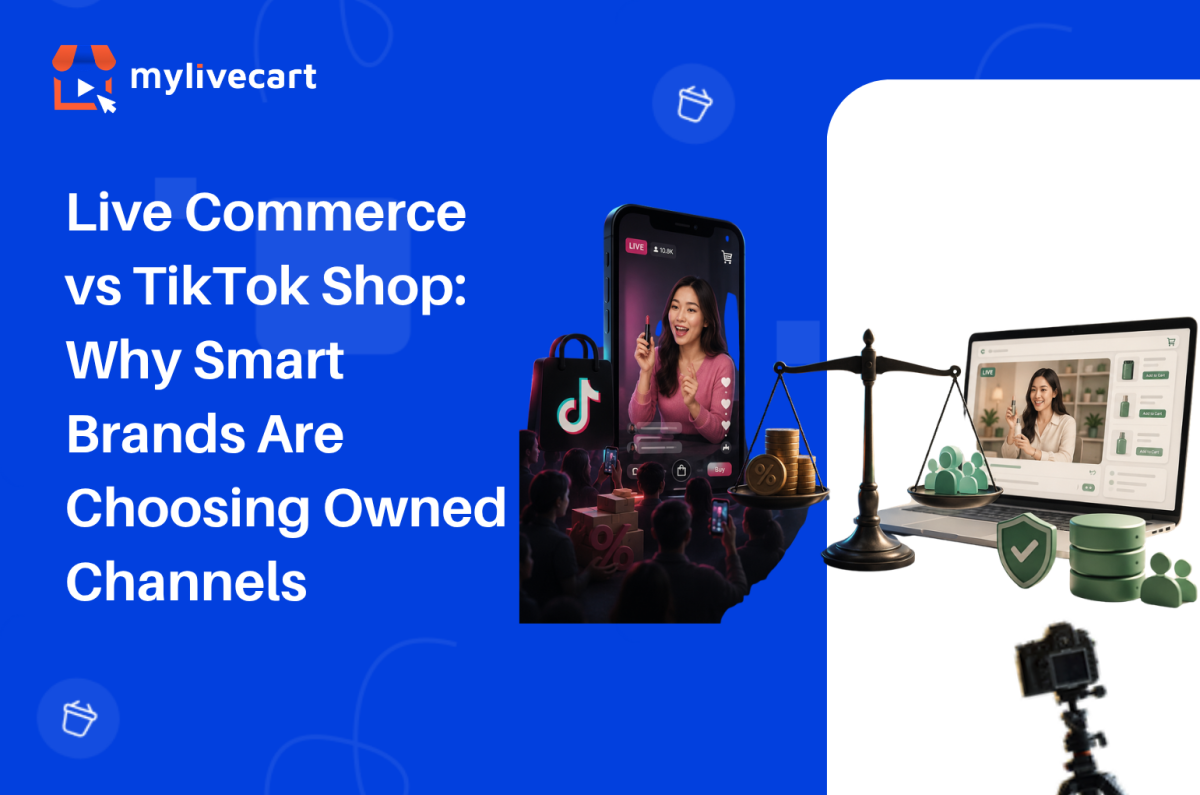
Live Commerce vs TikTok Shop: Why Smart Brands Are Choosing Owned Channels

The live commerce vs TikTok Shop debate comes down to a single question: do you want to rent an audience or build one you own?

TikTok Shop gives you access to one of the most powerful discovery engines in ecommerce a platform where a single live event can reach tens of thousands of shoppers who have never heard of your brand. That reach is real, and smart brands should not ignore it.

However, TikTok Shop also takes approximately 7% of every order in fees before creator commissions, operates in only 17 countries, stores your customer data on its own platform, and can remove your access or change its algorithm at any time. Brands that build their entire live commerce strategy around TikTok are building on land they do not own.

In this guide, we look at both channels honestly what TikTok Shop does well, where it has real limitations, and why the most durable live commerce strategy uses your own store as the foundation.

Quick Answer: TikTok Shop excels at discovery its algorithm can put your products in front of new audiences at scale. However, it charges ~7% in platform fees (plus creator commissions of 10–30%), operates in approximately 17 countries, and gives brands limited access to customer data. Live commerce on your own Shopify or WooCommerce store via MyLiveCart delivers 0% commission, full customer data ownership, global availability, and a loyal viewer base you control. The smartest approach for most brands is to use TikTok for awareness and your own store for live commerce revenue.

Show Your Range Live — Start Free →

What TikTok Shop Does Well

Before making the case for owned channels, it is worth being honest about TikTok Shop’s genuine strengths. Understanding where it excels helps you use it strategically rather than avoid it entirely.

Discovery at scale. TikTok’s For You Page algorithm surfaces products to users who are not yet following your brand. For a new or emerging brand, this cold-audience reach is genuinely valuable and difficult to replicate through any owned channel.

Creator commerce integration. TikTok Shop’s affiliate programme connects your products with thousands of creators who promote on commission. For brands without an existing audience, this can drive significant first-purchase volume quickly.

Built-in live shopping infrastructure. TikTok Live makes it easy to go live directly within the app, tag products, and take in-stream purchases with no additional tools required. For brands with large TikTok followings, this is a natural extension of their existing content.

Low barrier to entry. Setting up TikTok Shop takes hours, not days. Additionally, new sellers receive a discounted referral fee (1.8–3%) for their first 30–90 days, which reduces the initial cost of testing the channel.

These are genuine advantages. The case for owned live commerce is not that TikTok Shop does not work it is that relying on it as your primary or only live commerce channel creates risks and costs that compound over time.

The Real Cost of Selling on TikTok Shop

TikTok Shop’s fee structure is more complex than its headline numbers suggest. In 2026, US sellers pay:

  • Referral fee: 6% of each order
  • Payment processing: 1.02–3.78% depending on payment method
  • Total platform take-rate: approximately 7–9.78% per order before creator commissions

If you use TikTok’s affiliate programme to drive traffic to your live events which most brands do, since organic reach alone rarely fills a live event add creator commissions on top:

  • Beauty and cosmetics: 15–30% creator commission
  • Fashion and apparel: 10–15% creator commission
  • Home and lifestyle: 12–18% creator commission

On a £100 order in the beauty category, a brand might pay £6 in referral fees + £3 in processing + £20 in creator commission = £29 in total fees. That is a 29% take-rate before your product cost, shipping, and fulfilment.

As a result, the economics of TikTok Shop work well when products have strong margins and when creator-driven volume is high enough to offset per-unit fee erosion. For brands with tighter margins, however, TikTok Shop can become a revenue channel that generates volume but limited profit.

By contrast, MyLiveCart charges a flat monthly fee zero commission on any order, regardless of volume. A brand doing £10,000/month in live revenue pays the same $79/month Pro plan whether that is their first month or their fiftieth. See the live shopping pricing to compare the plans.

The Algorithm Problem

Importantly, TikTok Shop’s discovery power comes from its algorithm and that same algorithm is the channel’s most significant structural risk.

Your TikTok Shop’s organic reach depends entirely on TikTok’s decisions about what content to show and to whom. When TikTok changes its algorithm as it has repeatedly brand reach can drop overnight without notice. Furthermore, the brands that benefit most from TikTok’s algorithm are typically those producing high-frequency, high-engagement short-form video. Not every brand category or team has the capacity to maintain that output.

Consider the policy risk too. In early 2025, TikTok faced a genuine US ban due to regulatory pressure a period during which brands running live commerce exclusively on TikTok had no alternative channel and no customer data to migrate. The ban was ultimately delayed, but the vulnerability it exposed was real: a brand’s entire live commerce revenue sitting on a platform it does not control.

Owned live commerce on your own Shopify or WooCommerce store eliminates this dependency. You choose when to go live, who sees the event (via your own email list and social promotion), and what the experience looks like. No algorithm filters your audience. No platform policy changes your access.

Start Selling on Live Stream — Zero Commission →

Customer Data and Ownership

When a customer buys through TikTok Shop, TikTok holds the relationship. Specifically, you receive only order fulfilment data, while TikTok owns the first-party customer data browsing behaviour, purchase intent signals, and audience insights that would otherwise power your retargeting, email, and loyalty programmes.

In contrast, when a customer buys through a live event on your own store, every data point belongs to you. Their email address, purchase history, product preferences, and live event attendance feed directly into your CRM, your email platform, and your retargeting audiences.

Over time, this data gap compounds. A brand running live commerce on its own store for 12 months builds a proprietary audience asset repeat viewers who come back for every event, high-LTV customers who trust the brand, and email segments built from live event data. A brand running exclusively on TikTok Shop builds TikTok’s audience, not its own.

Geographic Limitations

TikTok Shop currently operates in approximately 17 countries including the US, UK, Germany, France, and several Southeast Asian markets. However, it remains unavailable in Canada, Australia, most of Latin America, and much of Africa and the Middle East.

For brands with international customers, this geographic restriction is a real constraint. A live shopping event on your own Shopify or WooCommerce store reaches every country your store already ships to no geographic platform restrictions apply. See the live commerce features for how global brands run owned live events.

TikTok Shop vs Owned Live Commerce: Side-by-Side

Factor TikTok Shop Owned Live Commerce (MyLiveCart)
Platform fee ~6–9.78% per order $0 commission — flat monthly fee only
Creator commissions 10–30% (if using affiliates) Not applicable
Customer data ownership TikTok owns first-party data You own all customer data
Algorithm dependency High — TikTok controls reach None — you control the channel
Geographic availability ~17 countries Global — wherever your store ships
Checkout TikTok checkout Your own Shopify or WooCommerce checkout
Platform risk Policy changes, regulatory risk None — hosted on your own store
Audience you own TikTok followers (platform-dependent) Email list, direct audience
Analytics TikTok dashboard (limited) Full event + product-level analytics
Repeat viewer relationship Limited — algorithm re-serves content Direct — your audience comes back

Own your channel, your data, and your results.

Can You Use Both? Yes – and Many Brands Do

The live commerce vs TikTok Shop question is not binary. In fact, the most effective live commerce strategies for growing brands often use both channels together.

The pattern that works: use TikTok for discovery, drive viewers to your own store for live events.

Specifically, this means:

  • Use TikTok content to build awareness and drive new audiences to your brand
  • Run your live shopping events on your own Shopify or WooCommerce store via MyLiveCart
  • Simulcast to TikTok Live (available on MyLiveCart Pro) to capture TikTok’s audience during events then direct viewers to your store for future events
  • Own the customer relationship from the first purchase: email capture, retargeting, loyalty

This approach captures TikTok’s discovery advantage while building the owned audience asset that TikTok alone cannot give you. Moreover, MyLiveCart’s Pro plan includes simulcasting to social platforms meaning you can stream to TikTok Live and your own store simultaneously, without choosing between reach and ownership.

Frequently Asked Questions About Live Commerce vs TikTok Shop

Is TikTok Shop better than live commerce on your own store?

TikTok Shop and owned live commerce serve different purposes. TikTok Shop excels at cold-audience discovery reaching shoppers who do not yet know your brand. Owned live commerce on your store builds a loyal repeat viewer base, generates full customer data, and costs zero commission per order. Most brands benefit from using both: TikTok for awareness, your own store for live commerce revenue.

How much does TikTok Shop charge per sale?

In 2026, TikTok Shop charges US sellers a 6% referral fee plus 1.02–3.78% in payment processing a total platform take-rate of approximately 7–9.78% per order. If you use creator affiliates to drive traffic, add 10–30% in creator commissions on top. MyLiveCart charges a flat monthly fee with zero commission on any order.

Does TikTok Shop work outside the US?

TikTok Shop currently operates in approximately 17 countries, including the US, UK, Germany, France, Italy, Spain, and several Southeast Asian markets. It remains unavailable in Canada, Australia, and many other regions. Owned live commerce on your Shopify or WooCommerce store has no geographic restrictions it works wherever your store ships.

What happens to my customers if TikTok changes its policies?

If TikTok Shop changes its fee structure, algorithm, or availability as it has repeatedly brands running exclusively on TikTok have limited recourse. Your TikTok followers and customer data remain on TikTok’s platform. By contrast, live commerce on your own store gives you full ownership of customer data, email lists, and audience relationships that you keep regardless of any platform changes.

Can I run live shopping on my own store and TikTok at the same time?

Yes. MyLiveCart’s Pro plan includes simulcasting to social platforms, which means you can stream to your own Shopify or WooCommerce store and TikTok Live simultaneously. This captures TikTok’s reach without giving up the customer data and channel ownership that comes from hosting on your own store.

What is the best platform for live commerce if I am just starting out?

For most growing brands, the recommended starting point is live commerce on your own store even at small scale. MyLiveCart’s free Starter plan lets you run unlimited events on Shopify or WooCommerce at no cost, so you build your owned audience from day one. Use TikTok content to drive awareness and viewers, and convert them into repeat customers through your own live channel.

Does MyLiveCart work with TikTok Shop?

MyLiveCart and TikTok Shop operate independently. MyLiveCart hosts live shopping events on your Shopify or WooCommerce store. The Pro plan includes simulcasting to TikTok Live, so you can stream to both channels at once. However, in-stream purchases on the MyLiveCart side route through your own checkout not TikTok’s giving you full order and customer data. See the full feature set for what is included at each plan.

Build the Channel You Own

TikTok Shop is a powerful discovery tool. For brands with the right product, the right margin, and the right creator network, it can generate meaningful volume. However, it is a rented channel the fees, the algorithm, the data, and the customer relationship all belong to TikTok.

Owned live commerce on your Shopify or WooCommerce store is the channel you build. Every viewer who attends your live event is a relationship you own. Each order generates data that belongs entirely to you. Furthermore, every event makes the next one more effective because your audience knows where to find you.

Ultimately, the smartest live commerce strategy is not TikTok Shop or your own store. Instead, it is TikTok Shop for discovery and your own store for the revenue and relationships that compound over time.

  1. Create your free MyLiveCart account
  2. Connect your Shopify or WooCommerce store in minutes
  3. Run your first owned live shopping event at no cost, no commission, no algorithm
Book a Demo — We’ll Walk Through Your First Event →
Categories
Live Shopping

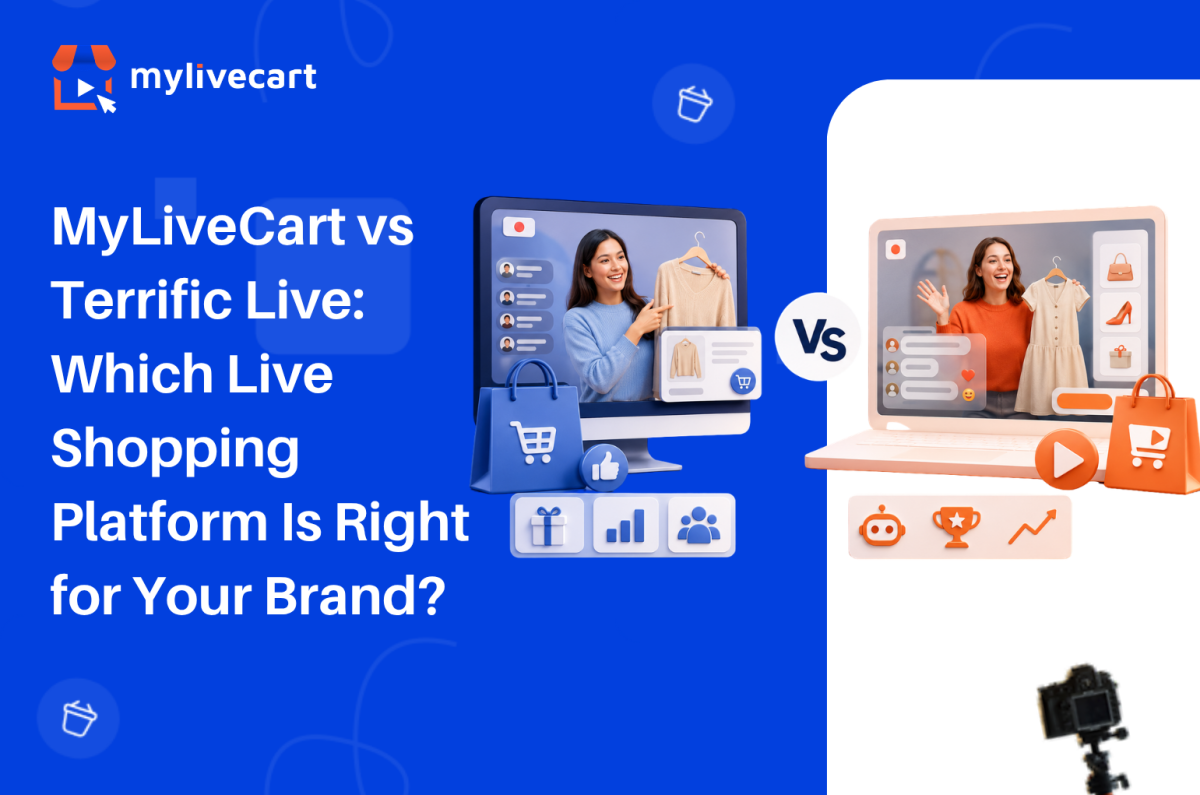
MyLiveCart vs Terrific Live: Which Live Shopping Platform Is Right for Your Brand?

Overall, the most important difference between MyLiveCart and Terrific Live comes down to who each platform is built for and how much you need to spend before you can find that out.

Terrific Live is a capable live shopping and shoppable video platform aimed at mid-market and enterprise brands. In fact, it offers strong customisation, AI-driven features, and dedicated support. However, it publishes no pricing on its website every plan requires a sales conversation before you know what it costs. There is no free plan and no self-serve signup.

MyLiveCart takes the opposite approach. Pricing is published, the free plan is permanent, and you can connect your Shopify or WooCommerce store and go live without speaking to anyone. In this guide, we compare both platforms directly so you can decide which is the right fit for where your brand is today.

Quick Answer: Terrific Live is a feature-rich live shopping platform built for mid-market and enterprise brands, with AI tools, gamification, and dedicated support but no published pricing and no free plan. MyLiveCart is built for growing Shopify and WooCommerce brands: transparent pricing from $0/month, self-serve setup in under 10 minutes, and no sales process required. If you want to start live shopping without a sales call or a budget commitment, MyLiveCart is the stronger starting point.

What Is Terrific Live?

Terrific Live is a video commerce platform that combines live shopping and shoppable video in one embeddable experience. Terrific Live targets brands that want to own the customer journey end-to-end running interactive live events and evergreen shoppable video content directly on their website, without sending traffic to third-party platforms.

Its standout features include an AI Host Buddy for live event assistance, gamified shopping experiences (polls, trivia, milestone rewards), session replays, picture-in-picture streaming, and multi-stream capability to social platforms. It also offers a dedicated customer success manager on higher tiers.

Terrific Live’s plan structure:

  • Basic — Up to 10,000 viewing minutes/month, basic analytics, embeddable shoppable videos, polls, custom pop-ups. Price: not published — contact sales.
  • Advanced — Up to 100,000 viewing minutes/month, custom checkout, 30-day session replays, picture-in-picture streaming. Price: not published contact sales.
  • Gold — Up to 500,000 viewing minutes/month, dedicated success manager, AI insights, in-video checkout, 24/7 support, multi-stream, AI Host Buddy. Price: not published contact sales.
  • Enterprise — Unlimited viewing minutes, multi-store support, dedicated production. Price: custom quote.

Notably, Terrific Live publishes none of these prices on its website. All tiers require contacting the sales team before you see a number. There is no free plan and no published free trial.

How the Two Platforms Compare

Essentially, the core distinction between Terrific Live and MyLiveCart is not the feature list it is the business model and the type of brand each platform serves.

Terrific Live runs on a sales-led model: you contact them, get a demo, receive a proposal, and agree terms. Indeed, this works well for enterprise brands with procurement processes, dedicated technical teams, and complex requirements. However, it does not suit a growing brand that wants to test live commerce quickly and without commitment.

MyLiveCart runs on a self-serve model: you sign up, install the plugin on your Shopify or WooCommerce store, and run your first event all without speaking to a salesperson. Pricing is published, plans are month-to-month, and the free tier has no expiry.

MyLiveCart vs Terrific Live: Feature Comparison

Feature Terrific Live MyLiveCart
Free plan No Yes — $0/month permanently
Published pricing No — contact sales for all plans Yes — fully transparent on /pricing/
Self-serve signup No — sales-led process Yes — sign up and go live in minutes
Shopify integration Yes — Shopify App Store Yes — native plugin, all plans incl. free
WooCommerce integration Compatible but not native Yes — native plugin, all plans incl. free
Live shopping on your own website Yes — embedded Yes — embedded on your store
Shoppable video Yes — embeddable Yes (Pro and above)
In-stream checkout Yes Yes — through your existing checkout
Product tagging during live Yes Yes
Live chat Yes Yes
Session replays / recording Yes (Advanced and above) Yes (Pro and above)
Multi-stream to social platforms Yes (Gold and above) Yes (Pro and above)
AI tools Yes — AI Host Buddy, AI insights Roadmap
Gamification (polls, trivia, rewards) Yes Polls only
Dedicated customer success manager Yes (Gold and above) No
Event analytics Yes Yes — event + product-level
Entry viewing minutes 10,000/month (Basic) 2,000/month free · 15,000/month Pro
Month-to-month billing Not applicable — sales-negotiated Yes — all plans
Contract required Likely — sales-negotiated terms No

What Each Platform Actually Costs

This is where the comparison becomes stark. Terrific Live publishes no pricing on its website not even a starting price or a price range. To find out what any plan costs, you need to book a call, attend a demo, and wait for a proposal.

MyLiveCart publishes every plan price on its pricing page.

Terrific Live MyLiveCart
Free plan Not available $0/month permanently
Entry paid plan Unknown — contact sales $79/month Pro (or $61/month annually)
Mid tier Unknown — contact sales $259/month Business (or $219/month annually)
Enterprise Custom quote Custom
Viewing minutes (entry paid) 10,000/month (Basic) 15,000/month (Pro)
Billing flexibility Sales-negotiated Month-to-month or annual
Contract Sales-negotiated No contract required

For a growing brand trying to decide whether live shopping will work for its audience, this pricing opacity is a real barrier. After all, you cannot evaluate the ROI of a platform before knowing its cost. Moreover, a sales-led process typically means minimum contract terms and annual commitments which adds financial risk before you have performance data.

See the complete MyLiveCart pricing page for the full breakdown every plan, every feature, every price.

No sales call. No proposal needed. Free plan never expires.

Where MyLiveCart Works Better for Growing Brands

1. You Know the Cost Before You Commit

With MyLiveCart, you know exactly what you are paying before you sign up. The Starter plan is $0. Pro costs $79/month (or $61/month billed annually). Business sits at $259/month (or $219/month annually). There are no hidden tiers and no sales conversations required to access this information.

Consequently, with Terrific Live, every pricing question requires a sales touchpoint. For brands running lean, moving quickly, or simply wanting to evaluate options independently, that friction is a genuine obstacle.

2. Start Free — No Sales Process Required

MyLiveCart’s Starter plan is permanent and includes 2,000 viewing minutes per month, unlimited live events, full Shopify and WooCommerce plugin access, product tagging, in-stream checkout, and live chat. As a result, you can run your first event, generate real performance data, and decide whether to upgrade all before spending a single dollar.

Terrific Live has no equivalent entry point. Meanwhile, to access the platform, you need to contact sales first.

3. Native WooCommerce Integration

MyLiveCart has a dedicated native plugin for WooCommerce. Install it from the WordPress Plugin Directory, connect with your API key, and your product catalog syncs automatically. In-stream purchases route through your existing WooCommerce checkout — no redirect, no developer required. See the WooCommerce integration guide for the full setup.

Terrific Live works with WooCommerce but does not offer an equivalent native plugin with the same no-code setup. For WooCommerce store owners, MyLiveCart is the more straightforward integration.

4. Month-to-Month Flexibility

MyLiveCart plans are available month-to-month. If your first events do not perform, you stop before the next billing cycle no minimum term, no cancellation fees.

Terrific Live’s plans are sales-negotiated, which typically means contract terms and annual commitments. For brands still validating whether live commerce works for their product category and audience, that commitment structure carries real financial risk.

5. Right-Sized for Growing Brands

Terrific Live’s feature set dedicated success managers, AI Host Buddy, gamification, multi-store support, enterprise SLA targets brands running live commerce as a core enterprise channel with dedicated teams and budgets.

In contrast, MyLiveCart is built for direct-to-consumer brands on Shopify and WooCommerce that want to launch quickly, prove the channel works, and scale from there. See the full features to understand what you can do from day one on the free plan.

At a Glance: Which Platform Is Right for You?

Choose Terrific Live if you are a mid-market or enterprise brand with a dedicated live commerce team, require advanced AI tools and gamification, need a dedicated customer success manager, or have an established budget and procurement process for platform selection.

Choose MyLiveCart if you are a growing brand on Shopify or WooCommerce, want to start live shopping without a sales call, need transparent pricing before committing, or want month-to-month flexibility while you build your live commerce channel.

When Terrific Live Might Still Be the Right Choice

Terrific Live is a strong platform in the right context:

  • You are an enterprise brand with complex customisation requirements, multi-store operations, and a budget that supports a sales-negotiated contract
  • AI Host Buddy is a priority — Terrific Live’s AI-assisted live hosting feature is a differentiator that MyLiveCart does not currently offer
  • Gamification matters for your audience — polls, trivia, and milestone rewards can meaningfully lift engagement for certain brand categories
  • A dedicated customer success manager is required — Terrific Live includes this on Gold and above; MyLiveCart does not offer dedicated CSM
  • Deep customisation — Terrific Live’s enterprise tier includes dedicated production, advanced API integrations, and brand-level customisation that goes beyond MyLiveCart’s current offering

Try MyLiveCart Free

Frequently Asked Questions About Terrific Live Alternatives

What is the best Terrific Live alternative for growing brands?

Overall, MyLiveCart is a strong Terrific Live alternative for growing Shopify and WooCommerce brands. It offers transparent published pricing from $0/month, self-serve setup without a sales call, and native platform integrations that let you go live in under 10 minutes. Additionally, it offers month-to-month billing with no contract commitment.

Does Terrific Live publish its pricing?

No. Terrific Live does not publish prices for any of its plans. All tiers

Basic, Advanced, Gold, and Enterprise require contacting the sales team to receive pricing. By contrast, MyLiveCart publishes full pricing on its website, with plans from $0 to $259/month.

Does MyLiveCart have a free plan?

Yes. MyLiveCart’s Starter plan is permanently free not a time-limited trial. It includes 2,000 viewing minutes per month, unlimited live events, full Shopify and WooCommerce integration, product tagging, in-stream checkout, and live chat. No credit card required to start.

Does Terrific Live integrate with WooCommerce?

Currently, Terrific Live works with WooCommerce but lacks a dedicated native plugin with no-code setup. MyLiveCart has a native WordPress plugin that connects your WooCommerce store in under 10 minutes no developer required.

How do Terrific Live and MyLiveCart differ on viewing minutes?

Terrific Live’s Basic plan (entry tier) includes 10,000 viewing minutes per month. MyLiveCart’s free Starter plan includes 2,000 viewing minutes, and the Pro plan at $79/month includes 15,000 viewing minutes per month (180,000 per year). Since Terrific Live does not publish prices, you cannot make a direct cost-per-minute comparison but MyLiveCart’s Pro plan offers 15,000 minutes at a known $79/month cost.

Can I switch from Terrific Live to MyLiveCart?

Yes. If your Terrific Live contract is coming up for renewal, MyLiveCart covers the core live shopping feature set live streaming, product tagging, in-stream buy buttons, live chat, and event analytics on Shopify and WooCommerce. Because MyLiveCart offers a permanent free plan, you can run parallel events and compare performance before fully committing to the switch.

Does MyLiveCart require a long-term contract?

No. All MyLiveCart plans are available month-to-month. You can upgrade, downgrade, or cancel at any time with no minimum term and no cancellation fees. An annual plan is available at a discounted rate if you choose to commit $61/month for Pro and $219/month for Business.

Start Live Shopping Without the Sales Process

Ultimately, Terrific Live has built a capable platform for brands with enterprise requirements, dedicated budgets, and the time to go through a sales process before launching.

However, for brands that want to start live shopping this week on their own Shopify or WooCommerce store, without a sales call, and without committing to a contract before seeing results MyLiveCart is the right choice.

Transparent pricing. Free plan. Native Shopify and WooCommerce integration. Start today, scale when you’re ready.

  1. Create your free MyLiveCart account
  2. Connect your Shopify or WooCommerce store in minutes
  3. Run your first live shopping event at no cost, no contract, no waiting

Want to see the platform before signing up? Book a free live demo and we will walk through the features, the integrations, and the right plan for your business.

Book a Free Demo →

Categories
Live Shopping

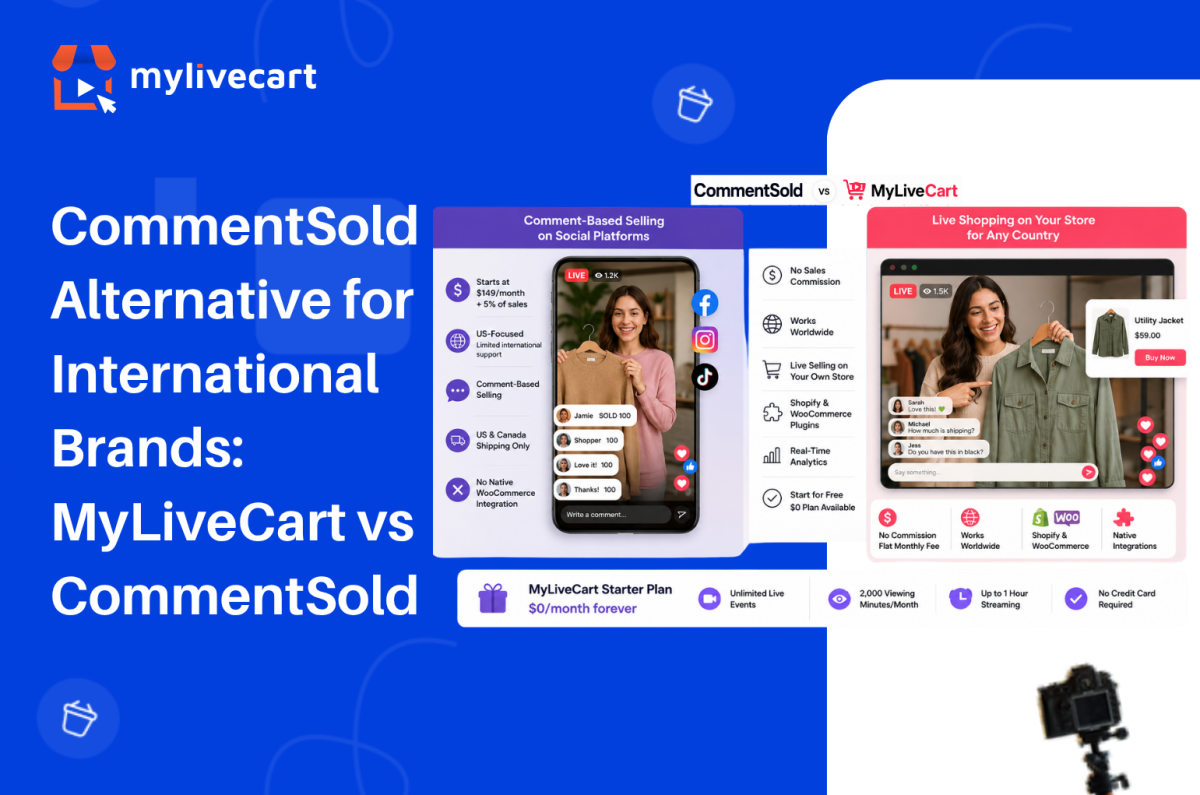
CommentSold Alternative for International Brands: MyLiveCart vs CommentSold

The most popular CommentSold alternative for international brands is a platform that does not tie your revenue to a sales commission, works on your own Shopify or WooCommerce store regardless of country, and starts at $0 rather than $149 per month.

CommentSold is well-established in the US over 12,000 boutiques use it to sell through Facebook, Instagram, and TikTok Live. But its pricing model, geographic focus, and comment-based selling mechanic make it a poor fit for brands operating outside North America, running on WooCommerce, or looking to own their live shopping channel rather than depend on social platforms.

In this guide, we compare CommentSold and MyLiveCart on pricing, platform support, integrations, and geographic availability so you can choose the right platform for where your brand is today.

Quick Answer: The strongest CommentSold alternative for international brands is MyLiveCart. CommentSold starts at $149/month plus a 5% sales commission meaning the platform takes a cut of every order. MyLiveCart charges a flat monthly fee with no commission, starts at $0, and works on any Shopify or WooCommerce store globally. CommentSold is built for US social commerce (Facebook, Instagram, TikTok); MyLiveCart runs on your own store with no geographic restrictions.

What Is CommentSold?

CommentSold is a US-based social commerce platform built around comment-driven live selling. The core mechanic: a viewer comments a keyword or product number during a Facebook Live, Instagram Live, or TikTok Live broadcast, and the platform automatically sends them an invoice via direct message, comment reply, or email.

It is described as “America’s #1 live selling platform” and it has earned that positioning in the US boutique retail market. CommentSold also provides a branded mobile app for your customers, a website builder, shoppable video clips, and AI-assisted content tools.

CommentSold’s current pricing plans:

  • Starter — $149/month + 5% of sales (15-day free trial, no free plan)
  • Small Business — $499/month + 4% of sales
  • Large Business — $999/month + 3% of sales
  • Enterprise — Custom pricing

Two things stand out. First, every plan charges a percentage of sales on top of the monthly fee the platform earns more as your revenue grows. Second, there is no free plan: the 15-day trial ends and you move to at least $149/month plus commission from day one.

Why International Brands Look for a CommentSold Alternative

In practice, CommentSold’s model works well for a specific customer: a US boutique retail brand with an established Facebook and Instagram following, selling primarily to US customers via social comment interaction.

However, outside that profile, several friction points emerge:

Geographic limitations. CommentSold’s shipping integration does not support international shipping labels (Canada excepted). Additionally, the comment-selling mechanic is deeply tied to US social platform behaviour Facebook Live shopping, in particular, has very different adoption rates outside the US. If your customers are in the UK, Europe, Australia, or Southeast Asia, the core selling mechanic is less effective by default.

Sales commission model. For example, a 5% commission on every order means your platform costs scale with your revenue not your usage. Consider a brand doing $20,000/month in live revenue it pays $149 + $1,000 in commission = $1,149/month to CommentSold on the Starter plan. At $100,000/month, that is $5,149/month. By contrast, MyLiveCart’s fee is flat regardless of order volume.

Platform dependency. CommentSold’s value proposition is built around Facebook, Instagram, and TikTok reach. As a result, brands that want live shopping on their own website embedded in their WooCommerce or Shopify store are not CommentSold’s primary use case.

WooCommerce. CommentSold does not offer a native WooCommerce plugin. MyLiveCart has a native WooCommerce integration on all plans including free connect your product catalog and embed the live stream widget without developer work.

Start Free Today →

MyLiveCart vs CommentSold: Feature Comparison

Feature CommentSold MyLiveCart
Free plan No — 15-day trial only Yes — $0/month, no credit card required
Entry paid plan $149/month + 5% of sales $79/month Pro (month-to-month)
Sales commission Yes — 5% (Starter), 4%, 3% of all revenue None — flat monthly fee only
Geographic availability US-focused; limited international support Global — works on any store in any country
Core selling mechanic Comment-based (Facebook/Instagram/TikTok) Live stream on your own store + in-stream buy buttons
Shopify integration Via “Videeo for Shopify” separate app Yes — native plugin, all plans incl. free
WooCommerce integration Not a native integration Yes — native plugin, all plans incl. free
Live stream on your own website Limited Yes — embedded on your store page
In-stream checkout Yes Yes — through your existing checkout
Product tagging during live Yes Yes
Live chat Yes Yes
Event analytics Yes Yes — event + product-level
Mobile app for live selling Yes Via browser — no dedicated seller app
Branded customer app Yes Not available
Simulcasting to social platforms Yes Yes (Pro and above)
International shipping support US and Canada only No restriction — your store’s shipping rules apply
Cancel anytime No minimum disclosed Yes — month-to-month plans available

What Each Platform Actually Costs

Free Plan vs Trial

CommentSold MyLiveCart Starter
Price $0 for 15 days, then $149/month + 5% $0/month permanently
Credit card required Yes (for trial) No
Live events Included during trial Unlimited
In-stream checkout Included during trial Yes
Viewing minutes Not published 2,000/month
Streaming duration Not published Up to 1 hour
WooCommerce integration Not available Yes — native plugin
Trial expiry 15 days, then billed No expiry — permanent free plan

Entry Paid Comparison

CommentSold Starter MyLiveCart Pro
Monthly fee $149/month $79/month (or $61/month annually)
Sales commission +5% of all order revenue None
Annual fee (monthly billing) $1,788/year (before commission) $948/year (before any overage)
Annual savings vs. CommentSold $840/year in base fee alone
Viewing minutes Not published 15,000/month (180,000/year)
Recording access Included Yes
Simulcasting Yes Yes
WooCommerce integration Not native Yes — native plugin
International availability US-focused Global

At $79/month with no commission, MyLiveCart Pro costs $840/year less than CommentSold Starter in base fees before accounting for the 5% commission on every order. For a brand generating $10,000/month in live revenue, the commission difference alone is $500/month ($6,000/year).

See the complete MyLiveCart pricing page for current plan details.

No commission. No annual commitment. Free plan never expires.

Try MyLiveCart Free →

Where MyLiveCart Works Better for International Brands

1. No Sales Commission — Ever

CommentSold’s pricing model is commission-first: the platform’s revenue scales with your revenue. Consequently, at 5% on the Starter plan, a brand doing £5,000 in monthly live sales pays £250 in commission on top of the $149 monthly fee.

MyLiveCart, by contrast, charges a flat monthly fee at every tier no percentage of sales, no commission at any price point. The same £5,000 in monthly live revenue costs the same $79/month as £500, and your platform cost stays predictable regardless of order volume.

2. Global by Default

MyLiveCart embeds directly on your Shopify or WooCommerce store. Therefore, your store’s existing shipping rules, tax settings, and payment gateways apply which means any country your store already serves is automatically supported for live shopping.

CommentSold’s fulfillment infrastructure is built around US logistics. Specifically, international shipping labels are not supported outside the US and Canada. For brands in Europe, the UK, Australia, or Asia, this is a foundational constraint.

3. Own Your Store — Not a Social Platform

CommentSold’s value is its reach through Facebook and Instagram the comment mechanic works because those audiences are already there. But social platform algorithms, policy changes, and reach limitations are outside your control.

MyLiveCart runs on your own store. Customers watch your live stream on your website, buy through your existing checkout, and the order lands in your WooCommerce or Shopify dashboard. No algorithm decides how many of your followers see the stream. See the full feature set for how the channel ownership model works.

4. Native WooCommerce Integration

MyLiveCart has a native WordPress plugin that connects your WooCommerce product catalog, embeds the live stream on any store page, and routes in-stream purchases through your existing checkout in under 10 minutes. See the WooCommerce integration guide for the full setup steps no developer required.

In contrast, CommentSold does not offer an equivalent WooCommerce integration. If WooCommerce is your platform, MyLiveCart is the natural choice.

5. Start Free — Validate Before Spending

MyLiveCart’s free Starter plan gives you 2,000 viewing minutes per month, unlimited live events, product tagging, in-stream checkout, live chat, and full Shopify and WooCommerce integration with no credit card and no expiry.

By comparison, CommentSold offers a 15-day trial that then converts to $149/month plus a 5% commission. The MyLiveCart free plan, therefore, lets you run real events, see real data, and validate the channel before committing to any spend.

At a Glance: Which Platform Is Right for You?

Choose CommentSold if your audience is primarily on Facebook and Instagram in the US, comment-based purchasing suits your customer behaviour, you want a branded customer mobile app, or you need the dropship catalog and social selling tools built specifically for US boutique retail.

Choose MyLiveCart if you sell internationally or outside the US, you run a WooCommerce store, you want live shopping on your own website without platform dependency, you need a free starting point before committing to monthly spend, or you want flat-fee pricing with no sales commission.

When CommentSold Might Still Be the Right Choice

CommentSold is the better fit in specific circumstances:

  • You are a US boutique with an established Facebook/Instagram audience — the comment-selling mechanic delivers real conversion results when the audience behaviour matches, and CommentSold has the track record in this segment
  • A branded customer mobile app is important — CommentSold includes a custom-branded iOS/Android app for your customers; MyLiveCart does not currently offer this
  • You need the dropship catalog — CommentSold’s Small Business plan includes access to a dropship catalog, which has no equivalent in MyLiveCart
  • TikTok simultaneous live selling in the US is a core channel — CommentSold is positioned as the only platform supporting simultaneous live selling on TikTok and Instagram in the US
  • Your sales process is comment-based — if your customers are trained on the comment-to-buy mechanic, switching requires re-educating your audience


Frequently Asked Questions About CommentSold Alternatives

What is the best CommentSold alternative for international brands?

MyLiveCart is a strong CommentSold alternative for brands outside the US or brands that want live shopping on their own Shopify or WooCommerce store. Additionally, it has no geographic restrictions, no sales commission, and starts at $0 with a permanent free plan not a time-limited trial.

Is MyLiveCart cheaper than CommentSold?

Yes, significantly. CommentSold’s Starter plan charges $149/month plus a 5% sales commission on every order. MyLiveCart Pro is $79/month with no sales commission. Furthermore, on an annual basis, MyLiveCart Pro saves at least $840/year in base fees before accounting for commission savings which grow with your order volume.

Is CommentSold available outside the US?

CommentSold is primarily built for the US market. Its shipping integration does not support international labels outside the US and Canada, its social selling features are designed around US platform behaviour, and it is marketed specifically as “America’s #1 live selling platform.” As a result, brands outside the US regularly cite geographic limitations as the reason for switching.

Does MyLiveCart support WooCommerce?

Yes with a native WordPress plugin on all plans including free. Install the plugin from the WordPress Plugin Directory, connect your store with your API key, and your WooCommerce product catalog syncs automatically. In-stream purchases go through your existing WooCommerce checkout. No developer required.

Does CommentSold integrate with WooCommerce?

Currently, CommentSold does not offer a native WooCommerce integration. Its primary ecommerce integration is Shopify, via the separate “Videeo for Shopify” app. Brands running WooCommerce stores will need to look at alternatives MyLiveCart’s native WooCommerce plugin is a direct solution.

Can I switch from CommentSold to MyLiveCart?

Yes. If your CommentSold plan is coming up for renewal, MyLiveCart covers the core live shopping feature set live streaming, product tagging, in-stream buy buttons, live chat, and event analytics on Shopify and WooCommerce. Because MyLiveCart offers a permanent free plan, you can run a parallel event on MyLiveCart before fully switching, with no financial risk.

Does MyLiveCart charge a commission on sales?

No. MyLiveCart charges a flat monthly fee only $0 on the free plan, $79/month on Pro ($61/month annually), or $259/month on Business ($219/month annually). There is no percentage of sales, no transaction fee, and no commission at any tier. You keep 100% of revenue from in-stream purchases.

Switch to a Live Commerce Platform Built for Global Brands

Overall, CommentSold has earned its position in US boutique retail. For brands in that specific segment US-based, social-first, comment-driven it delivers real results.

However, for brands outside the US, or those that want to own their live shopping channel rather than rent social media reach, MyLiveCart is the stronger alternative. If sharing a percentage of revenue with your platform is not acceptable, the case for switching is clear.

Flat monthly fee. No commission. Native Shopify and WooCommerce integration. Works in any country your store already serves.

  1. Create your free MyLiveCart account
  2. Connect your Shopify or WooCommerce store in minutes
  3. Run your first live shopping event at no cost, no commission, no annual commitment

Want to see the platform before signing up? Book a free live demo and we will walk through the features, the integrations, and the right plan for your business.

Categories
E-commerce

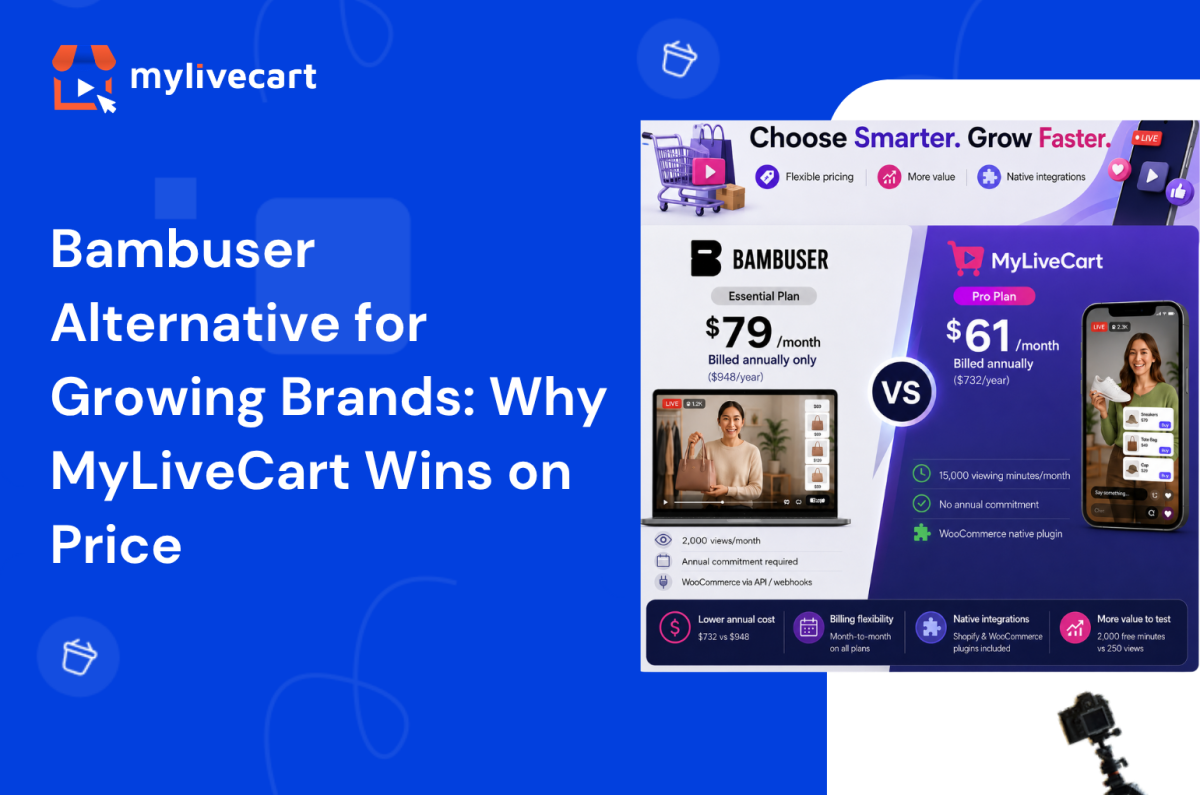
Bambuser Alternative for Growing Brands: Why MyLiveCart Wins on Price

Bambuser is one of the most recognised names in live shopping trusted by H&M, L’Oréal, and Mango. It has grown from an enterprise-only platform into one that now offers published self-serve plans for smaller teams.

But Bambuser’s pricing model still requires an annual billing commitment on every paid tier meaning you pay for a full year upfront before you know whether the channel will perform. Its free plan caps out at 250 views per month, and WooCommerce support relies on custom webhooks rather than a native plugin.

If you are a growing ecommerce brand that wants month-to-month flexibility, a more generous free tier to test with, or a native WooCommerce integration this guide compares Bambuser and MyLiveCart directly so you can make the right decision for where your brand is today.

Quick Answer: The strongest Bambuser alternative for growing brands is MyLiveCart. At the same $79/month entry price, MyLiveCart Pro is month-to-month no annual billing required. MyLiveCart’s annual plan is cheaper ($61/month vs Bambuser’s $79/month annual-only Essential tier), and the free plan includes 2,000 viewing minutes per month against Bambuser’s 250 views. Both platforms support Shopify. For WooCommerce, MyLiveCart offers a native plugin; Bambuser relies on custom API integration.

What Is Bambuser?

Bambuser is a Swedish live video commerce platform founded in 2007. It offers two core products: One-to-Many (live shopping broadcast to an audience) and One-to-One (private video shopping with a sales associate).

Originally built for enterprise retailers, Bambuser has expanded its offering to include three published self-serve tiers alongside its Enterprise plan. It powers live shopping for some of the world’s largest retail brands and offers white-label customisation, advanced analytics, and professional services.

Bambuser’s current plans:

  • Free — $0, 250 views/month, 2 users, AI chat support
  • Essential — $79/month, billed annually ($948/year), 2,000 views/month, 3 users, guided onboarding
  • Pro — $249/month, billed annually ($2,988/year), 10+ users, white-labeled player, Mobile SDK, SSO
  • Enterprise — Custom pricing, custom usage, dedicated customer manager

One important detail across the paid tiers: Bambuser Essential and Pro are available on annual billing only. There is no published monthly billing option for either plan.

Why Growing Brands Look for a Bambuser Alternative

The brands most likely to find Bambuser’s model a poor fit are typically at a specific growth stage:

  • Annual revenue: $500K–$20M
  • Team size: 5–50 people
  • Ecommerce platform: Shopify or WooCommerce
  • Live commerce maturity: Testing the channel, running first events, validating product-format fit
Try MyLiveCart Free — No Annual Commitment, No Contract →

At this stage, live shopping software for small and mid-sized businesses needs to be flexible. Committing to an annual plan before you have conversion data from your first event is a real risk. If the channel underperforms or if your strategy changes you are locked in for the year.

You also likely need native WooCommerce support without custom developer work.

MyLiveCart vs Bambuser: Feature Comparison

Feature Bambuser MyLiveCart
Free plan Yes — 250 views/month Yes — 2,000 viewing minutes/month
Entry paid plan $79/month Essential (annual billing only) $79/month Pro (month-to-month)
Annual plan price $79/month (only billing option for Essential) $61/month when billed annually
Annual spend at entry paid $948/year (Essential) $732/year (Pro annual) · $948/year (Pro monthly)
Billing flexibility Annual commitment required on paid plans Month-to-month available on all plans
Self-serve signup Yes — available via app store Yes — direct signup
Shopify integration Yes — Shopify App Store Yes — native plugin, all plans incl. free
WooCommerce integration Via custom webhooks / API Yes — native plugin, all plans incl. free
In-stream checkout Yes Yes
Product tagging during live Yes Yes
Live chat Yes Yes
Event analytics Yes Yes — event + product-level
Event replay / VOD Yes Yes (Pro plan and above)
One-to-one video shopping Yes Roadmap
White-label / custom branding Pro plan only Business plan ($259/month)
Co-host support Yes Yes
Overage rate $0.25 per view $12–15 per 1,000 viewing minutes
Cancel anytime Limited by annual billing Yes — month-to-month plans available
Developer required For WooCommerce integration No — no-code plugin for Shopify + WooCommerce

Looking for a Bambuser alternative for Shopify specifically? Both platforms support Shopify. The key differences are billing flexibility and the WooCommerce question see the full feature breakdown for a detailed comparison.

MyLiveCart vs Bambuser: Pricing Comparison

Both platforms now publish their pricing. Here is how they compare at each tier.

Free Plans

Bambuser Free MyLiveCart Starter
Price $0 $0
Viewing capacity 250 views/month 2,000 viewing minutes/month
Live events Included Unlimited
Shopify integration Yes Yes
WooCommerce integration Via API Yes — native plugin
Streaming duration Not specified Up to 1 hour
Branding Not specified MyLiveCart watermark

Note on metrics: Bambuser counts “views” (unique viewers) while MyLiveCart counts “viewing minutes” (viewers × duration). These are different measurements and not directly comparable. For a 30-minute live event, 250 Bambuser views = 250 unique viewers; 2,000 MyLiveCart viewing minutes = approximately 65–70 viewers at average session length. For shorter shoppable video content, Bambuser’s free plan may support more interactions per month.

Entry Paid Plans

Bambuser Essential MyLiveCart Pro
Price $79/month $79/month (or $61/month annually)
Billing Annual only ($948/year) Month-to-month or annual
Annual spend $948 $732 (annual) · $948 (monthly)
Viewing capacity 2,000 views/month 15,000 viewing minutes/month
Users 3 Unlimited
Event replay Included Yes
Simulcasting Not specified Yes
WooCommerce Via API Native plugin
Overage $0.25/view $12/1,000 minutes

At the same $79/month price point, Bambuser Essential requires a $948 annual commitment upfront. MyLiveCart Pro is available month-to-month — you pay $79 in month one and can cancel before month two if results do not support continuing.

If you are willing to commit annually, MyLiveCart Pro at $61/month saves $216/year compared to Bambuser Essential at $79/month (annual billing).

See the complete MyLiveCart pricing page for current plan details and active offers.

Start on the free plan. Upgrade month-to-month when you’re ready. No year-long commitment.

Start Your Free MyLiveCart Account →

Where MyLiveCart Works Better for Growing Brands

1. No Annual Commitment Required

Bambuser’s Essential and Pro plans are available on annual billing only. You pay for the full year before running a single paid event.

MyLiveCart Pro is available month-to-month. If your first three events do not generate the ROI to justify the subscription, you cancel before the next billing cycle. There is no contract, no minimum term, and no cancellation fee.

2. Cheaper Annual Plan

If you do want to commit annually, MyLiveCart Pro at $61/month ($732/year) is less expensive than Bambuser Essential at $79/month ($948/year) while offering 15,000 viewing minutes per month against Bambuser’s 2,000 views per month (noting these are different metrics).

3. Native WooCommerce Integration

MyLiveCart has a native WooCommerce plugin available on all plans including free. It connects your product catalog, embeds the live stream widget, and routes in-stream purchases through your existing WooCommerce checkout no developer needed.

Bambuser supports WooCommerce via custom API and webhooks. This works, but it requires developer involvement to implement and maintain. For teams without in-house technical resource, this is a meaningful barrier. See the WooCommerce integration guide for how MyLiveCart’s setup works.

4. More Generous Free Plan for Testing

MyLiveCart’s free Starter plan gives you 2,000 viewing minutes per month with unlimited live events, product tagging, in-stream checkout, and live chat enough to run multiple events and build initial performance data before spending anything.

Bambuser’s free plan provides 250 views per month with access to the product suite, which is suited for very limited-scale testing.

5. Shopify Integration Included at Every Tier

MyLiveCart’s native Shopify plugin is included on every plan including free. Connect your product catalog in under 10 minutes. No developer required, no code changes to your store.

Bambuser also has a Shopify app available for all tiers. This is a comparable advantage for both platforms.

At a Glance: Which Platform Is Right for You?

Choose Bambuser if you are comfortable committing to annual billing, your primary store is Shopify (not WooCommerce), you need one-to-one video shopping capability, or you are moving toward the Pro/Enterprise tier for white-label deployment.

Choose MyLiveCart if you want month-to-month billing flexibility, you run a WooCommerce store and need a native plugin, you want the lower annual plan price, or you are still in the early stages of building your live commerce channel.

When Bambuser Might Still Be the Right Choice

Bambuser is the better fit in specific circumstances:

  • You are comfortable with annual billing and your live commerce strategy is confirmed — the Essential plan at $948/year is a reasonable investment for an active programme
  • One-to-one video shopping is a core channel requirement — personalised video consultations at scale, integrated into CRM and service workflows (MyLiveCart has this on roadmap)
  • You need white-label deployment — Bambuser’s Pro plan includes a fully white-labeled player; MyLiveCart offers custom branding on the Business plan
  • Your store is on Shopify — both platforms offer strong Shopify support, so this is less of a differentiator
  • You are scaling toward enterprise — Bambuser’s Pro and Enterprise tiers offer Mobile SDK, SSO, and dedicated customer management for larger operations.

Frequently Asked Questions About Bambuser Alternatives

What is the best Bambuser alternative for small and mid-sized brands?

MyLiveCart is a strong Bambuser alternative for growing brands that want professional live shopping features without an annual billing commitment. It offers a free plan, native Shopify and WooCommerce integration, in-stream checkout, product tagging, live chat, and event analytics with month-to-month billing available on all paid plans.

Is MyLiveCart cheaper than Bambuser?

It depends on how you compare. At the $79/month entry paid tier, Bambuser Essential requires annual billing ($948/year) while MyLiveCart Pro is available month-to-month at $79 or annually at $61/month ($732/year). On annual plans, MyLiveCart is $216/year cheaper. Month-to-month, the entry price is the same — but only MyLiveCart offers that flexibility without a year-long commitment.

Does MyLiveCart integrate with Shopify like Bambuser does?

Yes. MyLiveCart has a native Shopify plugin on all plans including free. It connects your product catalog automatically, embeds the live stream on your storefront, and routes purchases through your existing Shopify checkout. No developer or code changes required. Bambuser also has a Shopify app both platforms support Shopify well.

Does MyLiveCart support WooCommerce?

Yes with a native plugin on all plans including free. This is one of the clearest differences between the two platforms. Bambuser supports WooCommerce via custom webhooks and API, which typically requires developer involvement. MyLiveCart’s WooCommerce plugin connects your store without any custom development.

Can I switch from Bambuser to MyLiveCart?

Yes. If you are currently on a Bambuser plan and your annual term is ending, MyLiveCart is a direct alternative for the core live shopping feature set. Your Shopify or WooCommerce store connects in minutes. Because MyLiveCart offers month-to-month billing, you can also run a parallel event on MyLiveCart to compare performance before fully committing to a switch.

Does MyLiveCart require an annual contract?

No. MyLiveCart plans are available month-to-month. You can upgrade, downgrade, or cancel at any time no minimum term, no cancellation fees. An annual plan is available at a discounted rate if you choose to commit.

What features do both MyLiveCart and Bambuser share?

Both platforms offer: live video broadcast, in-stream product tagging, buy buttons for in-stream purchase, live chat, event analytics, event replay, co-host support, and Shopify integration. The core live shopping feature set is comparable. The primary differences are billing structure (annual-only vs month-to-month available), WooCommerce integration approach, and pricing on annual plans.

Switch to an Affordable Live Commerce Platform That Grows With You

Bambuser is a capable platform and, with published self-serve pricing, now accessible to brands beyond the enterprise tier. The question is not whether Bambuser works it is whether annual billing, API-dependent WooCommerce integration, and the higher annual cost are the right trade-offs for where your business is today.

If you want to start free, validate the channel without a year-long commitment, and run on your WooCommerce or Shopify store with no developer required MyLiveCart is worth serious consideration.

  1. Create your free MyLiveCart account
  2. Connect your Shopify or WooCommerce store in minutes
  3. Run your first live shopping event — at no cost, no annual commitment

Want to see the platform before signing up? Book a free live demo and we will walk through the features, the integrations, and the right plan for your business.

Get a Free Live Demo →
Categories
E-commerce Live Shopping

Live Streaming for Ecommerce: The Complete Guide for Online Stores in 2026

Live streaming for ecommerce is no longer a trend brands are watching from the sidelines. It is the fastest-growing sales channel in online retail and in 2026, every major ecommerce category from fashion to food to consumer electronics is running live shopping events directly on their stores.

The reason is simple: live video converts at rates static product pages cannot match. A shopper who watches a host demonstrate a product, ask questions in real time, and see other viewers buying alongside them is a fundamentally different kind of buyer than one scrolling a product grid alone.

This guide covers everything you need to know how live streaming ecommerce works, what formats drive the most sales, how to choose the right platform, and how to go live on your store today.

Quick Answer: Live streaming for ecommerce is the practice of broadcasting real-time video on your online store while selling products in-stream viewers watch, ask questions, and add to cart without leaving the stream. Brands running live commerce events report 30–45% increases in sales, 60% improvements in customer retention, and conversion rates 3–9x higher than standard product pages. To get started, you need a live streaming platform like MyLiveCart that integrates with your store (Shopify or WooCommerce) and handles the video, chat, and checkout layers for you.

What Is Live Streaming for Ecommerce?

Live streaming for ecommerce also called live commerce, live selling, or livestream shopping is the practice of broadcasting real-time video on your online store while selling products directly through that broadcast. Hosts demonstrate products, answer viewer questions live, and trigger buy buttons on-screen that let viewers add to cart and complete checkout without pausing the video or navigating away.

Unlike traditional video commerce (pre-recorded product videos on a product page), live streaming ecommerce is interactive. The host responds to the audience in real time. Viewers see other people buying. Limited-time offers create genuine urgency. The result is a purchasing environment that more closely resembles a physical retail experience than anything else available in online commerce.

Live commerce originated in China, where it now accounts for over 20% of all ecommerce transactions. Western markets have followed rapidly: live shopping platforms saw triple-digit growth between 2022 and 2025, and the global live commerce market is projected to exceed $500 billion by 2027.

How Live Streaming Ecommerce Works

A live streaming ecommerce event has three layers working simultaneously:

1. The video layer Your host streams live video from a camera smartphone, laptop webcam, or professional setup. The stream is encoded and delivered to viewers via a CDN (Content Delivery Network) with under 5 seconds of latency, so the experience feels genuinely live rather than delayed.

2. The commerce layer Products from your store catalog are loaded into the event in advance. During the stream, the host highlights individual products triggering a product card and buy button to appear on screen. Viewers click “Add to Cart” without leaving the video. Checkout uses your store’s existing payment flow.

3. The interaction layer A live chat panel runs alongside the video. Viewers ask questions, the host responds by name, and other viewers see the exchange. Emoji reactions, viewer counts, and time-limited offer banners create social proof and urgency in real time.

On the backend, every viewer action watch time, product clicks, add-to-cart events, purchases is tracked at the event level, giving you conversion data per product highlighted, not just per page view.

Why Live Streaming for Ecommerce Drives Higher Sales

The performance gap between live streaming ecommerce and static product pages is not marginal it is structural. Live video removes the three biggest objections in online shopping: uncertainty about the product, inability to ask questions, and lack of urgency.

Brands using MyLiveCart’s live shopping platform have reported:

  • 45% increase in sales within the first month of going live
  • 98 products sold in 23 days from a single jewellery brand’s live campaign
  • 3x increase in product inquiries and purchase intent
  • 60% improvement in customer retention
  • 2x improvement in engagement rate compared to static product pages

These results hold across categories fashion, jewellery, skincare, consumer electronics, food and beverage because the underlying mechanism (real-time demonstration + immediate purchase) is category-agnostic.

The conversion advantage comes from four specific dynamics:

Trust built through demonstration: Viewers see the product in motion how fabric falls, how a serum absorbs, how a gadget fits in a hand. This removes the ambiguity that causes hesitation on a product page.

Real-time objection handling: When a viewer asks “does this come in XL?” and gets an immediate answer, that objection is resolved in seconds rather than left to fester until the shopper abandons the cart.

Social proof at scale: Visible viewer counts, live chat activity, and emoji reactions signal that other real people are watching and buying which reduces the perceived risk of purchase.

Scarcity and urgency: “Only 8 left in stock” or “free shipping for the next 10 orders” means something when said live, in real time, rather than displayed as a static label that shoppers have learned to ignore.

Types of Live Streaming Formats for Ecommerce

Not every live stream follows the same format. The right format depends on your product category, audience size, and sales goal.

Product Launch Streams

Reveal a new product live, with an exclusive first-look for viewers. Works especially well for limited editions, seasonal collections, and subscription drops. Creates urgency because the first-mover advantage is real viewers who buy during the launch get it before anyone else.

See How MyLiveCart Powers Live Streaming Ecommerce — Get a Free Demo →

Tutorial and How-To Demos

Show the product being used step by step. Highly effective for skincare, cooking, tools, and anything that requires instruction. The demonstration closes the “but will it work for me?” objection that stops purchases on static pages.

Q&A and Expert Sessions

Host a live interview or panel where a product expert a dermatologist, a chef, a stylist demonstrates and answers audience questions in real time. Builds brand authority while educating viewers about the product.

Flash Sales and Limited-Time Drops

Time-limited offers available exclusively during the live event. Viewer gets a benefit (early access, discount, free shipping) that expires when the stream ends. Creates genuine urgency that static sale banners cannot replicate.

Behind-the-Scenes and Factory Tours

Show how the product is made, where it comes from, or how your brand operates. Particularly effective for brands where provenance and craft matter artisan goods, sustainable fashion, specialty food.

Influencer and Brand Ambassador Collabs

Invite an influencer or ambassador as a co-host. They bring their audience to your stream; you provide the product and purchase infrastructure. Extends your reach without requiring a large existing audience of your own.

How to Choose a Live Streaming Platform for Your Ecommerce Store

The live streaming platform you choose determines what your viewers can do and what data you can act on. Evaluate platforms on these five criteria before committing:

1. Integration with Your Ecommerce Platform

Your live streaming platform must connect directly to your product catalog Shopify, WooCommerce, or a custom backend. Without this, you are manually entering product details before every event, and inventory does not update in real time. MyLiveCart’s full feature set includes native integration for both major platforms.

2. In-Stream Checkout (Checkout Without Leaving the Video)

If a viewer has to navigate to a separate product page to buy, you lose a significant portion of them in transit. The buy button must surface within the stream player and add directly to your store’s cart. This is the most commonly missed requirement in platform evaluation.

3. Event-Level Analytics

You need to know which products converted, not just how many people watched. Platform-level analytics (“1,200 viewers”) are useless for product strategy. Event-level analytics (product A: 47 add-to-carts, product B: 12 add-to-carts, average watch time 14 minutes) tell you how to structure your next event.

4. Replay and VOD

Your live event continues working after it ends if it is available as a replay on your store. Every viewer who missed the live event is a potential buyer of the on-demand version. Platforms that do not record automatically leave that revenue on the table.

5. Pricing That Scales With You

Look for a platform that has a free or low-cost entry point so you can test and learn before committing significant budget. MyLiveCart’s free Starter plan includes unlimited events and 2,000 viewing minutes per month enough to run your first several events and validate the format for your audience before upgrading.

How to Get Started with Live Streaming for Your Ecommerce Store

Getting your first live shopping event live takes less than a day most of it is planning, not setup. Here is the process from zero to live:

Step 1 — Choose Your Platform and Sign Up

Create a free MyLiveCart account at web.mylivecart.com/sign-up. The free Starter plan includes unlimited events, unlimited products per event, and the integration plugin for your store. No credit card required.

Step 2 — Connect Your Store

From your MyLiveCart dashboard, go to Integrations and connect your store. The Shopify integration takes under 60 seconds authorize the app, and your entire product catalog syncs automatically. WooCommerce follows the same process.

Step 3 — Plan Your Event Format and Product Selection

Decide which format fits your goal (launch, demo, flash sale). Select 8–15 products to feature enough to fill a 30–60 minute stream without rushing. Order your products: open with your strongest sellers to build early momentum, then introduce newer or higher-consideration items mid-stream when trust is established.

Step 4 — Promote the Event in Advance

Share your event link 48–72 hours ahead via email, social media, and your store’s homepage. MyLiveCart generates a pre-event page that viewers can bookmark and share. Brands that promote in advance consistently see 2–3x more viewers than unannounced streams.

Step 5 — Go Live

At event time, click Start Event from your dashboard. Your stream embeds on your store automatically. During the event, click products in your event panel to highlight them the buy button appears on screen for all viewers in real time. Respond to chat questions by name. Add urgency with limited-time offers.

Step 6 — Review Your Analytics

After every event, your analytics dashboard shows peak viewers, watch time, products highlighted, add-to-cart rate, conversion rate per product, and total orders. Use this data to decide which products to lead with next time, which offer types drove the most action, and which time slot brought the largest audience.

Ready to run your first event? Your store can be live this week.

Start Live Streaming Free — No Developer Needed →

Live Streaming Ecommerce Best Practices

Keep Events Between 30 and 60 Minutes

Under 30 minutes does not give late arrivals enough time to engage and buy. Over 60 minutes sees significant audience drop-off after the halfway point. The 30–60 minute window consistently produces the highest engagement-to-conversion ratio.

Start Selling Within the First 5 Minutes

Viewers decide within the first 3–5 minutes whether to stay. Lead with a strong product, a compelling offer, or a bold claim then back it up. Audiences who stay past 5 minutes convert at significantly higher rates than those who leave early.

Feature 8–12 Products Per Hour

Fewer than 8 products leaves too much time on each item and loses momentum. More than 15 per hour rushes viewers and reduces their confidence in each purchase decision. Spending 4–6 minutes per product is the optimal pacing for most categories.

Use Your Chat as a Sales Tool

Every question in chat is a sales signal. When a viewer asks “does this ship internationally?” or “what size should I get?” they are close to buying. Prioritise those questions over generic comments. Resolve objections publicly so every viewer watching benefits.

Go Live Consistently, Not Just Once

The brands that see compounding results from live streaming ecommerce go live on a regular schedule weekly or bi-weekly. Audiences learn when to expect you. Returning viewers convert at higher rates than first-time viewers because trust is already established.

Live Streaming on Your Own Store vs. Social Platforms

The most common question from brands starting live commerce is whether to stream on Instagram, TikTok, or YouTube — or on their own store. The answer depends on where you are in your brand journey.

Factor Instagram / TikTok / YouTube Live Live Streaming on Your Store
Audience reach Large, built-in audience Your existing audience + promotion
Checkout location Third-party platform Your own store
Customer data Platform owns it You own it
Product catalog sync Limited or manual Full, automatic
Analytics Views and likes Product-level conversion data
Replay on your store No Yes
Brand control Platform-branded UI Fully your brand

The strategic answer: social platforms are useful for discovery and audience building. Your own store is where sales and data ownership live. The highest-performing brands use both they promote on social, then send viewers to their store for the actual purchase event.

Frequently Asked Questions About Live Streaming for Ecommerce

What is live streaming for ecommerce?

Live streaming for ecommerce is the practice of broadcasting real-time video on an online store while selling products through the stream. Viewers watch a host demonstrate products, ask questions in a live chat, and add items to cart without leaving the video all on the retailer’s own website.

How does live streaming increase ecommerce sales?

Live streaming increases ecommerce sales by removing the three main objections that stop online shoppers: uncertainty about the product (resolved by live demonstration), inability to ask questions (resolved by real-time chat), and lack of urgency (created by limited-time in-stream offers and visible social proof).

What equipment do I need to start live streaming for ecommerce?

You need a device with a camera (smartphone or laptop works), a stable internet connection, and a live streaming platform connected to your store. No professional studio equipment is required to start brands run successful live events from phones and basic ring lights.

Which ecommerce platforms support live streaming?

Shopify and WooCommerce both support live streaming through MyLiveCart’s native plugins. The live stream embeds directly on your store across all platforms.

How long should a live shopping event be?

Most successful live shopping events run between 30 and 60 minutes. This is long enough for late joiners to engage and buy, but short enough to maintain audience attention and host energy throughout. Events under 20 minutes tend to underperform because they do not allow time for the audience to warm up and trust the host.

How many products should I feature in a live event?

Most successful live shopping events feature 8–12 products in a 30–60 minute stream roughly one product every 4–6 minutes. This pacing gives viewers enough time to consider and buy each item without feeling rushed, while maintaining momentum across the event.

Is live streaming ecommerce only for large brands?

No. Live streaming ecommerce works across brand sizes. The advantages real-time demonstration, live Q&A, urgency apply equally to a small jewellery maker with 500 email subscribers and a large fashion retailer with millions of followers. MyLiveCart’s free plan is specifically designed for brands starting their first live commerce events.

Start Live Streaming for Your Ecommerce Store Today

Live streaming ecommerce is not a future consideration it is the channel your competitors are already testing. The brands that establish a consistent live shopping presence now will have a significant advantage in audience trust, conversion data, and repeat buyer rates by the end of 2026.

Getting started takes three minutes:

  1. Create your free MyLiveCart account
  2. Connect your Shopify or WooCommerce store
  3. Run your first live event this week

If you would like a specialist to walk through your first event setup, book a free live demo and we will plan your first stream together format, product selection, promotion, and analytics review included.

Start Your First Live Shopping Event Today

Categories
Live Shopping

How to Add Live Shopping to Your Shopify Store — 3-Minute Setup Guide

Shopify gives you a store. But static product pages can only do so much.

Shoppers today want to see the product in action how a dress fits, how a skincare serum applies, how a gadget works. Shopify live streaming gives them exactly that: a real person demonstrating a real product in real time, with a buy button right on screen.

The good news: adding live shopping to your Shopify store does not require a developer, a new website, or an expensive contract. With MyLiveCart, you can go live in under three minutes on your existing Shopify store for free.

This guide walks you through the complete setup from account creation to your first live shopping event.

Quick Answer: To add live shopping to your Shopify store, install MyLiveCart and connect it to your store in under 3 minutes no developer needed. Create a free account → connect Shopify via the Integrations panel → create a live event with products from your catalog → click Start Event. The stream embeds directly on your store with a live chat panel and in-stream buy buttons. Viewers add to cart and check out without leaving your site.

What Is Live Shopping on Shopify?

Live shopping also called live commerce or live selling combines real-time video with in-stream product purchasing. Viewers watch a host demonstrate products and add items to their cart without ever leaving the stream.

Brands using live shopping on Shopify have reported:

  • 98 items sold in a single 23-day live shopping campaign (jewellery brand)
  • 45% increase in sales within the first month of going live
  • 3x increase in product inquiries and purchase intent
  • 60% improvement in customer retention

These results come from a simple truth: live video builds the kind of trust a product photo cannot. Viewers see the product in context, get questions answered in real time, and feel urgency when a host says “only 12 left in stock.”

Get a Free Live Demo — See It Before You Build It →

What You Need Before You Start

Before you integrate live streaming into your Shopify store, make sure you have:

  • An active Shopify store (any plan)
  • Your Shopify store URL and admin credentials
  • A device to stream from laptop, desktop, or smartphone
  • Products already listed in your Shopify catalog

No special equipment, no streaming software, no technical background required.

How to Add Live Shopping to Shopify: Step-by-Step

Step 1 — Create Your Free MyLiveCart Account

Go to web.mylivecart.com/sign-up and create a free account. The free Starter plan includes everything you need to run your first events:

  • 2,000 viewing minutes per month
  • Unlimited live events
  • Unlimited products per event
  • Unlimited viewers
  • Up to 1 hour of streaming per event
  • Built-in event analytics
  • Shopify plugin included

No credit card required.

Step 2 — Connect Your Shopify Store

Once inside your dashboard, the Shopify integration takes under 60 seconds:

  1. Click Integrations in the left navigation
  2. Select Shopify
  3. Enter your Shopify store URL (e.g., yourstore.myshopify.com)
  4. Click Connect you’ll be redirected to Shopify’s authorization screen
  5. Click Install App to grant MyLiveCart access to your product catalog and orders

Your entire Shopify product catalog syncs automatically. Every product is immediately available to feature in any live event no manual importing.

Step 3 — Create Your First Live Shopping Event

Back in your MyLiveCart dashboard:

  1. Click Create Event
  2. Add an event name (this appears to viewers before the stream starts)
  3. Set a date and time schedule ahead or go live immediately
  4. Select the products you want to feature from your synced catalog
  5. Add an event thumbnail and description
  6. Choose your streaming device built-in browser camera or external device

You can also invite a co-host at this stage: a brand ambassador, influencer, or team member to appear on screen alongside you.

Step 4 — Go Live on Shopify

When your event time arrives:

  1. Open your MyLiveCart dashboard and click Start Event
  2. Your live stream embeds on your Shopify store instantly no code changes needed
  3. During the stream, click any product in your event panel to highlight it on screen
  4. Viewers see a “Add to Cart” button appear in real time
  5. Viewers add to cart and complete checkout without leaving the stream

That’s it. You’re live selling on Shopify.

Your store is ready. Run your first live event today it takes less than three minutes to set up.

What Your Shoppers See During a Live Event

When a customer visits your store during a live event, they see a seamless experience powered by MyLiveCart’s built-in live shopping features:

  • The live video stream embedded directly on your site
  • A live chat panel to ask questions in real time
  • Products highlighted by the host with a one-click “Add to Cart” button
  • Emoji reactions from other viewers
  • A live viewer count for social proof

Everything happens inside your Shopify store. Customers never leave your domain to watch the stream or complete a purchase which is fundamentally different from going live on Instagram or TikTok, where the sale happens on someone else’s platform.

How to Get More From Your Shopify Live Shopping Events

Promote Your Events 48–72 Hours in Advance

Announce across email, social media, and your store before going live. MyLiveCart lets you create a pre-event landing page that viewers can bookmark and share.

Brands that promote in advance consistently see 2–3x more viewers compared to unannounced streams.

Lead With Your Best-Selling Products

Open with your hero products the items that need the least explanation and sell fastest. This builds early momentum and keeps late-joining viewers engaged.

Use the Live Chat to Drive Urgency

Respond to questions by name. When you say “great question, Sarah yes, this dress also comes in XL,” that viewer is far more likely to buy than if they’d read a static description.

Time-limited in-stream offers work well: “The first 10 people to add this to cart get free shipping” creates immediate action.

Review Your Analytics After Every Event

Your event dashboard shows:

  • Total viewers and peak concurrent viewers
  • Products highlighted and items added to cart
  • Conversion rate per product
  • Average watch time

Use this data to improve your next event: shorten the intro, lead with your top converter, test different time slots.

MyLiveCart vs. Going Live on Instagram or TikTok

Many Shopify brands already go live on Instagram or TikTok. Here is how that compares to live shopping on your own store:

Factor Instagram / TikTok Live MyLiveCart on Shopify
Where checkout happens Third-party platform Your Shopify store
Customer data ownership Platform owns it You own it
Algorithm dependency Yes — reach controlled by platform No
Shopify catalog integration Limited Full, automatic sync
Analytics Basic views and likes Detailed event + product analytics
Replay on your store No Yes (Pro and above)
Branded experience Platform-branded Fully your brand

When you go live on Instagram, you are building Instagram’s audience. When you go live on your Shopify store with MyLiveCart, you are building your own.

Start Live Shopping Free →

Real Results from Shopify Brands Using MyLiveCart

“We sold 98 jewellery items in 23 days using MyLiveCart’s live shopping events. The real-time interaction made customers feel confident about their purchase.”

“Our first live event drove a 45% increase in sales compared to the same week last month. Customers loved being able to ask questions and see products up close.”

“We saw a 2x improvement in engagement rate and a 30% increase in website traffic after our first month of live shopping.”

These results come from brands in jewellery, fashion, skincare, and consumer electronics all using the same Shopify setup described in this guide. If you sell in fashion or jewellery, live shopping is particularly effective because buyers need to see the product move and fit before they commit.

Frequently Asked Questions About Shopify Live Shopping

Does live shopping work on mobile Shopify stores?

Yes. MyLiveCart is fully responsive. Viewers can watch, chat, and purchase from any device desktop, tablet, or mobile without installing any app.

Will adding live shopping slow down my Shopify store?

No. MyLiveCart’s video infrastructure is hosted separately and loaded asynchronously. Your store’s page speed scores are not affected by the integration.

Can I schedule a live event in advance?

Yes. You can schedule events days or weeks ahead and share the event link before going live. Viewers can register their interest and receive a reminder when the event starts.

How many products can I feature in one live event?

Unlimited. You can add your entire Shopify catalog to an event and highlight individual products one at a time during the stream.

Can I record and replay the live event?

Yes, on Pro and Business plans. Your live event is recorded automatically and can be shared as a replay on your store, via email, or on social channels.

Does MyLiveCart work with Shopify’s native checkout?

Yes. When a viewer clicks “Add to Cart” during a live event, the item goes directly into your Shopify cart. Checkout uses the same payment flow your customers already know.

What plan do I need to get started?

The free Starter plan is enough to run your first live events it includes 2,000 viewing minutes per month, unlimited events, and the Shopify plugin. Upgrade to Pro ($79/month) when you need more streaming minutes or advanced features like simulcasting and session recordings.

Get Started with Live Shopping on Shopify Today

Setting up live shopping on your Shopify store takes three minutes. You can run your first event today for free.

  1. Create your free MyLiveCart account
  2. Connect your Shopify store in one click
  3. Create an event and go live

Want a guided walkthrough before your first event? Book a free live demo and a MyLiveCart specialist will walk you through the entire setup.