Join us at GITEX 2025! Discover our solutions at Hall 4, Booth H-30 Book your live demo today.
Categories
Live Shopping

WooCommerce Live Streaming Integration: How to Set Up and Go Live in Minutes

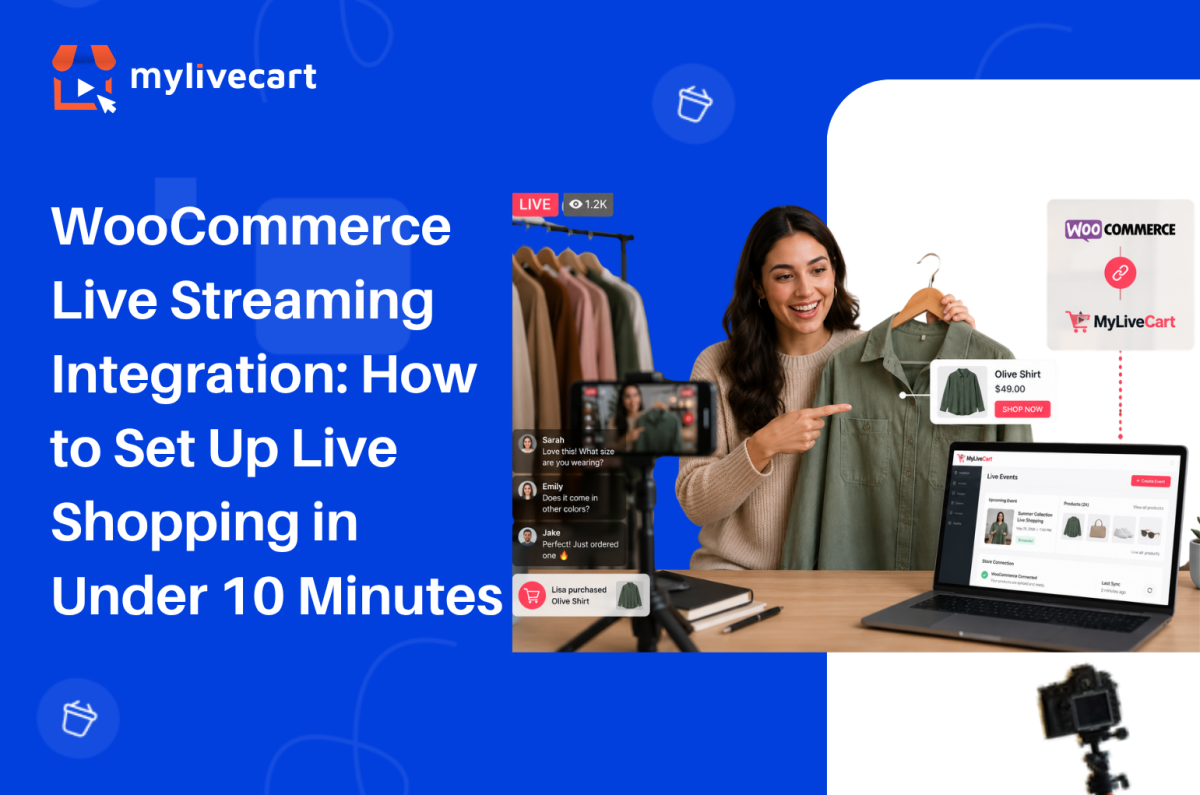
WooCommerce live streaming integration with MyLiveCart takes under 10 minutes install the plugin, connect your store with an API key, and your products are ready to tag and sell in your first live event.

This guide covers the exact setup steps, what the live shopping experience looks like for you and your customers, and how to run your first event successfully.

Quick Answer: To integrate live streaming into your WooCommerce store, install the MyLiveCart plugin from the WordPress Plugin Directory, activate it, and enter your MyLiveCart API key. Your WooCommerce product catalog syncs automatically. You can then create live events, tag products in real time, and let customers purchase directly through your existing WooCommerce checkout no developer required, free plan available.

Why Add Live Shopping to Your WooCommerce Store?

Live shopping turns a passive browsing experience into a real-time conversation. Instead of relying solely on product pages, you can demonstrate products live, answer questions instantly, and let customers buy while they watch.

Brands running live shopping events consistently report stronger results than standard product page traffic. According to McKinsey, live commerce conversion rates can reach 30% up to 10x higher than traditional ecommerce.

Increase Customer Confidence

Customers can see products demonstrated live understanding features, sizing, texture, and usage before purchasing. This clarity reduces hesitation and increases buying confidence.

Start Free Today →

Improve Conversion Rates

Live demonstrations combined with real-time interaction remove the uncertainty that causes cart abandonment. Customers who ask a question and receive an immediate answer are significantly more likely to complete a purchase.

Build Stronger Customer Relationships

Live chat creates a direct connection between your brand and your customers one that product pages, email campaigns, and social media posts cannot fully replicate. Viewers who feel heard become repeat buyers.

Encourage Repeat Engagement

Customers who buy during a live event return for the next one. Live shopping builds a loyal viewer base that looks forward to your broadcasts rather than passively scrolling past your ads.

Reduce Purchase Uncertainty

When customers see products in action and receive answers in real time, they buy the right product the first time reducing returns and post-purchase regret.

What You Need Before You Start

Before installing the plugin, make sure you have:

  • A live WordPress site with WooCommerce installed and active
  • A MyLiveCart account — free to create, no credit card required
  • Published products in WooCommerce (they sync automatically after connection)
  • A device to stream from — a smartphone or laptop webcam works for your first event
  • A stable internet connection for broadcasting

No server configuration, no API development, and no third-party streaming software required.

How to Connect MyLiveCart to Your WooCommerce Store

Step 1 — Create Your MyLiveCart Account

Go to MyLiveCart and create a free account. The Starter plan is $0 with no credit card required it includes 2,000 viewing minutes per month, unlimited live events, and the full WooCommerce plugin.

Once your account is active, go to your MyLiveCart dashboard.

Step 2 — Copy Your API Key

Inside the MyLiveCart dashboard:

  1. Navigate to Settings or Integrations
  2. Open the API Key section
  3. Copy your unique API key

Keep this tab open you will paste the key into WordPress in Step 4.

Step 3 — Install the MyLiveCart Plugin

In your WordPress admin panel:

  1. Go to Plugins → Add New
  2. Search for MyLiveCart
  3. Click Install Now
  4. Click Activate

Once activated, a MyLiveCart menu item appears in your WordPress admin sidebar.

Step 4 — Connect Your Store With Your API Key

  1. Click MyLiveCart in the WordPress admin sidebar
  2. You will see the plugin settings page with an API key field
  3. Paste the API key you copied from your MyLiveCart dashboard
  4. Click Save & Connect

Your WooCommerce store is now connected to MyLiveCart.

Step 5 — Sync Your Product Catalog

After connecting, MyLiveCart automatically imports your published WooCommerce products. The sync runs in the background and typically completes within 30 seconds to a few minutes depending on catalog size.

Once complete, all your products including names, images, prices, and variants are available to tag during live events.

Step 6 — Embed the Live Stream on Your Store

MyLiveCart provides a shortcode or widget block that embeds the live stream player on any page of your WooCommerce store. Common placements include:

  1. Go to the page where you want the stream to appear your homepage, a dedicated live shopping page, or a product category page
  2. Add the MyLiveCart shortcode or widget block from the plugin settings
  3. Save or update the page

Your customers will see the live player on your store when an event is active, and they can purchase products in-stream using your existing WooCommerce checkout. No redirect, no separate cart, no friction.

Setup complete. Your first live event is ready to create.

Try MyLiveCart Free →

What Happens After Integration

Once your WooCommerce store is connected, the live shopping workflow runs end to end through MyLiveCart and your existing WooCommerce infrastructure.

Before the Event

  • Create a live event in the MyLiveCart dashboard — add a title, date, time, and thumbnail
  • Select featured products from your synced WooCommerce catalog
  • Share the event link via email, social media, or embed it directly on your store

During the Event (You)

  • Go live directly from your browser or mobile device — no external streaming software needed
  • Tag products in real time as you discuss them — they appear as clickable buy buttons in the stream
  • Respond to live chat — answer questions, handle objections, create urgency

During the Event (Your Customers)

  • Watch the stream directly on your WooCommerce store — no app download, no redirect
  • Click buy buttons as products are tagged on screen
  • Complete the purchase through your existing WooCommerce checkout — same payment gateway, same order flow

After the Event

  • Review analytics in your MyLiveCart dashboard — total viewers, peak concurrent, products clicked, products purchased
  • Access the recording for replay on Pro and Business plans
  • Find all live event orders in your WooCommerce dashboard alongside regular orders — nothing changes in your fulfilment workflow

Why Use MyLiveCart Instead of Going Live on Social Media?

Many WooCommerce brands already use Instagram Live, Facebook Live, or TikTok Live. These platforms help with visibility — but they do not deliver a seamless shopping experience on your own store.

Feature MyLiveCart (on your store) Social Media Live
WooCommerce integration ✅ Yes — native plugin ❌ No
Product tagging during live ✅ Yes ⚠️ Limited
Existing checkout ✅ Your WooCommerce checkout ❌ No
Website ownership ✅ You own the channel ❌ Platform-dependent
Customer data access ✅ Full order and analytics data ⚠️ Limited
Live chat ✅ Yes ✅ Yes
Event analytics ✅ Product-level data ⚠️ Basic view counts
Algorithm dependency ✅ None — your audience ❌ Platform algorithm controls reach

With MyLiveCart, customers remain on your WooCommerce store throughout from watching the stream to completing checkout. You own the data, the channel, and the customer relationship. See the full live shopping features to understand what is possible on your own store.

What MyLiveCart Adds to Your WooCommerce Store

The WooCommerce live streaming integration gives you a complete live shopping channel on top of your existing store. Here is what is included at each plan:

Feature Starter (Free) Pro ($79/mo · $61/mo annually)
Live events Unlimited Unlimited
Products per event Unlimited Unlimited
Live viewers Unlimited Unlimited
Streaming duration Up to 1 hour Unlimited
Product tagging during live Yes Yes
In-stream buy buttons Yes Yes
Live chat Yes Yes
Real-time analytics Yes Yes
WooCommerce checkout Yes Yes
Viewing minutes/month 2,000 15,000
Recording / replay access No Yes
Simulcasting to social platforms No Yes
Shoppable Videos No Unlimited
MyLiveCart watermark Yes No
Overage rate $15/1,000 min $12/1,000 min

See the full pricing breakdown to choose the right plan for your store.

Tips for Your First Live Shopping Event

Keep it short and focused

30–45 minutes is the ideal length for a first event. Feature 3–5 products and demonstrate each one in depth rather than rushing through a large catalog. Depth converts better than breadth.

Promote before you go live

Share the event link via email and social media at least 24–48 hours before the broadcast. An audience of 20 engaged viewers converts better than 200 passive ones.

Use live chat actively

Answer every question in real time. Address sizing, compatibility, ingredients whatever the common objections are for your products. Resolving hesitations in the chat drives in-stream purchases directly.

Tag products at the moment of demonstration

Tag a product the moment you start discussing it not at the end of the event. Contextual tagging (product appears while you are showing it) drives significantly higher click rates than listing products at the close of the stream.

Review your analytics after every event

Your MyLiveCart dashboard shows which products were clicked, when viewers dropped off, and at what point in the stream purchases happened. Use this data to improve your next event which products to lead with, what length works for your audience, and which questions to answer proactively.

A WooCommerce jewellery brand using MyLiveCart reported selling 98 items in 23 days after launching weekly live events starting on the free plan, with no production team.

Common Mistakes to Avoid

Trying to sell too many products

Showcasing your entire catalog in one event overwhelms viewers and reduces the quality of each demonstration. Start with 3–5 products and give each one proper attention.

Ignoring the live chat

Live shopping is interactive by design. Brands that ignore viewer questions during the broadcast lose trust and conversion opportunities. Treat the chat as your most important sales tool during the event.

Going live without promotion

Even the most polished event needs an audience. Promote your event at least 48 hours in advance through email, social, and your store homepage. Do not assume viewers will find it on their own.

Making events too long

Viewer attention drops significantly after 45–60 minutes for most product categories. Start with shorter events, learn where your audience drops off from analytics, and adjust from there.

Not testing equipment before going live

Audio issues, poor lighting, and unstable internet are the most common causes of early viewer drop-off. Test your setup microphone, camera, and connection at least 30 minutes before going live.

Frequently Asked Questions About WooCommerce Live Streaming Integration

Does MyLiveCart work with all WooCommerce themes?

Yes. The MyLiveCart plugin embeds via a shortcode or widget block that is theme-independent. It works with any WooCommerce-compatible WordPress theme including Storefront, Astra, Flatsome, Divi, and custom themes without requiring theme modifications.

Do customers need to download an app to watch?

No. The live stream plays directly in the browser on your WooCommerce store page. Customers watch on desktop or mobile without downloading anything. The player is mobile-responsive and works across all major browsers.

Does live shopping use my existing WooCommerce checkout?

Yes. In-stream purchases go through your existing WooCommerce checkout your payment gateway, tax settings, shipping rules, and order management remain exactly as they are. MyLiveCart does not replace or redirect your checkout; it adds a buy button layer on top of your existing store.

What happens to orders placed during a live event?

Orders placed during a live event appear in your WooCommerce order dashboard exactly like any other order. There is no separate fulfilment workflow your existing shipping, inventory management, and notification settings apply automatically.

Can I tag products during the live stream or do I have to set them up beforehand?

Both. You can pre-select products to feature when creating the event, and you can also tag additional products in real time during the broadcast. Anything published in your WooCommerce catalog is available to tag at any point during the stream.

How many viewing minutes does the free plan include?

The free Starter plan includes 2,000 viewing minutes per month with unlimited live events. For a 30-minute event, that supports approximately 65–70 concurrent viewers. The Pro plan at $79/month (or $61/month billed annually) gives you 15,000 viewing minutes per month. See the full pricing page for a complete breakdown.

Is a developer required to set up the WooCommerce integration?

No. The entire setup plugin install, API connection, product sync, and widget embed — is done through the WordPress admin panel and the MyLiveCart dashboard. No code changes, no server configuration, and no developer involvement required.

Start Live Shopping on Your WooCommerce Store Today

WooCommerce live streaming integration with MyLiveCart is one of the fastest ways to add a high-converting sales channel to your existing store without rebuilding anything, hiring a developer, or committing to an annual contract.

Install the plugin, connect your store, and run your first event on the free plan. You will have real performance data before spending a single dollar.

  1. Create your free MyLiveCart account
  2. Install the MyLiveCart plugin from the WordPress Plugin Directory
  3. Connect your WooCommerce store with your API key
  4. Go live — your products, your checkout, your audience
Book a Free Demo →
Categories
E-commerce

Bambuser Alternative for Growing Brands: Why MyLiveCart Wins on Price

Bambuser is one of the most recognised names in live shopping trusted by H&M, L’Oréal, and Mango. It has grown from an enterprise-only platform into one that now offers published self-serve plans for smaller teams.

But Bambuser’s pricing model still requires an annual billing commitment on every paid tier meaning you pay for a full year upfront before you know whether the channel will perform. Its free plan caps out at 250 views per month, and WooCommerce support relies on custom webhooks rather than a native plugin.

If you are a growing ecommerce brand that wants month-to-month flexibility, a more generous free tier to test with, or a native WooCommerce integration this guide compares Bambuser and MyLiveCart directly so you can make the right decision for where your brand is today.

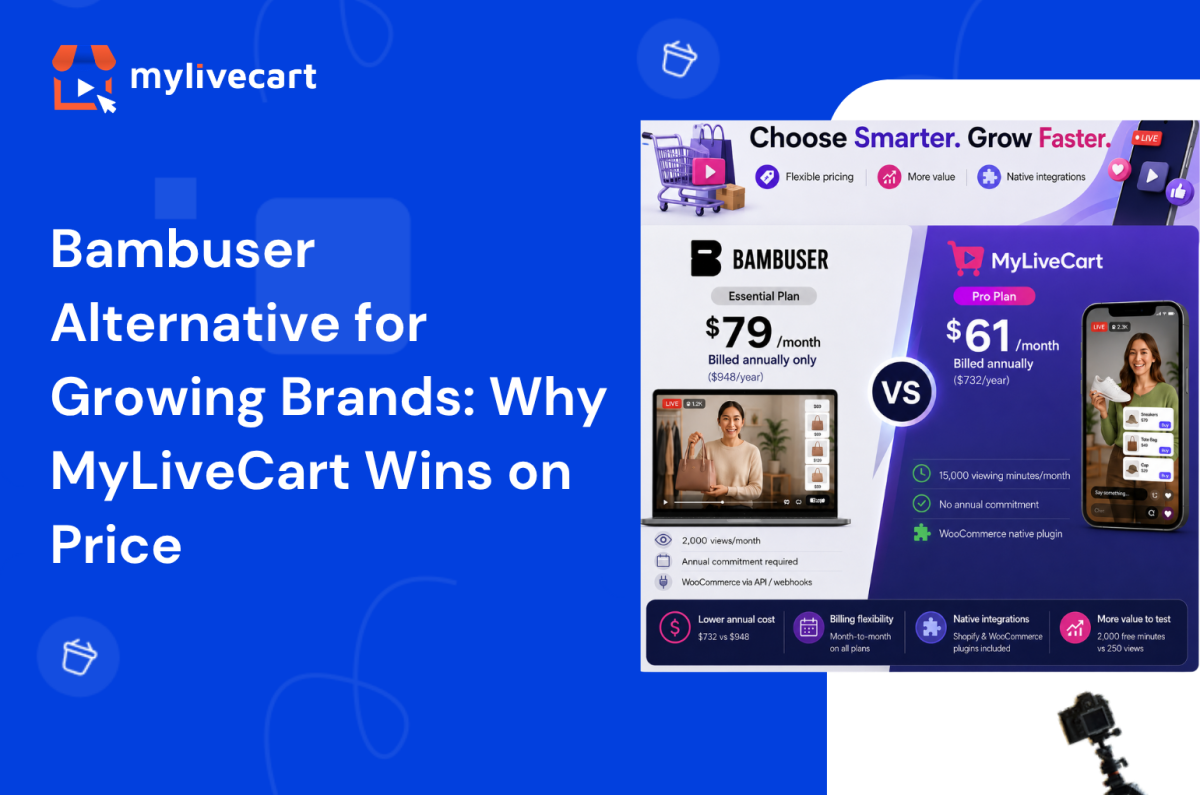
Quick Answer: The strongest Bambuser alternative for growing brands is MyLiveCart. At the same $79/month entry price, MyLiveCart Pro is month-to-month no annual billing required. MyLiveCart’s annual plan is cheaper ($61/month vs Bambuser’s $79/month annual-only Essential tier), and the free plan includes 2,000 viewing minutes per month against Bambuser’s 250 views. Both platforms support Shopify. For WooCommerce, MyLiveCart offers a native plugin; Bambuser relies on custom API integration.

What Is Bambuser?

Bambuser is a Swedish live video commerce platform founded in 2007. It offers two core products: One-to-Many (live shopping broadcast to an audience) and One-to-One (private video shopping with a sales associate).

Originally built for enterprise retailers, Bambuser has expanded its offering to include three published self-serve tiers alongside its Enterprise plan. It powers live shopping for some of the world’s largest retail brands and offers white-label customisation, advanced analytics, and professional services.

Bambuser’s current plans:

  • Free — $0, 250 views/month, 2 users, AI chat support
  • Essential — $79/month, billed annually ($948/year), 2,000 views/month, 3 users, guided onboarding
  • Pro — $249/month, billed annually ($2,988/year), 10+ users, white-labeled player, Mobile SDK, SSO
  • Enterprise — Custom pricing, custom usage, dedicated customer manager

One important detail across the paid tiers: Bambuser Essential and Pro are available on annual billing only. There is no published monthly billing option for either plan.

Why Growing Brands Look for a Bambuser Alternative

The brands most likely to find Bambuser’s model a poor fit are typically at a specific growth stage:

  • Annual revenue: $500K–$20M
  • Team size: 5–50 people
  • Ecommerce platform: Shopify or WooCommerce
  • Live commerce maturity: Testing the channel, running first events, validating product-format fit
Try MyLiveCart Free — No Annual Commitment, No Contract →

At this stage, live shopping software for small and mid-sized businesses needs to be flexible. Committing to an annual plan before you have conversion data from your first event is a real risk. If the channel underperforms or if your strategy changes you are locked in for the year.

You also likely need native WooCommerce support without custom developer work.

MyLiveCart vs Bambuser: Feature Comparison

Feature Bambuser MyLiveCart
Free plan Yes — 250 views/month Yes — 2,000 viewing minutes/month
Entry paid plan $79/month Essential (annual billing only) $79/month Pro (month-to-month)
Annual plan price $79/month (only billing option for Essential) $61/month when billed annually
Annual spend at entry paid $948/year (Essential) $732/year (Pro annual) · $948/year (Pro monthly)
Billing flexibility Annual commitment required on paid plans Month-to-month available on all plans
Self-serve signup Yes — available via app store Yes — direct signup
Shopify integration Yes — Shopify App Store Yes — native plugin, all plans incl. free
WooCommerce integration Via custom webhooks / API Yes — native plugin, all plans incl. free
In-stream checkout Yes Yes
Product tagging during live Yes Yes
Live chat Yes Yes
Event analytics Yes Yes — event + product-level
Event replay / VOD Yes Yes (Pro plan and above)
One-to-one video shopping Yes Roadmap
White-label / custom branding Pro plan only Business plan ($259/month)
Co-host support Yes Yes
Overage rate $0.25 per view $12–15 per 1,000 viewing minutes
Cancel anytime Limited by annual billing Yes — month-to-month plans available
Developer required For WooCommerce integration No — no-code plugin for Shopify + WooCommerce

Looking for a Bambuser alternative for Shopify specifically? Both platforms support Shopify. The key differences are billing flexibility and the WooCommerce question see the full feature breakdown for a detailed comparison.

MyLiveCart vs Bambuser: Pricing Comparison

Both platforms now publish their pricing. Here is how they compare at each tier.

Free Plans

Bambuser Free MyLiveCart Starter
Price $0 $0
Viewing capacity 250 views/month 2,000 viewing minutes/month
Live events Included Unlimited
Shopify integration Yes Yes
WooCommerce integration Via API Yes — native plugin
Streaming duration Not specified Up to 1 hour
Branding Not specified MyLiveCart watermark

Note on metrics: Bambuser counts “views” (unique viewers) while MyLiveCart counts “viewing minutes” (viewers × duration). These are different measurements and not directly comparable. For a 30-minute live event, 250 Bambuser views = 250 unique viewers; 2,000 MyLiveCart viewing minutes = approximately 65–70 viewers at average session length. For shorter shoppable video content, Bambuser’s free plan may support more interactions per month.

Entry Paid Plans

Bambuser Essential MyLiveCart Pro
Price $79/month $79/month (or $61/month annually)
Billing Annual only ($948/year) Month-to-month or annual
Annual spend $948 $732 (annual) · $948 (monthly)
Viewing capacity 2,000 views/month 15,000 viewing minutes/month
Users 3 Unlimited
Event replay Included Yes
Simulcasting Not specified Yes
WooCommerce Via API Native plugin
Overage $0.25/view $12/1,000 minutes

At the same $79/month price point, Bambuser Essential requires a $948 annual commitment upfront. MyLiveCart Pro is available month-to-month — you pay $79 in month one and can cancel before month two if results do not support continuing.

If you are willing to commit annually, MyLiveCart Pro at $61/month saves $216/year compared to Bambuser Essential at $79/month (annual billing).

See the complete MyLiveCart pricing page for current plan details and active offers.

Start on the free plan. Upgrade month-to-month when you’re ready. No year-long commitment.

Start Your Free MyLiveCart Account →

Where MyLiveCart Works Better for Growing Brands

1. No Annual Commitment Required

Bambuser’s Essential and Pro plans are available on annual billing only. You pay for the full year before running a single paid event.

MyLiveCart Pro is available month-to-month. If your first three events do not generate the ROI to justify the subscription, you cancel before the next billing cycle. There is no contract, no minimum term, and no cancellation fee.

2. Cheaper Annual Plan

If you do want to commit annually, MyLiveCart Pro at $61/month ($732/year) is less expensive than Bambuser Essential at $79/month ($948/year) while offering 15,000 viewing minutes per month against Bambuser’s 2,000 views per month (noting these are different metrics).

3. Native WooCommerce Integration

MyLiveCart has a native WooCommerce plugin available on all plans including free. It connects your product catalog, embeds the live stream widget, and routes in-stream purchases through your existing WooCommerce checkout no developer needed.

Bambuser supports WooCommerce via custom API and webhooks. This works, but it requires developer involvement to implement and maintain. For teams without in-house technical resource, this is a meaningful barrier. See the WooCommerce integration guide for how MyLiveCart’s setup works.

4. More Generous Free Plan for Testing

MyLiveCart’s free Starter plan gives you 2,000 viewing minutes per month with unlimited live events, product tagging, in-stream checkout, and live chat enough to run multiple events and build initial performance data before spending anything.

Bambuser’s free plan provides 250 views per month with access to the product suite, which is suited for very limited-scale testing.

5. Shopify Integration Included at Every Tier

MyLiveCart’s native Shopify plugin is included on every plan including free. Connect your product catalog in under 10 minutes. No developer required, no code changes to your store.

Bambuser also has a Shopify app available for all tiers. This is a comparable advantage for both platforms.

At a Glance: Which Platform Is Right for You?

Choose Bambuser if you are comfortable committing to annual billing, your primary store is Shopify (not WooCommerce), you need one-to-one video shopping capability, or you are moving toward the Pro/Enterprise tier for white-label deployment.

Choose MyLiveCart if you want month-to-month billing flexibility, you run a WooCommerce store and need a native plugin, you want the lower annual plan price, or you are still in the early stages of building your live commerce channel.

When Bambuser Might Still Be the Right Choice

Bambuser is the better fit in specific circumstances:

  • You are comfortable with annual billing and your live commerce strategy is confirmed — the Essential plan at $948/year is a reasonable investment for an active programme
  • One-to-one video shopping is a core channel requirement — personalised video consultations at scale, integrated into CRM and service workflows (MyLiveCart has this on roadmap)
  • You need white-label deployment — Bambuser’s Pro plan includes a fully white-labeled player; MyLiveCart offers custom branding on the Business plan
  • Your store is on Shopify — both platforms offer strong Shopify support, so this is less of a differentiator
  • You are scaling toward enterprise — Bambuser’s Pro and Enterprise tiers offer Mobile SDK, SSO, and dedicated customer management for larger operations.

Frequently Asked Questions About Bambuser Alternatives

What is the best Bambuser alternative for small and mid-sized brands?

MyLiveCart is a strong Bambuser alternative for growing brands that want professional live shopping features without an annual billing commitment. It offers a free plan, native Shopify and WooCommerce integration, in-stream checkout, product tagging, live chat, and event analytics with month-to-month billing available on all paid plans.

Is MyLiveCart cheaper than Bambuser?

It depends on how you compare. At the $79/month entry paid tier, Bambuser Essential requires annual billing ($948/year) while MyLiveCart Pro is available month-to-month at $79 or annually at $61/month ($732/year). On annual plans, MyLiveCart is $216/year cheaper. Month-to-month, the entry price is the same — but only MyLiveCart offers that flexibility without a year-long commitment.

Does MyLiveCart integrate with Shopify like Bambuser does?

Yes. MyLiveCart has a native Shopify plugin on all plans including free. It connects your product catalog automatically, embeds the live stream on your storefront, and routes purchases through your existing Shopify checkout. No developer or code changes required. Bambuser also has a Shopify app both platforms support Shopify well.

Does MyLiveCart support WooCommerce?

Yes with a native plugin on all plans including free. This is one of the clearest differences between the two platforms. Bambuser supports WooCommerce via custom webhooks and API, which typically requires developer involvement. MyLiveCart’s WooCommerce plugin connects your store without any custom development.

Can I switch from Bambuser to MyLiveCart?

Yes. If you are currently on a Bambuser plan and your annual term is ending, MyLiveCart is a direct alternative for the core live shopping feature set. Your Shopify or WooCommerce store connects in minutes. Because MyLiveCart offers month-to-month billing, you can also run a parallel event on MyLiveCart to compare performance before fully committing to a switch.

Does MyLiveCart require an annual contract?

No. MyLiveCart plans are available month-to-month. You can upgrade, downgrade, or cancel at any time no minimum term, no cancellation fees. An annual plan is available at a discounted rate if you choose to commit.

What features do both MyLiveCart and Bambuser share?

Both platforms offer: live video broadcast, in-stream product tagging, buy buttons for in-stream purchase, live chat, event analytics, event replay, co-host support, and Shopify integration. The core live shopping feature set is comparable. The primary differences are billing structure (annual-only vs month-to-month available), WooCommerce integration approach, and pricing on annual plans.

Switch to an Affordable Live Commerce Platform That Grows With You

Bambuser is a capable platform and, with published self-serve pricing, now accessible to brands beyond the enterprise tier. The question is not whether Bambuser works it is whether annual billing, API-dependent WooCommerce integration, and the higher annual cost are the right trade-offs for where your business is today.

If you want to start free, validate the channel without a year-long commitment, and run on your WooCommerce or Shopify store with no developer required MyLiveCart is worth serious consideration.

  1. Create your free MyLiveCart account
  2. Connect your Shopify or WooCommerce store in minutes
  3. Run your first live shopping event — at no cost, no annual commitment

Want to see the platform before signing up? Book a free live demo and we will walk through the features, the integrations, and the right plan for your business.

Get a Free Live Demo →