Join us at GITEX 2025! Discover our solutions at Hall 4, Booth H-30 Book your live demo today.
Categories
Live Shopping

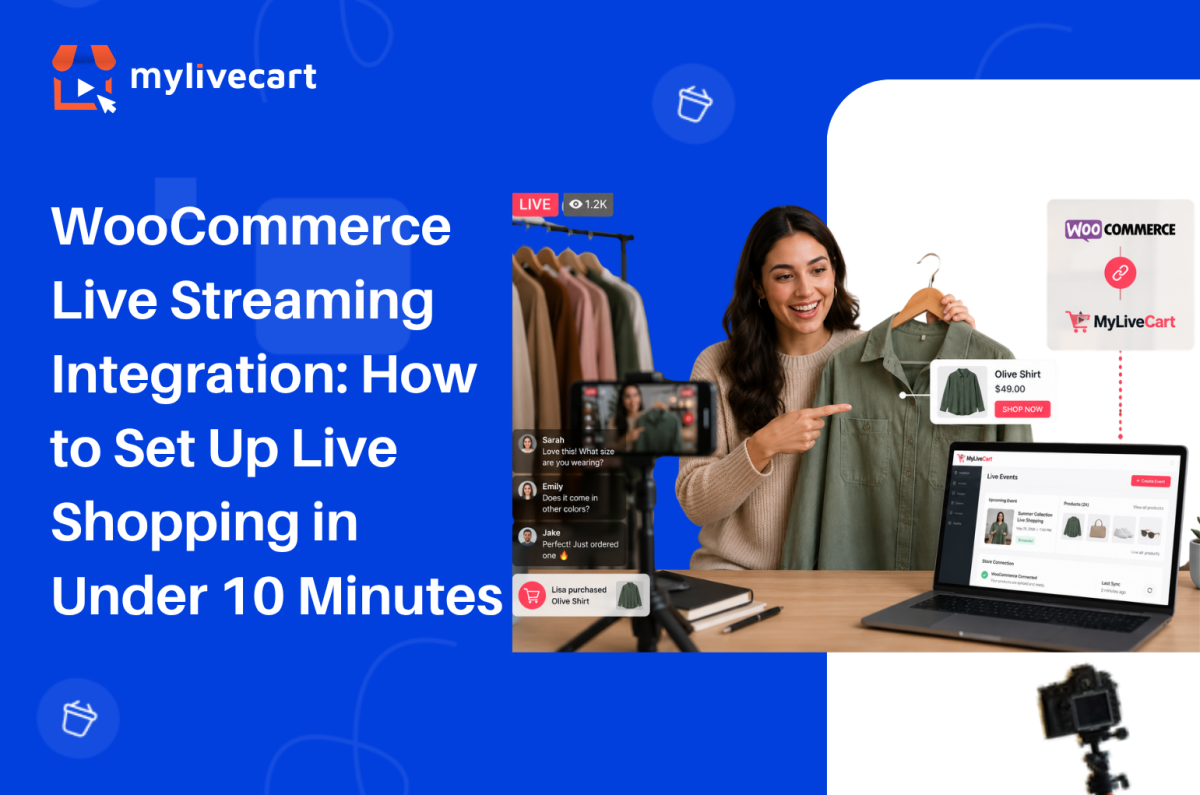
WooCommerce Live Streaming Integration: How to Set Up and Go Live in Minutes

WooCommerce live streaming integration with MyLiveCart takes under 10 minutes install the plugin, connect your store with an API key, and your products are ready to tag and sell in your first live event.

This guide covers the exact setup steps, what the live shopping experience looks like for you and your customers, and how to run your first event successfully.

Quick Answer: To integrate live streaming into your WooCommerce store, install the MyLiveCart plugin from the WordPress Plugin Directory, activate it, and enter your MyLiveCart API key. Your WooCommerce product catalog syncs automatically. You can then create live events, tag products in real time, and let customers purchase directly through your existing WooCommerce checkout no developer required, free plan available.

Why Add Live Shopping to Your WooCommerce Store?

Live shopping turns a passive browsing experience into a real-time conversation. Instead of relying solely on product pages, you can demonstrate products live, answer questions instantly, and let customers buy while they watch.

Brands running live shopping events consistently report stronger results than standard product page traffic. According to McKinsey, live commerce conversion rates can reach 30% up to 10x higher than traditional ecommerce.

Increase Customer Confidence

Customers can see products demonstrated live understanding features, sizing, texture, and usage before purchasing. This clarity reduces hesitation and increases buying confidence.

Start Free Today →

Improve Conversion Rates

Live demonstrations combined with real-time interaction remove the uncertainty that causes cart abandonment. Customers who ask a question and receive an immediate answer are significantly more likely to complete a purchase.

Build Stronger Customer Relationships

Live chat creates a direct connection between your brand and your customers one that product pages, email campaigns, and social media posts cannot fully replicate. Viewers who feel heard become repeat buyers.

Encourage Repeat Engagement

Customers who buy during a live event return for the next one. Live shopping builds a loyal viewer base that looks forward to your broadcasts rather than passively scrolling past your ads.

Reduce Purchase Uncertainty

When customers see products in action and receive answers in real time, they buy the right product the first time reducing returns and post-purchase regret.

What You Need Before You Start

Before installing the plugin, make sure you have:

  • A live WordPress site with WooCommerce installed and active
  • A MyLiveCart account — free to create, no credit card required
  • Published products in WooCommerce (they sync automatically after connection)
  • A device to stream from — a smartphone or laptop webcam works for your first event
  • A stable internet connection for broadcasting

No server configuration, no API development, and no third-party streaming software required.

How to Connect MyLiveCart to Your WooCommerce Store

Step 1 — Create Your MyLiveCart Account

Go to MyLiveCart and create a free account. The Starter plan is $0 with no credit card required it includes 2,000 viewing minutes per month, unlimited live events, and the full WooCommerce plugin.

Once your account is active, go to your MyLiveCart dashboard.

Step 2 — Copy Your API Key

Inside the MyLiveCart dashboard:

  1. Navigate to Settings or Integrations
  2. Open the API Key section
  3. Copy your unique API key

Keep this tab open you will paste the key into WordPress in Step 4.

Step 3 — Install the MyLiveCart Plugin

In your WordPress admin panel:

  1. Go to Plugins → Add New
  2. Search for MyLiveCart
  3. Click Install Now
  4. Click Activate

Once activated, a MyLiveCart menu item appears in your WordPress admin sidebar.

Step 4 — Connect Your Store With Your API Key

  1. Click MyLiveCart in the WordPress admin sidebar
  2. You will see the plugin settings page with an API key field
  3. Paste the API key you copied from your MyLiveCart dashboard
  4. Click Save & Connect

Your WooCommerce store is now connected to MyLiveCart.

Step 5 — Sync Your Product Catalog

After connecting, MyLiveCart automatically imports your published WooCommerce products. The sync runs in the background and typically completes within 30 seconds to a few minutes depending on catalog size.

Once complete, all your products including names, images, prices, and variants are available to tag during live events.

Step 6 — Embed the Live Stream on Your Store

MyLiveCart provides a shortcode or widget block that embeds the live stream player on any page of your WooCommerce store. Common placements include:

  1. Go to the page where you want the stream to appear your homepage, a dedicated live shopping page, or a product category page
  2. Add the MyLiveCart shortcode or widget block from the plugin settings
  3. Save or update the page

Your customers will see the live player on your store when an event is active, and they can purchase products in-stream using your existing WooCommerce checkout. No redirect, no separate cart, no friction.

Setup complete. Your first live event is ready to create.

Try MyLiveCart Free →

What Happens After Integration

Once your WooCommerce store is connected, the live shopping workflow runs end to end through MyLiveCart and your existing WooCommerce infrastructure.

Before the Event

  • Create a live event in the MyLiveCart dashboard — add a title, date, time, and thumbnail
  • Select featured products from your synced WooCommerce catalog
  • Share the event link via email, social media, or embed it directly on your store

During the Event (You)

  • Go live directly from your browser or mobile device — no external streaming software needed
  • Tag products in real time as you discuss them — they appear as clickable buy buttons in the stream
  • Respond to live chat — answer questions, handle objections, create urgency

During the Event (Your Customers)

  • Watch the stream directly on your WooCommerce store — no app download, no redirect
  • Click buy buttons as products are tagged on screen
  • Complete the purchase through your existing WooCommerce checkout — same payment gateway, same order flow

After the Event

  • Review analytics in your MyLiveCart dashboard — total viewers, peak concurrent, products clicked, products purchased
  • Access the recording for replay on Pro and Business plans
  • Find all live event orders in your WooCommerce dashboard alongside regular orders — nothing changes in your fulfilment workflow

Why Use MyLiveCart Instead of Going Live on Social Media?

Many WooCommerce brands already use Instagram Live, Facebook Live, or TikTok Live. These platforms help with visibility — but they do not deliver a seamless shopping experience on your own store.

Feature MyLiveCart (on your store) Social Media Live
WooCommerce integration ✅ Yes — native plugin ❌ No
Product tagging during live ✅ Yes ⚠️ Limited
Existing checkout ✅ Your WooCommerce checkout ❌ No
Website ownership ✅ You own the channel ❌ Platform-dependent
Customer data access ✅ Full order and analytics data ⚠️ Limited
Live chat ✅ Yes ✅ Yes
Event analytics ✅ Product-level data ⚠️ Basic view counts
Algorithm dependency ✅ None — your audience ❌ Platform algorithm controls reach

With MyLiveCart, customers remain on your WooCommerce store throughout from watching the stream to completing checkout. You own the data, the channel, and the customer relationship. See the full live shopping features to understand what is possible on your own store.

What MyLiveCart Adds to Your WooCommerce Store

The WooCommerce live streaming integration gives you a complete live shopping channel on top of your existing store. Here is what is included at each plan:

Feature Starter (Free) Pro ($79/mo · $61/mo annually)
Live events Unlimited Unlimited
Products per event Unlimited Unlimited
Live viewers Unlimited Unlimited
Streaming duration Up to 1 hour Unlimited
Product tagging during live Yes Yes
In-stream buy buttons Yes Yes
Live chat Yes Yes
Real-time analytics Yes Yes
WooCommerce checkout Yes Yes
Viewing minutes/month 2,000 15,000
Recording / replay access No Yes
Simulcasting to social platforms No Yes
Shoppable Videos No Unlimited
MyLiveCart watermark Yes No
Overage rate $15/1,000 min $12/1,000 min

See the full pricing breakdown to choose the right plan for your store.

Tips for Your First Live Shopping Event

Keep it short and focused

30–45 minutes is the ideal length for a first event. Feature 3–5 products and demonstrate each one in depth rather than rushing through a large catalog. Depth converts better than breadth.

Promote before you go live

Share the event link via email and social media at least 24–48 hours before the broadcast. An audience of 20 engaged viewers converts better than 200 passive ones.

Use live chat actively

Answer every question in real time. Address sizing, compatibility, ingredients whatever the common objections are for your products. Resolving hesitations in the chat drives in-stream purchases directly.

Tag products at the moment of demonstration

Tag a product the moment you start discussing it not at the end of the event. Contextual tagging (product appears while you are showing it) drives significantly higher click rates than listing products at the close of the stream.

Review your analytics after every event

Your MyLiveCart dashboard shows which products were clicked, when viewers dropped off, and at what point in the stream purchases happened. Use this data to improve your next event which products to lead with, what length works for your audience, and which questions to answer proactively.

A WooCommerce jewellery brand using MyLiveCart reported selling 98 items in 23 days after launching weekly live events starting on the free plan, with no production team.

Common Mistakes to Avoid

Trying to sell too many products

Showcasing your entire catalog in one event overwhelms viewers and reduces the quality of each demonstration. Start with 3–5 products and give each one proper attention.

Ignoring the live chat

Live shopping is interactive by design. Brands that ignore viewer questions during the broadcast lose trust and conversion opportunities. Treat the chat as your most important sales tool during the event.

Going live without promotion

Even the most polished event needs an audience. Promote your event at least 48 hours in advance through email, social, and your store homepage. Do not assume viewers will find it on their own.

Making events too long

Viewer attention drops significantly after 45–60 minutes for most product categories. Start with shorter events, learn where your audience drops off from analytics, and adjust from there.

Not testing equipment before going live

Audio issues, poor lighting, and unstable internet are the most common causes of early viewer drop-off. Test your setup microphone, camera, and connection at least 30 minutes before going live.

Frequently Asked Questions About WooCommerce Live Streaming Integration

Does MyLiveCart work with all WooCommerce themes?

Yes. The MyLiveCart plugin embeds via a shortcode or widget block that is theme-independent. It works with any WooCommerce-compatible WordPress theme including Storefront, Astra, Flatsome, Divi, and custom themes without requiring theme modifications.

Do customers need to download an app to watch?

No. The live stream plays directly in the browser on your WooCommerce store page. Customers watch on desktop or mobile without downloading anything. The player is mobile-responsive and works across all major browsers.

Does live shopping use my existing WooCommerce checkout?

Yes. In-stream purchases go through your existing WooCommerce checkout your payment gateway, tax settings, shipping rules, and order management remain exactly as they are. MyLiveCart does not replace or redirect your checkout; it adds a buy button layer on top of your existing store.

What happens to orders placed during a live event?

Orders placed during a live event appear in your WooCommerce order dashboard exactly like any other order. There is no separate fulfilment workflow your existing shipping, inventory management, and notification settings apply automatically.

Can I tag products during the live stream or do I have to set them up beforehand?

Both. You can pre-select products to feature when creating the event, and you can also tag additional products in real time during the broadcast. Anything published in your WooCommerce catalog is available to tag at any point during the stream.

How many viewing minutes does the free plan include?

The free Starter plan includes 2,000 viewing minutes per month with unlimited live events. For a 30-minute event, that supports approximately 65–70 concurrent viewers. The Pro plan at $79/month (or $61/month billed annually) gives you 15,000 viewing minutes per month. See the full pricing page for a complete breakdown.

Is a developer required to set up the WooCommerce integration?

No. The entire setup plugin install, API connection, product sync, and widget embed — is done through the WordPress admin panel and the MyLiveCart dashboard. No code changes, no server configuration, and no developer involvement required.

Start Live Shopping on Your WooCommerce Store Today

WooCommerce live streaming integration with MyLiveCart is one of the fastest ways to add a high-converting sales channel to your existing store without rebuilding anything, hiring a developer, or committing to an annual contract.

Install the plugin, connect your store, and run your first event on the free plan. You will have real performance data before spending a single dollar.

  1. Create your free MyLiveCart account
  2. Install the MyLiveCart plugin from the WordPress Plugin Directory
  3. Connect your WooCommerce store with your API key
  4. Go live — your products, your checkout, your audience
Book a Free Demo →
Categories
Live Shopping

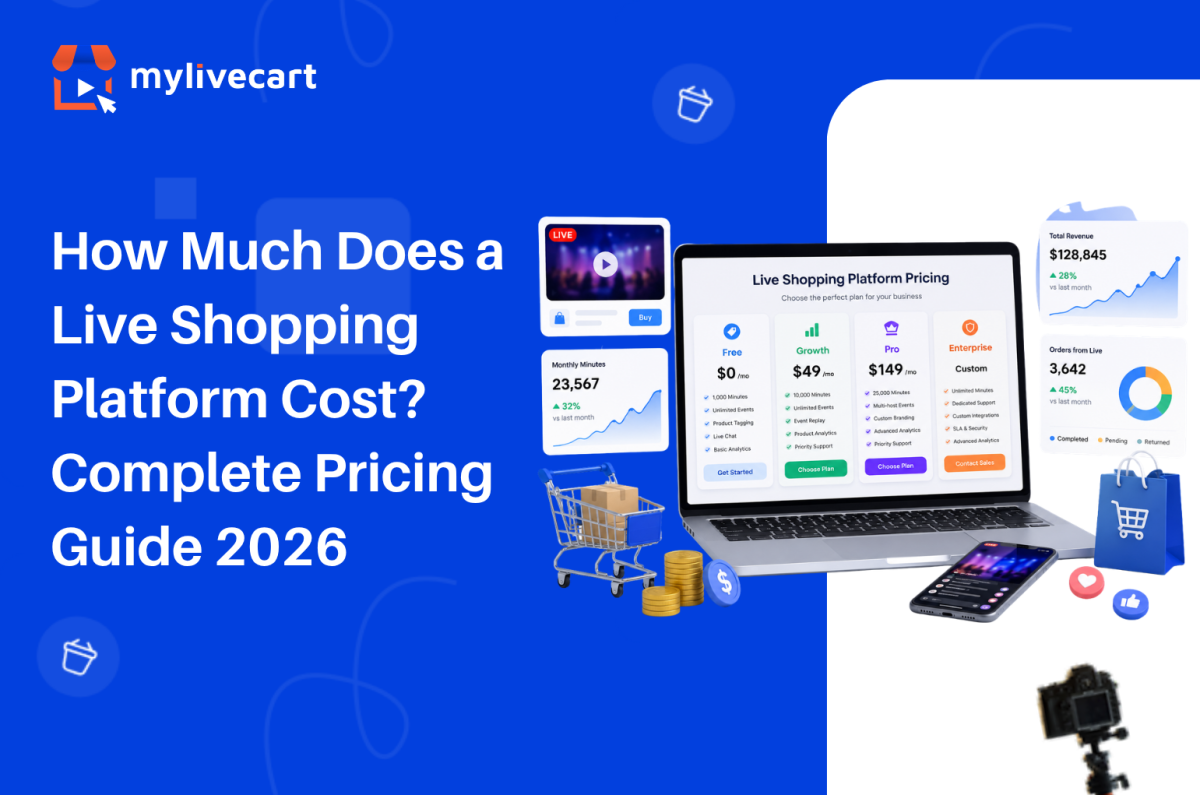
How Much Does a Live Shopping Platform Cost? Complete Pricing Guide 2026

Live shopping platform pricing ranges from $0/month on a free plan to $50,000+ per year for enterprise contracts and knowing where your brand fits in that range is the single most important decision before you commit to a platform.

This guide breaks down exactly what live shopping platforms cost in 2026, what drives price differences, and how to choose the right tier for where your business is today.

Quick Answer: Live shopping platform pricing in 2026 falls into four tiers: free plans ($0/month, limited minutes), growth plans ($29–$99/month), professional plans ($100–$299/month), and enterprise contracts ($1,000–$50,000+/month). For most growing brands on Shopify or WooCommerce, a free or growth-tier plan delivers everything needed to start live commerce product tagging, in-stream checkout, live chat, and basic analytics without a contract or sales process.

What Determines the Cost of a Live Shopping Platform?

Before comparing numbers, it helps to understand the five factors that drive platform pricing. Every plan structure across every live shopping tool comes back to the same variables:

1. Viewing Minutes

The most common billing unit in live shopping. Viewing minutes = the number of people watching × the duration of the stream. A 30-minute event with 200 viewers consumes 6,000 viewing minutes. Free plans typically cap at 1,000–2,000 minutes per month. Growth plans extend to 10,000–30,000. Enterprise plans offer unlimited or custom allocations.

2. Number of Events

Some platforms limit how many live events you can host per month. Others offer unlimited events on all plans. Unlimited events matter: if you want to test formats, run flash sales, or broadcast across time zones, event caps become a real constraint.

Start Free with MyLiveCart — No Sales Call, No Contract →

3. Platform Integrations

Shopify and WooCommerce integration availability varies by tier. Some platforms lock their native ecommerce plugin to paid plans only. Others including MyLiveCart include it on the free tier, so you can sell from your existing store without spending anything first.

4. Analytics Depth

Basic analytics (viewer count, concurrent viewers, peak moment) are standard across most paid tiers. Event-level product analytics which products were viewed, clicked, and purchased in-stream appear on mid-tier and above. Advanced audience analytics, multi-event comparison, and export functionality are typically professional or enterprise features.

5. Enterprise Services

White-label customisation, dedicated customer success management, SLA-backed uptime guarantees, and API access for custom integrations are the primary drivers of enterprise pricing. These services add significant cost and are largely unnecessary for brands below $20M in revenue running their own live commerce channel.

The Four Pricing Tiers in 2026

Tier 1 — Free Plans ($0/month)

Who they’re for: Brands running their first live events, validating whether live commerce works for their audience and product category.

What you typically get:

  • 1,000–2,000 viewing minutes per month
  • Unlimited or limited events
  • Basic platform features (live chat, product tagging, in-stream purchase)
  • Shopify or WooCommerce plugin (on some platforms not all)
  • Standard analytics

The trade-off: Minute limits mean free plans suit smaller or less frequent events. Once you’re running multiple events per week with growing audiences, you’ll outgrow the free tier.

MyLiveCart free plan: 2,000 viewing minutes/month, unlimited live events, unlimited products per event, full Shopify and WooCommerce plugin access, live chat, product tagging, and event analytics — no credit card required.

Tier 2 — Growth Plans ($29–$99/month)

Who they’re for: Brands running regular live events with an established audience typically 2–4 events per month with 100–500 concurrent viewers.

What you typically get:

  • 5,000–15,000 viewing minutes per month
  • Unlimited events
  • Event replay / VOD storage
  • Advanced product analytics
  • Simulcasting to social platforms
  • Priority customer support

The trade-off: The jump from free to growth tier is usually the right move once your events consistently fill the free tier’s minute allocation. ROI at this tier is straightforward: one additional sale per event at average order value typically covers the monthly cost.

MyLiveCart Pro plan: $79/month (or $61/month billed annually) 15,000 viewing minutes/month, unlimited events, recording access, simulcasting to social platforms, unlimited shoppable views and videos, and real-time analytics. No watermark.

Tier 3 — Professional Plans ($100–$299/month)

Who they’re for: Brands with active live commerce programmes running multiple events per week, high concurrent viewer counts (500+), and need for custom branding and dedicated support.

What you typically get:

  • 25,000–50,000 viewing minutes per month
  • Custom brand colours and domain
  • Multi-host events
  • Audience segmentation and retargeting tools
  • Priority or dedicated support
  • API access for custom integrations

The trade-off: At this tier, live commerce is no longer a test it is a channel. The investment is justified by consistent revenue attribution from events.

MyLiveCart Business plan: $259/month (or $219/month billed annually) 50,000 viewing minutes/month, all Pro features included, with a lower overage rate at $6 per 1,000 growth minutes. See the full feature breakdown for exact plan details.

Tier 4 — Enterprise Contracts ($1,000–$50,000+/month)

Who they’re for: Global retail brands with seven-figure live commerce budgets, dedicated production teams, and requirements for white-label deployment, enterprise SLAs, and custom API integrations.

What you typically get:

  • Unlimited viewing minutes
  • Full white-label customisation
  • Enterprise SLA (99.9%+ uptime guarantee)
  • Dedicated customer success manager
  • Custom analytics dashboards and data exports
  • Professional services for implementation and ongoing support
  • One-to-one video shopping capabilities

The trade-off: Enterprise contracts typically require an annual commitment and a sales process before you see a single number. Implementation timelines run weeks to months. If your brand is not yet operating at enterprise scale, this tier adds cost and complexity that an SMB growth plan resolves for less than 1% of the price.

Live Shopping Platform Pricing Comparison 2026

Platform Free Plan Entry Paid Mid Tier Enterprise
MyLiveCart Yes — 2,000 min/mo $79/month Pro (month-to-month) · $61/month annually $259/month Business · $219/month annually Custom
Bambuser Yes — 250 views/mo $79/month Essential (annual billing only, $948/year) $249/month Pro (annual billing only, $2,988/year) Custom
CommentSold No free plan ~$49/month ~$149/month Custom
Sprii No Custom quote Custom quote Custom
Channelize.io Limited trial $99/month $199/month Custom

Notes: All pricing is sourced from official platform pricing pages as of June 2026 and is subject to change. Bambuser’s Essential and Pro tiers are available on annual billing only no monthly option is published. MyLiveCart offers both monthly and annual billing. CommentSold, Sprii, and Channelize.io pricing is based on published rates at time of writing.

The key comparison for growing brands is not just the monthly number it is the billing commitment. MyLiveCart is the only platform in this comparison offering month-to-month billing on a paid plan from $79, allowing brands to upgrade and cancel based on results rather than contract terms.

How Much Should You Actually Spend on a Live Shopping Platform?

A useful framework: your live shopping platform cost should be no more than 10–15% of your projected monthly revenue from live events and ideally under 5% once you have data.

Monthly Live Revenue Recommended Tier Platform Budget
£0 (testing) Free $0
£500–£2,000 Free or Growth $0–$79
£2,000–£8,000 Growth $79
£8,000–£25,000 Professional $259
£25,000+ Professional or Enterprise $259+

At $79/month (MyLiveCart Pro), a single event generating 5 additional sales at an average order value of £50 covers the monthly platform cost. Most brands on the Pro tier achieve this in their first event.

Why Pay Thousands Before You Know It Works?
Start with MyLiveCart’s free plan, test live commerce risk-free, and upgrade only when your audience grows.

Start Selling Live for Free

What MyLiveCart Costs — Full Breakdown

Because transparency matters: here is exactly what MyLiveCart costs at each tier and what you get for it.

Feature Starter (Free) Pro ($79/mo · $61/mo annually) Business ($259/mo · $219/mo annually)
Viewing minutes 2,000/month 15,000/month (180,000/year) 50,000/month (600,000/year)
Live events Unlimited Unlimited Unlimited
Products per event Unlimited Unlimited Unlimited
Live viewers Unlimited Unlimited Unlimited
Streaming duration Up to 1 hour Unlimited Unlimited
Shopify integration Yes Yes Yes
WooCommerce integration Yes Yes Yes
Real-time analytics Yes Yes Yes
In-stream checkout Yes Yes Yes
Product tagging during live Yes Yes Yes
Live chat Yes Yes Yes
Simulcasting No Yes Yes
Shoppable Views No Unlimited Unlimited
Shoppable Videos No Unlimited Unlimited
Recording access No Yes Yes
MyLiveCart watermark Yes No No
Overage rate $15/1,000 min $12/1,000 min $6/1,000 min
Contract required No No No
Cancel anytime Yes Yes Yes

See the complete pricing page for the most up-to-date plan details and any active offers.

When to Start Free and When to Upgrade

Start on the free plan if:

  • You have not run a live shopping event before
  • You are testing whether live commerce works for your specific product category and audience
  • Your first events will likely have under 60–70 concurrent viewers for under 30 minutes
  • You want to validate your format, script, and product selection before spending anything

Upgrade to Pro ($79/month · $61/month annually) when:

  • Your events are regularly hitting the 2,000 minute/month cap on the free plan
  • You want to remove the MyLiveCart watermark from your stream
  • You need recording access so customers can replay events after the broadcast ends
  • You want simulcasting to social platforms to reach wider audiences
  • You want to publish unlimited shoppable views and shoppable videos on your store

Upgrade to Business ($259/month · $219/month annually) when:

  • You have a consistent live commerce programme and are regularly exceeding 15,000 viewing minutes per month on Pro
  • Your events scale to larger audiences and you need more minute capacity without high overage costs
  • The lower overage rate ($6 vs $12 per 1,000 minutes) makes Business more cost-effective than staying on Pro with overages

There is no pressure to upgrade before you are ready. The Starter plan has no time limit, and the month-to-month structure on paid plans means you can start, pause, or stop based on results not contract obligations.

The MyLiveCart Shopify integration and WooCommerce integration work identically on free and paid plans. There is no feature penalty for starting free.

The Hidden Cost of Annual-Only Pricing

For growing brands, the most expensive live shopping platform is not always the one with the highest monthly fee it is the platform that locks you into a full year of spend before you have performance data.

The real cost of an annual-only commitment at the validation stage:

  • Sunk cost risk: You pay for 12 months before knowing whether the channel converts for your audience
  • No exit ramp: If your strategy changes or the platform does not suit your workflow, you are committed for the year
  • Opportunity cost: Budget tied to one platform is budget not available for testing alternatives
  • Overage exposure: Annual plans with low view/minute caps can generate unexpected overage charges as your audience grows

A month-to-month platform at $0–$79/month lets you commit to one billing cycle at a time. If your first three events generate positive ROI, you continue. If they do not, you stop without writing off a year of spend.

Frequently Asked Questions About Live Shopping Platform Pricing

How much does a live shopping platform cost for small businesses?

For small businesses and growing brands, live shopping platforms cost between $0 and $259/month. MyLiveCart’s free Starter plan which includes Shopify and WooCommerce integration, unlimited events, and full in-stream checkout costs nothing. The Pro plan at $79/month suits brands running regular events with audiences up to a few hundred concurrent viewers.

Is there a free live streaming platform for ecommerce?

Yes. MyLiveCart offers a permanent free plan not a trial that includes 2,000 viewing minutes per month, unlimited live events, Shopify and WooCommerce integration, live chat, product tagging, and event analytics. No credit card required to start. Several other platforms offer limited-feature trials, but MyLiveCart’s free plan includes full ecommerce functionality.

What is the cheapest live shopping platform?

The cheapest live shopping platform with full ecommerce integration is MyLiveCart, which offers a free Starter plan with no time limit and no credit card requirement. Among paid plans, MyLiveCart Pro at $79/month is one of the lowest entry points for a professional live shopping platform with event replay, simulcasting, and advanced analytics.

Why do enterprise live shopping platforms cost so much?

Enterprise live shopping platforms charge $20,000–$50,000+ per year because they include services beyond software: white-label customisation, dedicated implementation teams, customer success management, enterprise SLA uptime guarantees, and custom API integrations. These services have real delivery costs but they are irrelevant and unnecessary for brands that are not yet operating at enterprise scale.

Do live shopping platforms charge per sale or per viewer?

Most live shopping platforms charge a flat monthly fee based on viewing minutes, not a commission per sale or per viewer. Some older platforms charged transaction fees (typically 1–3% of GMV generated in-stream), but this model has largely been replaced by subscription pricing. MyLiveCart does not charge transaction fees on any plan you keep 100% of the revenue from in-stream purchases.

Can I try a live shopping platform before buying?

Yes. MyLiveCart offers a permanent free plan not a time-limited trial so you can run real live events on your Shopify or WooCommerce store before spending anything. You can also book a free live demo to see the full platform before signing up.

What happens if I exceed my viewing minute limit?

On MyLiveCart, if you exceed your plan’s monthly viewing minute allocation, your live stream will continue but viewers beyond the limit may experience reduced quality or buffering. The platform will notify you as you approach your limit. You can upgrade your plan at any time including mid-month to increase your allocation.

Choose the Right Plan for Where You Are Today

Live shopping platform pricing does not need to be complicated. The right approach: start free, prove the channel works for your brand and audience, then upgrade when your events outgrow the free tier.

You do not need a five-figure annual contract to access professional live commerce features. You need a platform that removes the barriers price, process, and complexity so you can go live this week and build from real results.

  1. Create your free MyLiveCart account
  2. Connect your Shopify or WooCommerce store in minutes
  3. Run your first live shopping event at no cost

Ready to Start Live Shopping Without the Enterprise Price Tag?

Create Your Free Account or Book a Live Demo Today
Categories
E-commerce Live Shopping

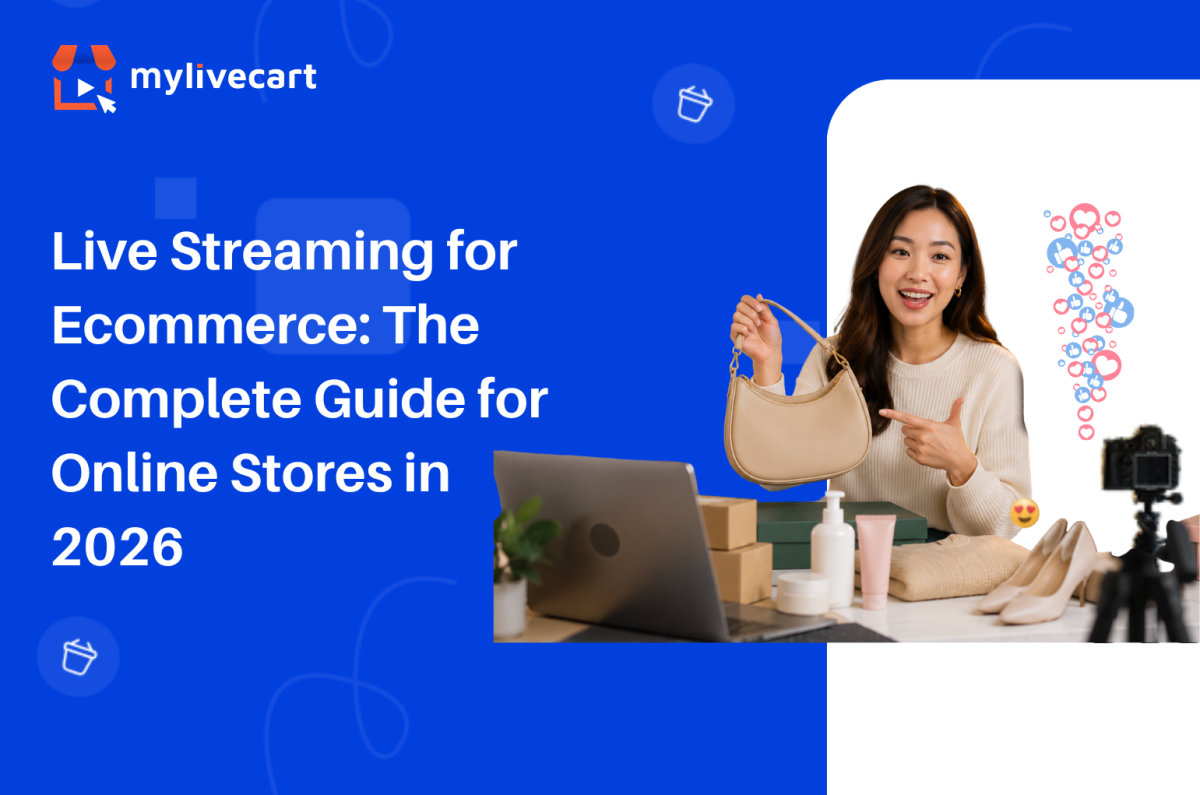
Live Streaming for Ecommerce: The Complete Guide for Online Stores in 2026

Live streaming for ecommerce is no longer a trend brands are watching from the sidelines. It is the fastest-growing sales channel in online retail and in 2026, every major ecommerce category from fashion to food to consumer electronics is running live shopping events directly on their stores.

The reason is simple: live video converts at rates static product pages cannot match. A shopper who watches a host demonstrate a product, ask questions in real time, and see other viewers buying alongside them is a fundamentally different kind of buyer than one scrolling a product grid alone.

This guide covers everything you need to know how live streaming ecommerce works, what formats drive the most sales, how to choose the right platform, and how to go live on your store today.

Quick Answer: Live streaming for ecommerce is the practice of broadcasting real-time video on your online store while selling products in-stream viewers watch, ask questions, and add to cart without leaving the stream. Brands running live commerce events report 30–45% increases in sales, 60% improvements in customer retention, and conversion rates 3–9x higher than standard product pages. To get started, you need a live streaming platform like MyLiveCart that integrates with your store (Shopify or WooCommerce) and handles the video, chat, and checkout layers for you.

What Is Live Streaming for Ecommerce?

Live streaming for ecommerce also called live commerce, live selling, or livestream shopping is the practice of broadcasting real-time video on your online store while selling products directly through that broadcast. Hosts demonstrate products, answer viewer questions live, and trigger buy buttons on-screen that let viewers add to cart and complete checkout without pausing the video or navigating away.

Unlike traditional video commerce (pre-recorded product videos on a product page), live streaming ecommerce is interactive. The host responds to the audience in real time. Viewers see other people buying. Limited-time offers create genuine urgency. The result is a purchasing environment that more closely resembles a physical retail experience than anything else available in online commerce.

Live commerce originated in China, where it now accounts for over 20% of all ecommerce transactions. Western markets have followed rapidly: live shopping platforms saw triple-digit growth between 2022 and 2025, and the global live commerce market is projected to exceed $500 billion by 2027.

How Live Streaming Ecommerce Works

A live streaming ecommerce event has three layers working simultaneously:

1. The video layer Your host streams live video from a camera smartphone, laptop webcam, or professional setup. The stream is encoded and delivered to viewers via a CDN (Content Delivery Network) with under 5 seconds of latency, so the experience feels genuinely live rather than delayed.

2. The commerce layer Products from your store catalog are loaded into the event in advance. During the stream, the host highlights individual products triggering a product card and buy button to appear on screen. Viewers click “Add to Cart” without leaving the video. Checkout uses your store’s existing payment flow.

3. The interaction layer A live chat panel runs alongside the video. Viewers ask questions, the host responds by name, and other viewers see the exchange. Emoji reactions, viewer counts, and time-limited offer banners create social proof and urgency in real time.

On the backend, every viewer action watch time, product clicks, add-to-cart events, purchases is tracked at the event level, giving you conversion data per product highlighted, not just per page view.

Why Live Streaming for Ecommerce Drives Higher Sales

The performance gap between live streaming ecommerce and static product pages is not marginal it is structural. Live video removes the three biggest objections in online shopping: uncertainty about the product, inability to ask questions, and lack of urgency.

Brands using MyLiveCart’s live shopping platform have reported:

  • 45% increase in sales within the first month of going live
  • 98 products sold in 23 days from a single jewellery brand’s live campaign
  • 3x increase in product inquiries and purchase intent
  • 60% improvement in customer retention
  • 2x improvement in engagement rate compared to static product pages

These results hold across categories fashion, jewellery, skincare, consumer electronics, food and beverage because the underlying mechanism (real-time demonstration + immediate purchase) is category-agnostic.

The conversion advantage comes from four specific dynamics:

Trust built through demonstration: Viewers see the product in motion how fabric falls, how a serum absorbs, how a gadget fits in a hand. This removes the ambiguity that causes hesitation on a product page.

Real-time objection handling: When a viewer asks “does this come in XL?” and gets an immediate answer, that objection is resolved in seconds rather than left to fester until the shopper abandons the cart.

Social proof at scale: Visible viewer counts, live chat activity, and emoji reactions signal that other real people are watching and buying which reduces the perceived risk of purchase.

Scarcity and urgency: “Only 8 left in stock” or “free shipping for the next 10 orders” means something when said live, in real time, rather than displayed as a static label that shoppers have learned to ignore.

Types of Live Streaming Formats for Ecommerce

Not every live stream follows the same format. The right format depends on your product category, audience size, and sales goal.

Product Launch Streams

Reveal a new product live, with an exclusive first-look for viewers. Works especially well for limited editions, seasonal collections, and subscription drops. Creates urgency because the first-mover advantage is real viewers who buy during the launch get it before anyone else.

See How MyLiveCart Powers Live Streaming Ecommerce — Get a Free Demo →

Tutorial and How-To Demos

Show the product being used step by step. Highly effective for skincare, cooking, tools, and anything that requires instruction. The demonstration closes the “but will it work for me?” objection that stops purchases on static pages.

Q&A and Expert Sessions

Host a live interview or panel where a product expert a dermatologist, a chef, a stylist demonstrates and answers audience questions in real time. Builds brand authority while educating viewers about the product.

Flash Sales and Limited-Time Drops

Time-limited offers available exclusively during the live event. Viewer gets a benefit (early access, discount, free shipping) that expires when the stream ends. Creates genuine urgency that static sale banners cannot replicate.

Behind-the-Scenes and Factory Tours

Show how the product is made, where it comes from, or how your brand operates. Particularly effective for brands where provenance and craft matter artisan goods, sustainable fashion, specialty food.

Influencer and Brand Ambassador Collabs

Invite an influencer or ambassador as a co-host. They bring their audience to your stream; you provide the product and purchase infrastructure. Extends your reach without requiring a large existing audience of your own.

How to Choose a Live Streaming Platform for Your Ecommerce Store

The live streaming platform you choose determines what your viewers can do and what data you can act on. Evaluate platforms on these five criteria before committing:

1. Integration with Your Ecommerce Platform

Your live streaming platform must connect directly to your product catalog Shopify, WooCommerce, or a custom backend. Without this, you are manually entering product details before every event, and inventory does not update in real time. MyLiveCart’s full feature set includes native integration for both major platforms.

2. In-Stream Checkout (Checkout Without Leaving the Video)

If a viewer has to navigate to a separate product page to buy, you lose a significant portion of them in transit. The buy button must surface within the stream player and add directly to your store’s cart. This is the most commonly missed requirement in platform evaluation.

3. Event-Level Analytics

You need to know which products converted, not just how many people watched. Platform-level analytics (“1,200 viewers”) are useless for product strategy. Event-level analytics (product A: 47 add-to-carts, product B: 12 add-to-carts, average watch time 14 minutes) tell you how to structure your next event.

4. Replay and VOD

Your live event continues working after it ends if it is available as a replay on your store. Every viewer who missed the live event is a potential buyer of the on-demand version. Platforms that do not record automatically leave that revenue on the table.

5. Pricing That Scales With You

Look for a platform that has a free or low-cost entry point so you can test and learn before committing significant budget. MyLiveCart’s free Starter plan includes unlimited events and 2,000 viewing minutes per month enough to run your first several events and validate the format for your audience before upgrading.

How to Get Started with Live Streaming for Your Ecommerce Store

Getting your first live shopping event live takes less than a day most of it is planning, not setup. Here is the process from zero to live:

Step 1 — Choose Your Platform and Sign Up

Create a free MyLiveCart account at web.mylivecart.com/sign-up. The free Starter plan includes unlimited events, unlimited products per event, and the integration plugin for your store. No credit card required.

Step 2 — Connect Your Store

From your MyLiveCart dashboard, go to Integrations and connect your store. The Shopify integration takes under 60 seconds authorize the app, and your entire product catalog syncs automatically. WooCommerce follows the same process.

Step 3 — Plan Your Event Format and Product Selection

Decide which format fits your goal (launch, demo, flash sale). Select 8–15 products to feature enough to fill a 30–60 minute stream without rushing. Order your products: open with your strongest sellers to build early momentum, then introduce newer or higher-consideration items mid-stream when trust is established.

Step 4 — Promote the Event in Advance

Share your event link 48–72 hours ahead via email, social media, and your store’s homepage. MyLiveCart generates a pre-event page that viewers can bookmark and share. Brands that promote in advance consistently see 2–3x more viewers than unannounced streams.

Step 5 — Go Live

At event time, click Start Event from your dashboard. Your stream embeds on your store automatically. During the event, click products in your event panel to highlight them the buy button appears on screen for all viewers in real time. Respond to chat questions by name. Add urgency with limited-time offers.

Step 6 — Review Your Analytics

After every event, your analytics dashboard shows peak viewers, watch time, products highlighted, add-to-cart rate, conversion rate per product, and total orders. Use this data to decide which products to lead with next time, which offer types drove the most action, and which time slot brought the largest audience.

Ready to run your first event? Your store can be live this week.

Start Live Streaming Free — No Developer Needed →

Live Streaming Ecommerce Best Practices

Keep Events Between 30 and 60 Minutes

Under 30 minutes does not give late arrivals enough time to engage and buy. Over 60 minutes sees significant audience drop-off after the halfway point. The 30–60 minute window consistently produces the highest engagement-to-conversion ratio.

Start Selling Within the First 5 Minutes

Viewers decide within the first 3–5 minutes whether to stay. Lead with a strong product, a compelling offer, or a bold claim then back it up. Audiences who stay past 5 minutes convert at significantly higher rates than those who leave early.

Feature 8–12 Products Per Hour

Fewer than 8 products leaves too much time on each item and loses momentum. More than 15 per hour rushes viewers and reduces their confidence in each purchase decision. Spending 4–6 minutes per product is the optimal pacing for most categories.

Use Your Chat as a Sales Tool

Every question in chat is a sales signal. When a viewer asks “does this ship internationally?” or “what size should I get?” they are close to buying. Prioritise those questions over generic comments. Resolve objections publicly so every viewer watching benefits.

Go Live Consistently, Not Just Once

The brands that see compounding results from live streaming ecommerce go live on a regular schedule weekly or bi-weekly. Audiences learn when to expect you. Returning viewers convert at higher rates than first-time viewers because trust is already established.

Live Streaming on Your Own Store vs. Social Platforms

The most common question from brands starting live commerce is whether to stream on Instagram, TikTok, or YouTube — or on their own store. The answer depends on where you are in your brand journey.

Factor Instagram / TikTok / YouTube Live Live Streaming on Your Store
Audience reach Large, built-in audience Your existing audience + promotion
Checkout location Third-party platform Your own store
Customer data Platform owns it You own it
Product catalog sync Limited or manual Full, automatic
Analytics Views and likes Product-level conversion data
Replay on your store No Yes
Brand control Platform-branded UI Fully your brand

The strategic answer: social platforms are useful for discovery and audience building. Your own store is where sales and data ownership live. The highest-performing brands use both they promote on social, then send viewers to their store for the actual purchase event.

Frequently Asked Questions About Live Streaming for Ecommerce

What is live streaming for ecommerce?

Live streaming for ecommerce is the practice of broadcasting real-time video on an online store while selling products through the stream. Viewers watch a host demonstrate products, ask questions in a live chat, and add items to cart without leaving the video all on the retailer’s own website.

How does live streaming increase ecommerce sales?

Live streaming increases ecommerce sales by removing the three main objections that stop online shoppers: uncertainty about the product (resolved by live demonstration), inability to ask questions (resolved by real-time chat), and lack of urgency (created by limited-time in-stream offers and visible social proof).

What equipment do I need to start live streaming for ecommerce?

You need a device with a camera (smartphone or laptop works), a stable internet connection, and a live streaming platform connected to your store. No professional studio equipment is required to start brands run successful live events from phones and basic ring lights.

Which ecommerce platforms support live streaming?

Shopify and WooCommerce both support live streaming through MyLiveCart’s native plugins. The live stream embeds directly on your store across all platforms.

How long should a live shopping event be?

Most successful live shopping events run between 30 and 60 minutes. This is long enough for late joiners to engage and buy, but short enough to maintain audience attention and host energy throughout. Events under 20 minutes tend to underperform because they do not allow time for the audience to warm up and trust the host.

How many products should I feature in a live event?

Most successful live shopping events feature 8–12 products in a 30–60 minute stream roughly one product every 4–6 minutes. This pacing gives viewers enough time to consider and buy each item without feeling rushed, while maintaining momentum across the event.

Is live streaming ecommerce only for large brands?

No. Live streaming ecommerce works across brand sizes. The advantages real-time demonstration, live Q&A, urgency apply equally to a small jewellery maker with 500 email subscribers and a large fashion retailer with millions of followers. MyLiveCart’s free plan is specifically designed for brands starting their first live commerce events.

Start Live Streaming for Your Ecommerce Store Today

Live streaming ecommerce is not a future consideration it is the channel your competitors are already testing. The brands that establish a consistent live shopping presence now will have a significant advantage in audience trust, conversion data, and repeat buyer rates by the end of 2026.

Getting started takes three minutes:

  1. Create your free MyLiveCart account
  2. Connect your Shopify or WooCommerce store
  3. Run your first live event this week

If you would like a specialist to walk through your first event setup, book a free live demo and we will plan your first stream together format, product selection, promotion, and analytics review included.

Start Your First Live Shopping Event Today